Add and append rows with sheet_add_aoa in SheetJS
Real sheets are often built in pieces: a header first, then data, then a totals row. sheet_add_aoa writes more data into a worksheet that already exists.
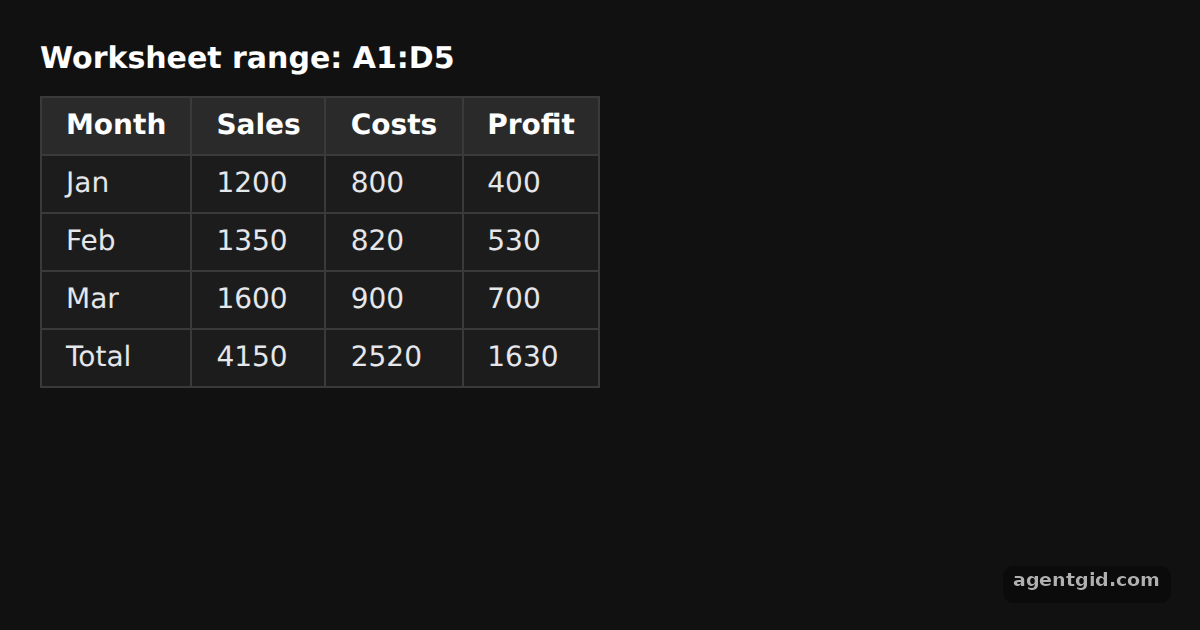
How it works
- Start with the header. The example creates a worksheet that holds only the header row, using
aoa_to_sheet. Every later call adds to this samewsobject. [1] - Write at a cell.
{ origin: "A2" }starts the three monthly rows right under the header. A cell object like{ r: 0, c: 3 }works too and is used for the new Profit column D. [1] - Append at the bottom.
{ origin: -1 }adds the totals row after the last filled row, wherever that is. [1]
Run and edit it
It runs in your browser, in a sandboxed frame that cannot see this site; the packages load from esm.sh only after you press Run.
import * as XLSX from "xlsx";

// Dark page styles
const css = document.createElement("style");
css.textContent = `
  body { margin: 0; background: #111; }
  #root { font: 14px system-ui, sans-serif; color: #e5e7eb; padding: 20px; box-sizing: border-box; }
  h3 { margin: 0 0 10px; font-size: 15px; color: #fff; }
  table { border-collapse: collapse; background: #1c1c1c; }
  td, th { border: 1px solid #3a3a3a; padding: 6px 12px; text-align: left; }
  tr:first-child td { background: #2a2a2a; font-weight: 600; color: #fff; }
`;
document.head.appendChild(css);

// Start from a sheet that only has the header row
const ws = XLSX.utils.aoa_to_sheet([["Month", "Sales", "Costs"]]);

// Write three data rows starting at cell A2
XLSX.utils.sheet_add_aoa(ws, [
  ["Jan", 1200, 800],
  ["Feb", 1350, 820],
  ["Mar", 1600, 900],
], { origin: "A2" });

// Append a totals row below the last row
XLSX.utils.sheet_add_aoa(ws, [["Total", 4150, 2520]], { origin: -1 });

// Fill column D from the top using a cell object (row 0, column 3)
XLSX.utils.sheet_add_aoa(ws, [["Profit"], [400], [530], [700], [1630]], { origin: { r: 0, c: 3 } });

const root = document.getElementById("root");
root.innerHTML = `<h3>Worksheet range: ${ws["!ref"]}</h3>` + XLSX.utils.sheet_to_html(ws);
Add an Apr row to the A2 block and the Total row moves down by itself. Code written by AgentGid [1].
Add an Apr row to the A2 block and the Total row moves down by itself. Code written by AgentGid [1].Checked Oct 12, 2026: it starts without errors in Chromium with xlsx 0.18.5. Needs WebGL.
More SheetJS examples
Array of objects to worksheet in SheetJS Array of arrays to worksheet in SheetJS HTML table to worksheet in SheetJS Write a workbook to CSV or XLSX data with SheetJS
Sources
Explanations written by AgentGid from the official docs; the numbers in brackets point here. The code marked "written by AgentGid" is ours and free to copy.