SheetJS Examples You Can Edit and Run
5 small SheetJS examples written by AgentGid from the official docs, one feature each. Every one runs in your browser: change the code and see the result at once, or describe a change and let AI rewrite it. The screenshots are taken from the same code by our server, which also checks that each example starts without errors.
SheetJS: usage and stats 127 AI-built projects use it
 Array of objects to worksheet in SheetJSAdd a new key such as City to the first object and a new column appears in the table.
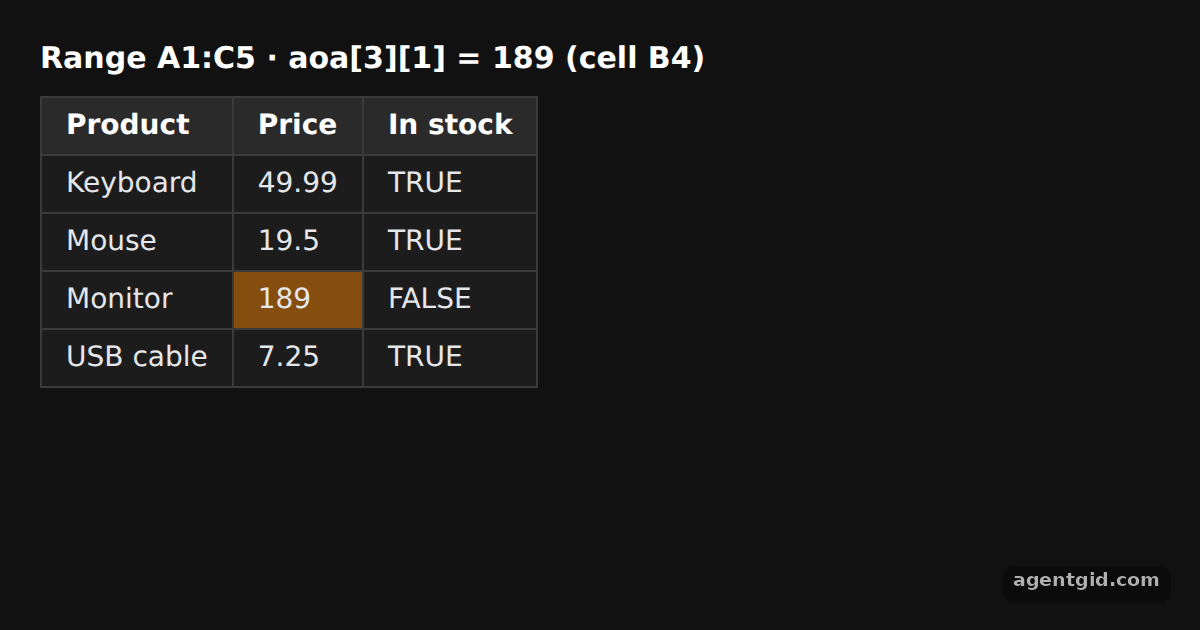 Array of arrays to worksheet in SheetJSChange the Monitor price in the array and the highlighted B4 cell updates.
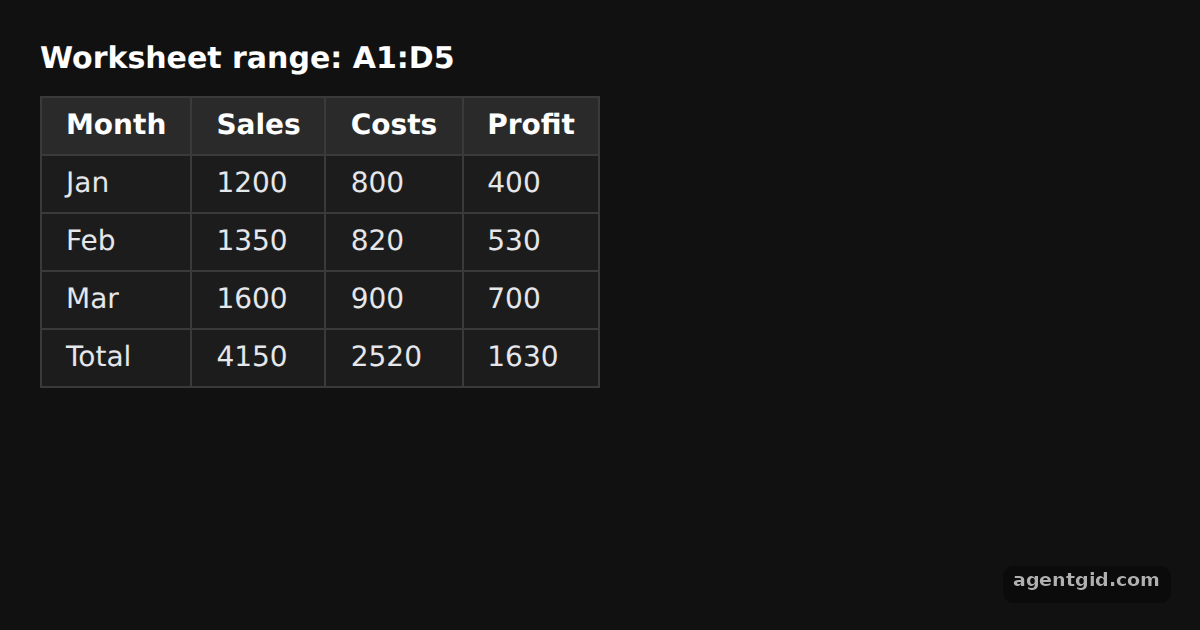 Add and append rows with sheet_add_aoa in SheetJSAdd an Apr row to the A2 block and the Total row moves down by itself.
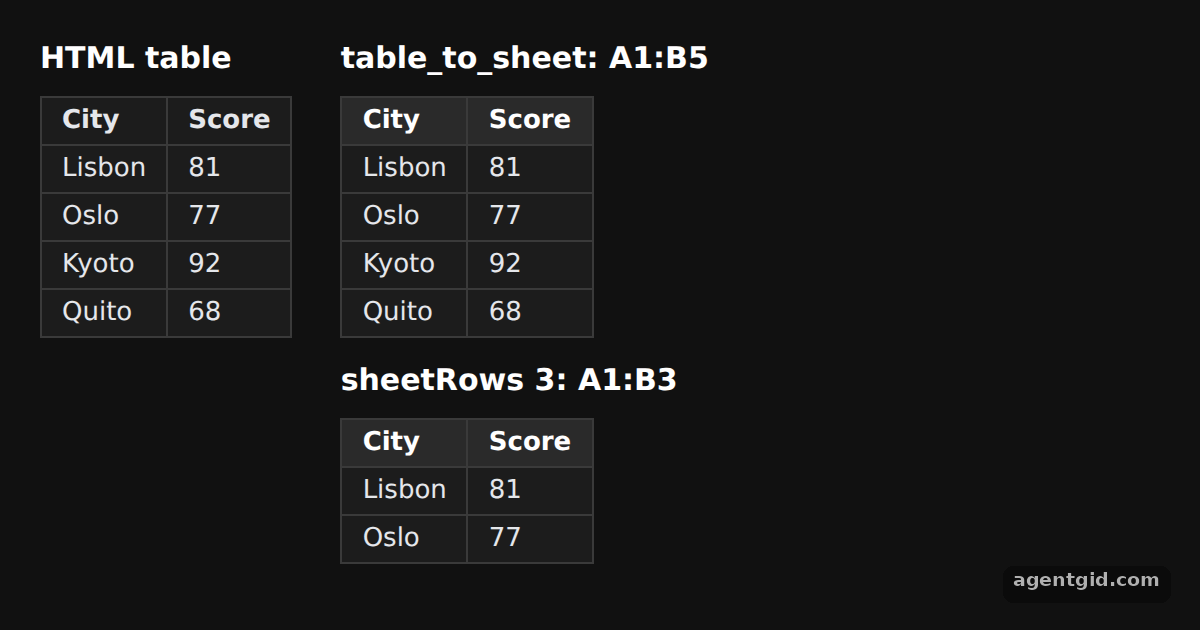 HTML table to worksheet in SheetJSAdd a row to the HTML table on the left and the parsed range on the right grows.
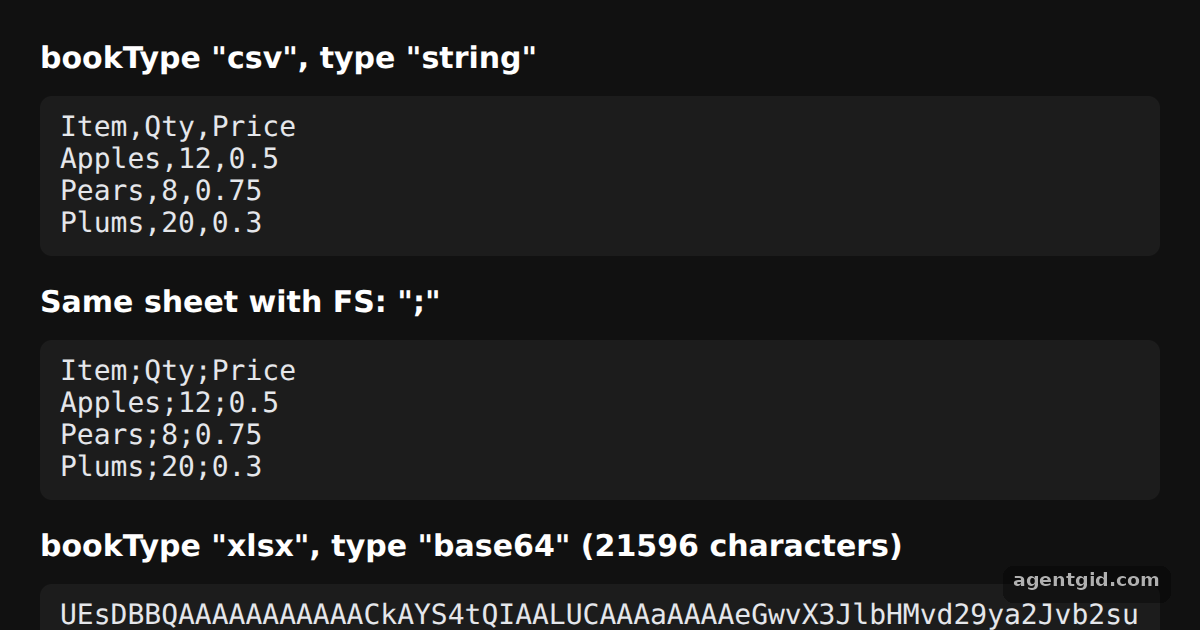 Write a workbook to CSV or XLSX data with SheetJSChange FS to a pipe character and the second block uses | between fields.
Try them all in one place
import * as XLSX from "xlsx";
// Dark page styles
const css = document.createElement("style");
css.textContent = `
body { margin: 0; background: #111; }
#root { font: 14px system-ui, sans-serif; color: #e5e7eb; padding: 20px; box-sizing: border-box; }
h3 { margin: 0 0 10px; font-size: 15px; color: #fff; }
table { border-collapse: collapse; background: #1c1c1c; }
td, th { border: 1px solid #3a3a3a; padding: 6px 12px; text-align: left; }
tr:first-child td { background: #2a2a2a; font-weight: 600; color: #fff; }
`;
document.head.appendChild(css);
const rows = [
{ Name: "Ada Lovelace", Team: "Research", Score: 92 },
{ Name: "Grace Hopper", Team: "Compilers", Score: 88 },
{ Name: "Alan Turing", Team: "Research", Score: 95 },
{ Name: "Katherine Johnson", Team: "Orbits", Score: 90 },
];
// Array of objects -> worksheet; the object keys become the header row
const ws = XLSX.utils.json_to_sheet(rows);
// Put the worksheet in a new workbook under the name "Team"
const wb = XLSX.utils.book_new();
XLSX.utils.book_append_sheet(wb, ws, "Team");
// Render the sheet back as an HTML table
const root = document.getElementById("root");
root.innerHTML =
`<h3>Sheets: ${wb.SheetNames.join(", ")} · range ${ws["!ref"]}</h3>` +
XLSX.utils.sheet_to_html(ws, { id: "team" });
Add a new key such as City to the first object and a new column appears in the table. Code written by AgentGid [1]. How it works, with a screenshot →
Add a new key such as City to the first object and a new column appears in the table. Code written by AgentGid [1]. How it works, with a screenshot →Change the Monitor price in the array and the highlighted B4 cell updates. Code written by AgentGid [1]. How it works, with a screenshot →Add an Apr row to the A2 block and the Total row moves down by itself. Code written by AgentGid [1]. How it works, with a screenshot →Add a row to the HTML table on the left and the parsed range on the right grows. Code written by AgentGid [3]. How it works, with a screenshot →Change FS to a pipe character and the second block uses | between fields. Code written by AgentGid [4]. How it works, with a screenshot →Checked Oct 12, 2026: each example starts without errors in Chromium with xlsx 0.18.5. Needs WebGL.
Sources
- Docs: docs › api › utilities › array
- Docs: docs › getting-started › examples › export
- Docs: docs › api › utilities › html
- Docs: docs › api › write-options
Explanations written by AgentGid from the official docs; the numbers in brackets point here. The code marked "written by AgentGid" is ours and free to copy.