Prism highlighting for JSX
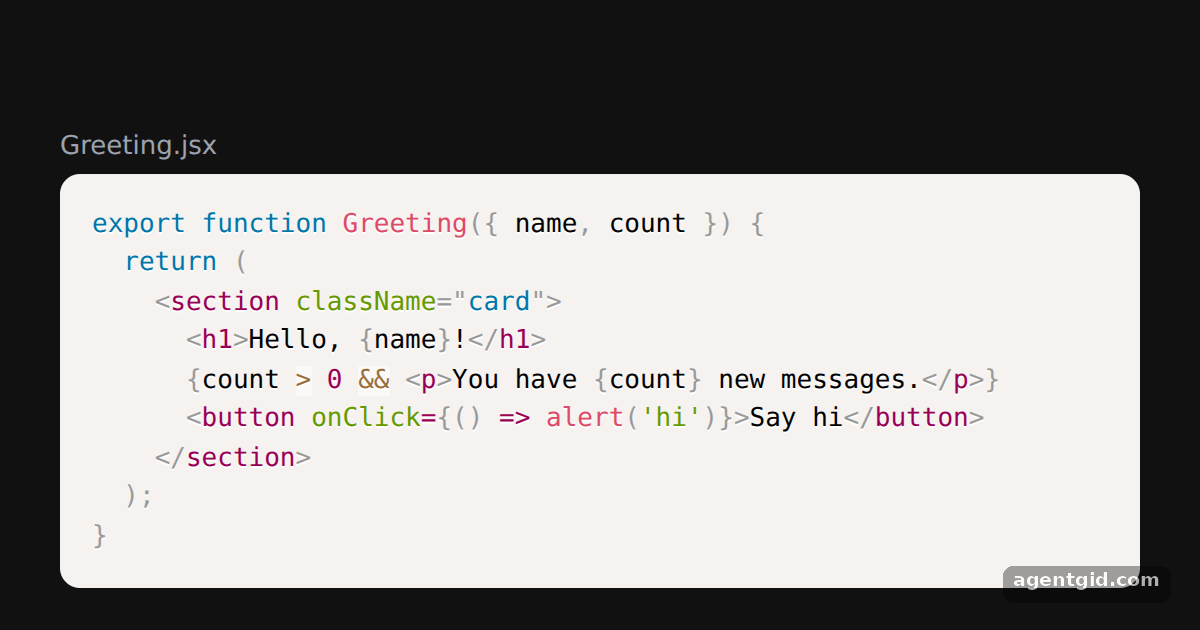
The Prism build swaps highlight.js for refractor, which handles JSX. The props are the same as in the default build.
All React Syntax Highlighter examples React Syntax Highlighter: usage and stats
How it works
- Import the Prism build.
Prismis a named export, renamed toSyntaxHighlighterso the JSX reads the same as with the default build. [1] - Highlight JSX. Setting
language="jsx"highlights the tags, attributes and{}expressions of the sample component. [1] - Restyle the outer block.
customStyleis merged into the style of thepretag, so the margin, radius and font size here override the theme's. [1]
Run and edit it
It runs in your browser, in a sandboxed frame that cannot see this site; the packages load from esm.sh only after you press Run.
import { Prism as SyntaxHighlighter } from 'react-syntax-highlighter';

const codeString = `export function Greeting({ name, count }) {
  return (
    <section className="card">
      <h1>Hello, {name}!</h1>
      {count > 0 && <p>You have {count} new messages.</p>}
      <button onClick={() => alert('hi')}>Say hi</button>
    </section>
  );
}`;

export default function App() {
  return (
    <div style={{ background: '#111', height: 360, display: 'grid', placeItems: 'center' }}>
      <div style={{ width: 540 }}>
        <div style={{ color: '#9ca3af', font: '13px system-ui', marginBottom: 6 }}>Greeting.jsx</div>
        <SyntaxHighlighter
          language="jsx"
          customStyle={{ margin: 0, borderRadius: 10, fontSize: 13, padding: 16 }}
        >
          {codeString}
        </SyntaxHighlighter>
      </div>
    </div>
  );
}
Edit the codeString to see the JSX re-highlighted as you type. Code written by AgentGid [1].
Edit the codeString to see the JSX re-highlighted as you type. Code written by AgentGid [1].Checked Oct 12, 2026: it starts without errors in Chromium with react-syntax-highlighter 16.1.2, react 19.3.0, react-dom 19.3.0. Needs WebGL.
More React Syntax Highlighter examples
Highlight code in React Line numbers in react-syntax-highlighter Highlight specific lines Custom CSS theme with class names
Sources
Explanations written by AgentGid from the official docs; the numbers in brackets point here. The code marked "written by AgentGid" is ours and free to copy.