Highlight code in React
react-syntax-highlighter turns a code string into highlighted React elements. You pass the code as children and pick a language.
All React Syntax Highlighter examples React Syntax Highlighter: usage and stats
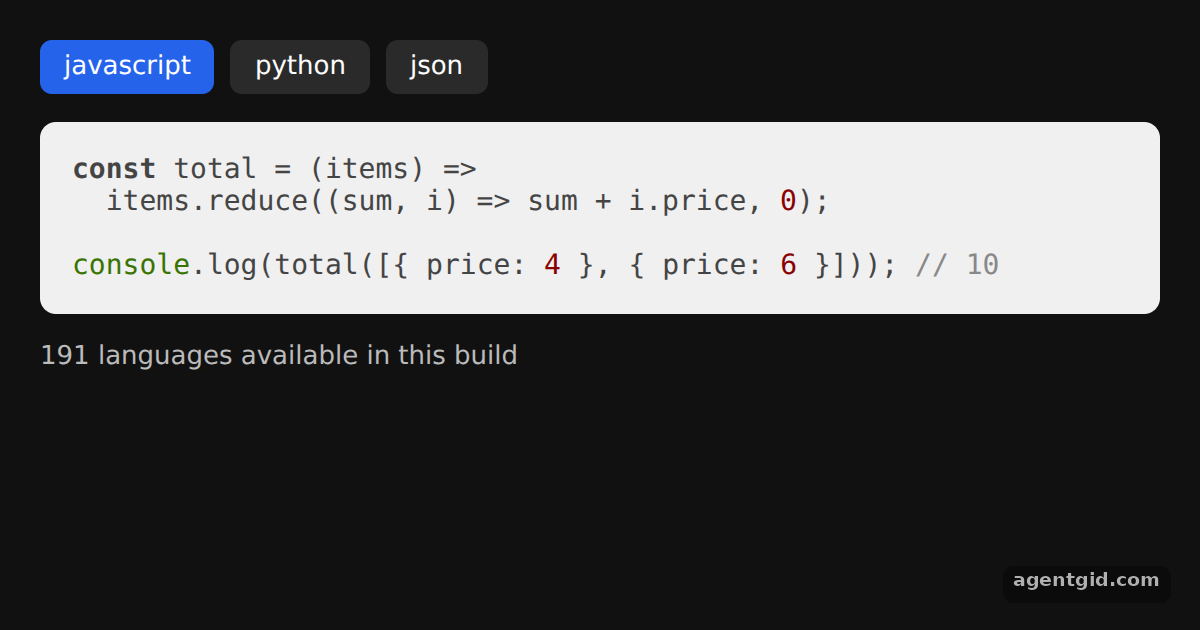
How it works
- Import the component. The default export of
react-syntax-highlighteris the highlight.js based component. The code string goes in aschildrenand comes out as highlighted React elements. [1] - Pick a language. The
languageprop decides how the string is tokenized. Here a row of buttons switches it between three samples. [1] - Default style and list of languages. No
styleprop is passed, so the built-in default theme is used. The footer readsSyntaxHighlighter.supportedLanguagesto count the available languages. [1]
Run and edit it
It runs in your browser, in a sandboxed frame that cannot see this site; the packages load from esm.sh only after you press Run.
import { useState } from 'react';
import SyntaxHighlighter from 'react-syntax-highlighter';

const samples = {
  javascript: `const total = (items) =>\n  items.reduce((sum, i) => sum + i.price, 0);\n\nconsole.log(total([{ price: 4 }, { price: 6 }])); // 10`,
  python: `def total(items):\n    return sum(i["price"] for i in items)\n\nprint(total([{"price": 4}, {"price": 6}]))  # 10`,
  json: `{\n  "name": "demo",\n  "version": "1.0.0",\n  "private": true\n}`,
};

const btn = (active) => ({
  padding: '6px 12px', borderRadius: 6, border: 'none', cursor: 'pointer',
  background: active ? '#2563eb' : '#2a2a2a', color: '#fff', font: '13px system-ui',
});

export default function App() {
  const [lang, setLang] = useState('javascript');
  return (
    <div style={{ background: '#111', height: 360, padding: 20, boxSizing: 'border-box',
      font: '13px system-ui', color: '#bbb' }}>
      <div style={{ display: 'flex', gap: 8, marginBottom: 12 }}>
        {Object.keys(samples).map((l) => (
          <button key={l} style={btn(l === lang)} onClick={() => setLang(l)}>{l}</button>
        ))}
      </div>
      <SyntaxHighlighter language={lang} customStyle={{ borderRadius: 8, padding: 16, fontSize: 14 }}>
        {samples[lang]}
      </SyntaxHighlighter>
      <p>{SyntaxHighlighter.supportedLanguages.length} languages available in this build</p>
    </div>
  );
}
Click a language button to re-highlight a different snippet. Code written by AgentGid [1].
Click a language button to re-highlight a different snippet. Code written by AgentGid [1].Checked Oct 12, 2026: it starts without errors in Chromium with react-syntax-highlighter 16.1.2, react 19.3.0, react-dom 19.3.0. Needs WebGL.
More React Syntax Highlighter examples
Prism highlighting for JSX Line numbers in react-syntax-highlighter Highlight specific lines Custom CSS theme with class names
Sources
Explanations written by AgentGid from the official docs; the numbers in brackets point here. The code marked "written by AgentGid" is ours and free to copy.