Sortable list in dnd kit
The sortable preset builds reorderable lists on top of dnd kit's core. You keep the order in state and update it with arrayMove when a drag ends.
How it works
- Two building blocks.
SortableContextreceives theitemsarray and a strategy, and every row callsuseSortable({ id })to get its ref, listeners, transform and transition. [1] - Keep items in render order. The same
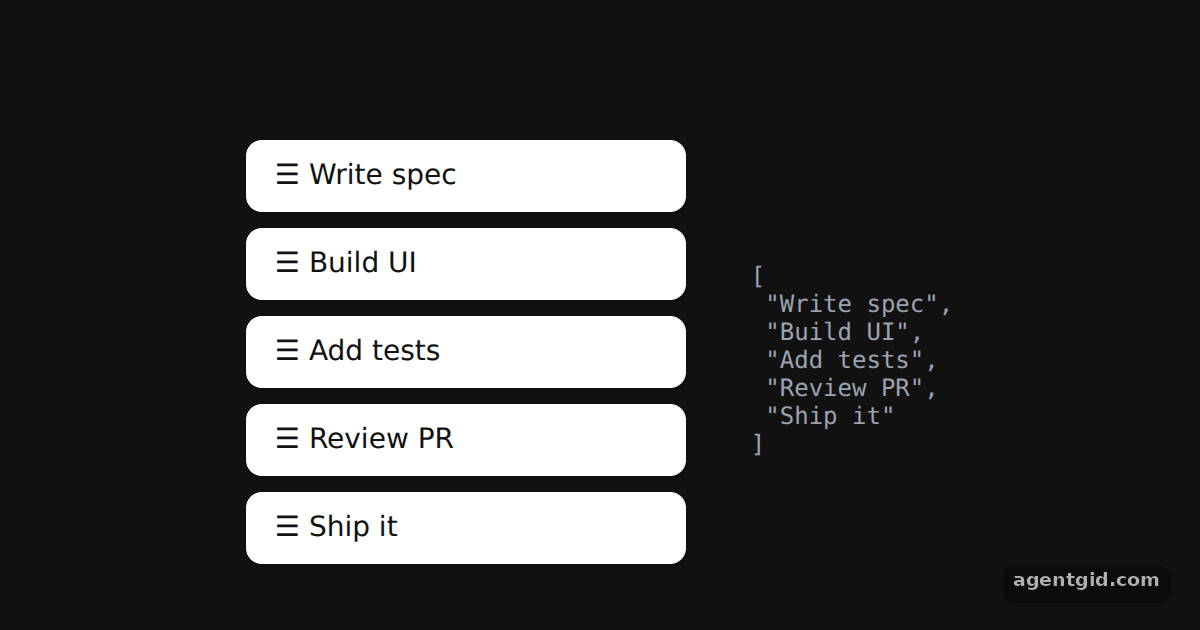
itemsstate drives both theSortableContextprop and the rendered rows, so they always match. The JSON on the right shows the current order. [1] - Pick sensors and collision detection.
useSensorssets up the pointer sensor and the keyboard sensor withsortableKeyboardCoordinates.DndContextusesclosestCenterfor collisions. [1] - Reorder on drop.
handleDragEndfinds the old and new index of the moved item and callsarrayMoveto get the new array.verticalListSortingStrategymatches the single-column layout. [1]
Run and edit it
It runs in your browser, in a sandboxed frame that cannot see this site; the packages load from esm.sh only after you press Run.
import { useState } from 'react';
import { DndContext, closestCenter, KeyboardSensor, PointerSensor, useSensor, useSensors } from '@dnd-kit/core';
import {
  arrayMove, SortableContext, sortableKeyboardCoordinates, useSortable, verticalListSortingStrategy,
} from '@dnd-kit/sortable';
import { CSS } from '@dnd-kit/utilities';

function SortableItem({ id }) {
  const { attributes, listeners, setNodeRef, transform, transition } = useSortable({ id });
  const style = {
    transform: CSS.Transform.toString(transform), transition,
    padding: '10px 14px', marginBottom: 8, borderRadius: 8, background: '#fff', color: '#111',
    font: '500 14px system-ui', cursor: 'grab', touchAction: 'none', boxShadow: '0 1px 3px rgba(0,0,0,.4)',
  };
  return <div ref={setNodeRef} style={style} {...attributes} {...listeners}>☰ {id}</div>;
}

export default function App() {
  const [items, setItems] = useState(['Write spec', 'Build UI', 'Add tests', 'Review PR', 'Ship it']);
  const sensors = useSensors(
    useSensor(PointerSensor),
    useSensor(KeyboardSensor, { coordinateGetter: sortableKeyboardCoordinates })
  );

  function handleDragEnd(event) {
    const { active, over } = event;
    if (over && active.id !== over.id) {
      setItems((items) => {
        const oldIndex = items.indexOf(active.id);
        const newIndex = items.indexOf(over.id);
        return arrayMove(items, oldIndex, newIndex);
      });
    }
  }

  return (
    <div style={{ height: 360, background: '#111', display: 'flex', justifyContent: 'center', alignItems: 'center', gap: 32 }}>
      <div style={{ width: 220 }}>
        <DndContext sensors={sensors} collisionDetection={closestCenter} onDragEnd={handleDragEnd}>
          <SortableContext items={items} strategy={verticalListSortingStrategy}>
            {items.map((id) => <SortableItem key={id} id={id} />)}
          </SortableContext>
        </DndContext>
      </div>
      <pre style={{ color: '#9ca3af', font: '12px ui-monospace, monospace' }}>{JSON.stringify(items, null, 1)}</pre>
    </div>
  );
}
Drag any row up or down; the JSON on the right shows the new order of the items array. Code written by AgentGid [1].
Drag any row up or down; the JSON on the right shows the new order of the items array. Code written by AgentGid [1].Checked Oct 12, 2026: it starts without errors in Chromium with @dnd-kit/core 6.3.1, react 19.3.0, react-dom 19.3.0, @dnd-kit/utilities 3.2.2, @dnd-kit/sortable 10.0.0. Needs WebGL.
More dnd kit examples
Draggable and droppable in dnd kit Multiple drop zones in dnd kit Drag handles in dnd kit Sortable grid in dnd kit
Sources
Explanations written by AgentGid from the official docs; the numbers in brackets point here. The code marked "written by AgentGid" is ours and free to copy.