Drag handles in dnd kit
A drag handle lets users start a drag from one small control, so the rest of the row can hold inputs, links or buttons that behave normally.
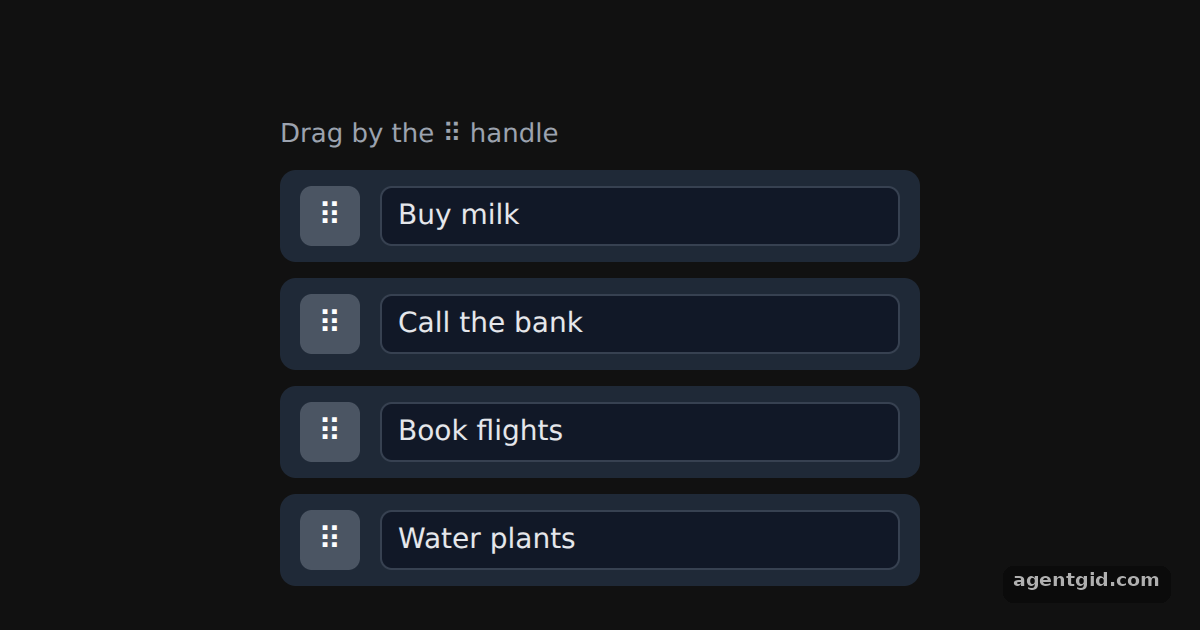
How it works
- Attach listeners to the handle only. Each row gives
setNodeRefand the transform to the whole row, but spreadslistenerson the small ⠿ button. Pressing inside the text field does not start a drag. [1] - Keep the attributes with the listeners. The handle also receives
attributes, as the docs advise when the listeners sit on a different element than the draggable node. [1] - Same props from useSortable. The rows are sortable, and
useSortablereturns the samelistenersandattributesasuseDraggable, plustransitionfor the move animation. [2] - touch-action on the handle. Only the handle sets
touchAction: 'none'; the row and its text field do not. [1]
Run and edit it
It runs in your browser, in a sandboxed frame that cannot see this site; the packages load from esm.sh only after you press Run.
import { useState } from 'react';
import { DndContext, closestCenter, KeyboardSensor, PointerSensor, useSensor, useSensors } from '@dnd-kit/core';
import {
  arrayMove, SortableContext, sortableKeyboardCoordinates, useSortable, verticalListSortingStrategy,
} from '@dnd-kit/sortable';
import { CSS } from '@dnd-kit/utilities';

const LABELS = { a: 'Buy milk', b: 'Call the bank', c: 'Book flights', d: 'Water plants' };

function Row({ id }) {
  const { attributes, listeners, setNodeRef, transform, transition } = useSortable({ id });
  return (
    <div ref={setNodeRef} style={{
      transform: CSS.Transform.toString(transform), transition, display: 'flex', alignItems: 'center',
      gap: 10, padding: '8px 10px', marginBottom: 8, background: '#1f2937', borderRadius: 8,
    }}>
      {/* Only this button starts a drag */}
      <button {...listeners} {...attributes} aria-label={`Reorder ${LABELS[id]}`} style={{
        touchAction: 'none', cursor: 'grab', border: 0, borderRadius: 6,
        background: '#4b5563', color: '#fff', width: 30, height: 30, fontSize: 16,
      }}>⠿</button>
      <input defaultValue={LABELS[id]} style={{
        flex: 1, background: '#111827', color: '#e5e7eb', border: '1px solid #374151',
        borderRadius: 6, padding: '6px 8px', font: '14px system-ui',
      }} />
    </div>
  );
}

export default function App() {
  const [items, setItems] = useState(['a', 'b', 'c', 'd']);
  const sensors = useSensors(
    useSensor(PointerSensor),
    useSensor(KeyboardSensor, { coordinateGetter: sortableKeyboardCoordinates })
  );

  function handleDragEnd({ active, over }) {
    if (over && active.id !== over.id) {
      setItems((items) => arrayMove(items, items.indexOf(active.id), items.indexOf(over.id)));
    }
  }

  return (
    <div style={{ height: 360, background: '#111', display: 'grid', placeItems: 'center' }}>
      <div style={{ width: 320 }}>
        <p style={{ color: '#9ca3af', font: '13px system-ui', margin: '0 0 10px' }}>Drag by the ⠿ handle</p>
        <DndContext sensors={sensors} collisionDetection={closestCenter} onDragEnd={handleDragEnd}>
          <SortableContext items={items} strategy={verticalListSortingStrategy}>
            {items.map((id) => <Row key={id} id={id} />)}
          </SortableContext>
        </DndContext>
      </div>
    </div>
  );
}
Drag a row by its ⠿ handle; click into a text field and type to see that it does not start a drag. Code written by AgentGid [1].
Drag a row by its ⠿ handle; click into a text field and type to see that it does not start a drag. Code written by AgentGid [1].Checked Oct 12, 2026: it starts without errors in Chromium with @dnd-kit/core 6.3.1, react 19.3.0, react-dom 19.3.0, @dnd-kit/utilities 3.2.2, @dnd-kit/sortable 10.0.0. Needs WebGL.
More dnd kit examples
Draggable and droppable in dnd kit Multiple drop zones in dnd kit Sortable list in dnd kit Sortable grid in dnd kit
Sources
Explanations written by AgentGid from the official docs; the numbers in brackets point here. The code marked "written by AgentGid" is ours and free to copy.