Sortable grid in dnd kit
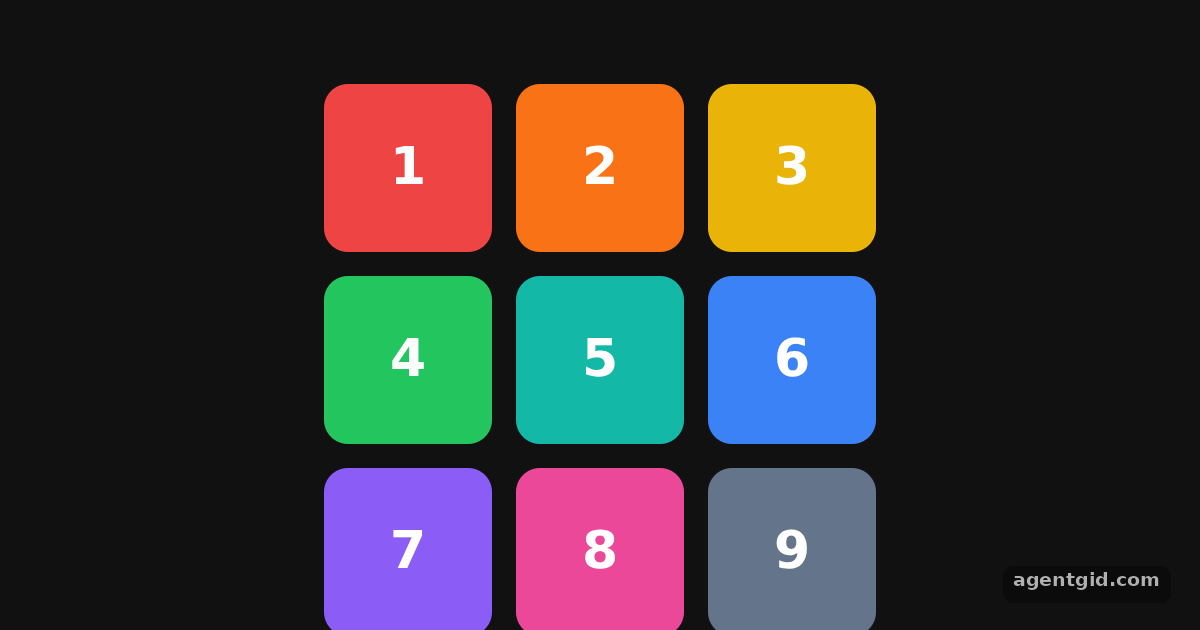
The sortable preset is not limited to lists: with a grid layout and rectSortingStrategy the same hooks reorder tiles in two dimensions.
How it works
- Grids are a supported layout. The tiles sit in a CSS grid with three columns.
SortableContextwraps the grid and gets the ordereditemsarray. [1] - Choose rectSortingStrategy. The example passes
strategy={rectSortingStrategy}toSortableContext, the strategy the docs list as suitable for most use cases. [1] - Animate each tile. Every
TilecallsuseSortableand appliesCSS.Transform.toString(transform)plustransition, so neighbours slide out of the way during a drag. [1] - Save the new order. On drop,
handleDragEndmoves the tile witharrayMove, the same code the sortable quick start uses. [1]
Run and edit it
It runs in your browser, in a sandboxed frame that cannot see this site; the packages load from esm.sh only after you press Run.
import { useState } from 'react';
import { DndContext, closestCenter, KeyboardSensor, PointerSensor, useSensor, useSensors } from '@dnd-kit/core';
import { arrayMove, rectSortingStrategy, SortableContext, sortableKeyboardCoordinates, useSortable } from '@dnd-kit/sortable';
import { CSS } from '@dnd-kit/utilities';

const COLORS = ['#ef4444', '#f97316', '#eab308', '#22c55e', '#14b8a6', '#3b82f6', '#8b5cf6', '#ec4899', '#64748b'];

function Tile({ id }) {
  const { attributes, listeners, setNodeRef, transform, transition } = useSortable({ id });
  return (
    <div ref={setNodeRef} {...attributes} {...listeners} style={{
      transform: CSS.Transform.toString(transform), transition, touchAction: 'none', cursor: 'grab',
      height: 84, borderRadius: 12, background: COLORS[id - 1], color: '#fff',
      display: 'grid', placeItems: 'center', font: '700 26px system-ui',
    }}>{id}</div>
  );
}

export default function App() {
  const [items, setItems] = useState([1, 2, 3, 4, 5, 6, 7, 8, 9]);
  const sensors = useSensors(
    useSensor(PointerSensor),
    useSensor(KeyboardSensor, { coordinateGetter: sortableKeyboardCoordinates })
  );

  function handleDragEnd(event) {
    const { active, over } = event;
    if (over && active.id !== over.id) {
      setItems((items) => {
        const oldIndex = items.indexOf(active.id);
        const newIndex = items.indexOf(over.id);
        return arrayMove(items, oldIndex, newIndex);
      });
    }
  }

  return (
    <div style={{ height: 360, background: '#111', display: 'grid', placeItems: 'center' }}>
      <DndContext sensors={sensors} collisionDetection={closestCenter} onDragEnd={handleDragEnd}>
        <SortableContext items={items} strategy={rectSortingStrategy}>
          <div style={{ display: 'grid', gridTemplateColumns: 'repeat(3, 84px)', gap: 12 }}>
            {items.map((id) => <Tile key={id} id={id} />)}
          </div>
        </SortableContext>
      </DndContext>
    </div>
  );
}
Drag any coloured tile onto another position in the grid; the numbers show the new order. Code written by AgentGid [1].
Drag any coloured tile onto another position in the grid; the numbers show the new order. Code written by AgentGid [1].Checked Oct 12, 2026: it starts without errors in Chromium with @dnd-kit/core 6.3.1, react 19.3.0, react-dom 19.3.0, @dnd-kit/utilities 3.2.2, @dnd-kit/sortable 10.0.0. Needs WebGL.
More dnd kit examples
Draggable and droppable in dnd kit Multiple drop zones in dnd kit Sortable list in dnd kit Drag handles in dnd kit
Sources
Explanations written by AgentGid from the official docs; the numbers in brackets point here. The code marked "written by AgentGid" is ours and free to copy.