Draggable and droppable in dnd kit
dnd kit's core package turns your own elements into drag sources and drop targets with two hooks, and reports the result through DndContext events.
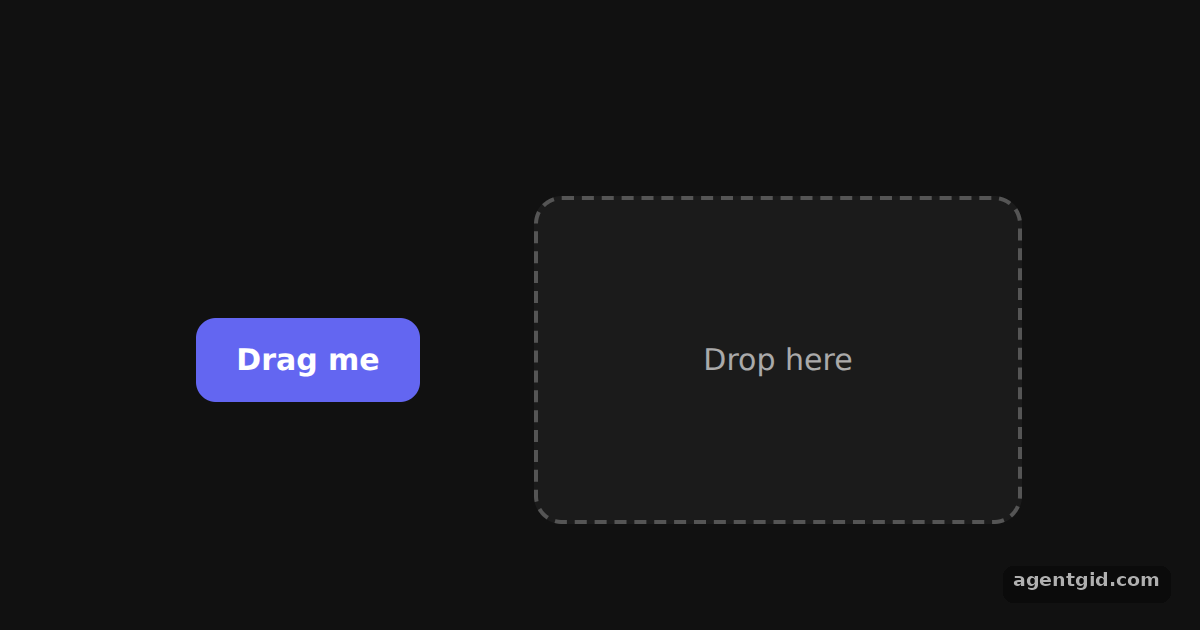
How it works
- Wrap everything in DndContext. Both components sit inside
<DndContext>. ItsonDragEndhandler checksevent.overand stores whether the button was dropped on the zone. [1] - Make the button draggable.
useDraggable({ id: 'draggable' })returnssetNodeRef,listeners,attributesandtransform. The button spreads the listeners and attributes and moves withCSS.Translate.toString(transform). [1] - Highlight the drop zone.
useDroppable({ id: 'droppable' })gives the zone a ref and anisOverflag. The border turns green while the button hovers over it. [1]
Run and edit it
It runs in your browser, in a sandboxed frame that cannot see this site; the packages load from esm.sh only after you press Run.
import { useState } from 'react';
import { DndContext, useDraggable, useDroppable } from '@dnd-kit/core';
import { CSS } from '@dnd-kit/utilities';

function Draggable({ children }) {
  const { attributes, listeners, setNodeRef, transform } = useDraggable({ id: 'draggable' });
  const style = {
    transform: CSS.Translate.toString(transform),
    position: 'relative', zIndex: 2, touchAction: 'none', cursor: 'grab',
    padding: '12px 20px', border: 0, borderRadius: 10,
    background: '#6366f1', color: '#fff', font: '600 15px system-ui',
  };
  return <button ref={setNodeRef} style={style} {...listeners} {...attributes}>{children}</button>;
}

function Droppable({ children }) {
  const { isOver, setNodeRef } = useDroppable({ id: 'droppable' });
  return (
    <div ref={setNodeRef} style={{
      width: 240, height: 160, display: 'grid', placeItems: 'center', borderRadius: 14,
      border: `2px dashed ${isOver ? '#22c55e' : '#555'}`,
      background: isOver ? 'rgba(34,197,94,0.12)' : '#1b1b1b',
      color: isOver ? '#4ade80' : '#aaa', font: '15px system-ui',
    }}>
      {children}
    </div>
  );
}

export default function App() {
  const [isDropped, setIsDropped] = useState(false);
  const draggableMarkup = <Draggable>Drag me</Draggable>;

  function handleDragEnd(event) {
    // Was the item released over the drop zone?
    setIsDropped(Boolean(event.over && event.over.id === 'droppable'));
  }

  return (
    <div style={{ height: 360, background: '#111', display: 'flex', alignItems: 'center', justifyContent: 'center', gap: 48 }}>
      <DndContext onDragEnd={handleDragEnd}>
        <div style={{ width: 130, display: 'grid', placeItems: 'center', color: '#666', font: '13px system-ui' }}>
          {!isDropped ? draggableMarkup : 'empty'}
        </div>
        <Droppable>{isDropped ? draggableMarkup : 'Drop here'}</Droppable>
      </DndContext>
    </div>
  );
}
Drag the purple button into the dashed box; drop it outside the box to move it back. Code written by AgentGid [1].
Drag the purple button into the dashed box; drop it outside the box to move it back. Code written by AgentGid [1].Checked Oct 12, 2026: it starts without errors in Chromium with @dnd-kit/core 6.3.1, react 19.3.0, react-dom 19.3.0, @dnd-kit/utilities 3.2.2, @dnd-kit/sortable 10.0.0. Needs WebGL.
More dnd kit examples
Multiple drop zones in dnd kit Sortable list in dnd kit Drag handles in dnd kit Sortable grid in dnd kit
Sources
Explanations written by AgentGid from the official docs; the numbers in brackets point here. The code marked "written by AgentGid" is ours and free to copy.