Popover in Base UI
A popover shows floating content next to a trigger button. Base UI ships it as unstyled parts that you assemble and style yourself.
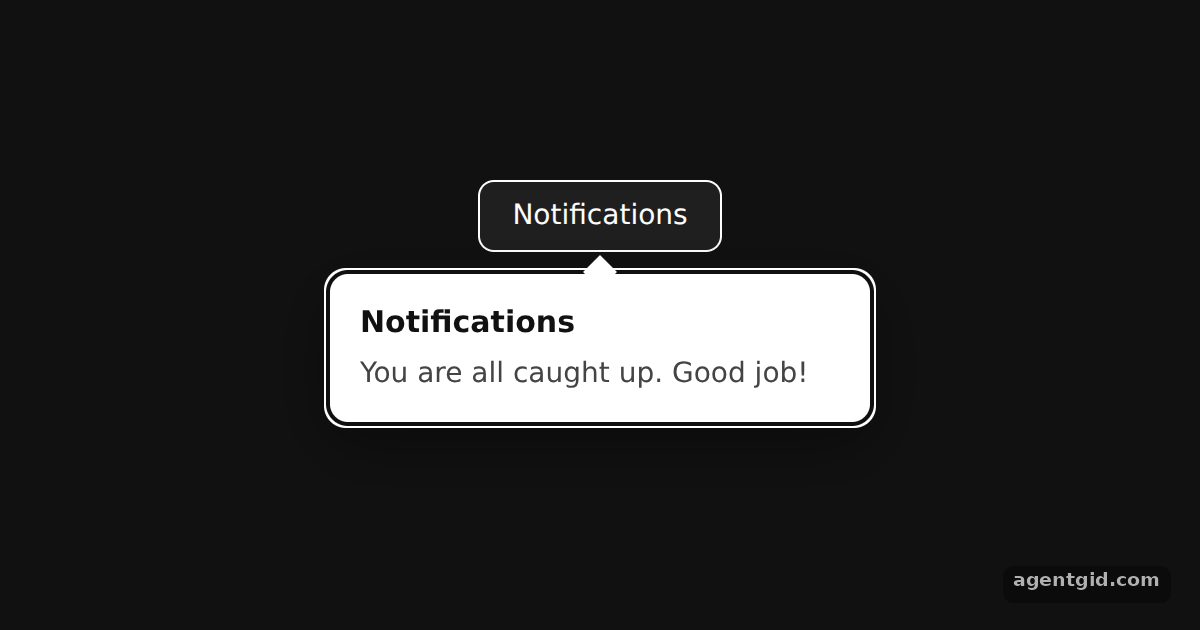
How it works
- Import the component. The example imports the
Popovernamespace from@base-ui/reactand nests its parts:Root,Trigger,Portal,PositionerandPopup. [1] - Render the popup in a portal.
Popover.Portalmoves the popup out of the normal page flow so it can sit above other content.sideOffseton the positioner adds a gap below the trigger. [1] - Style it your way. Every part gets a
classNamefrom a small stylesheet created in code. The popup fades in through thedata-starting-styleattribute, the same hook the official CSS uses. [2]
Run and edit it
It runs in your browser, in a sandboxed frame that cannot see this site; the packages load from esm.sh only after you press Run.
import { Popover } from '@base-ui/react';

const css = `
.trigger { height: 36px; padding: 0 16px; border: 1px solid #fff; background: #1f1f1f;
  color: #fff; font: 500 14px system-ui; border-radius: 8px; cursor: pointer; }
.trigger:focus-visible { outline: 2px solid #60a5fa; outline-offset: 2px; }
.popup { width: 240px; padding: 14px 16px; background: #fff; color: #111; border-radius: 10px;
  box-shadow: 0 10px 30px rgb(0 0 0 / 40%); font-family: system-ui; position: relative;
  transition: opacity 150ms, transform 150ms; }
.popup[data-starting-style], .popup[data-ending-style] { opacity: 0; transform: scale(0.96); }
.arrow { position: absolute; width: 12px; height: 12px; background: #fff; transform: rotate(45deg); }
.arrow[data-side='bottom'] { top: -6px; }
.title { margin: 0 0 4px; font-size: 15px; }
.desc { margin: 0; font-size: 14px; color: #444; }
`;

export default function App() {
  return (
    <div style={{ height: 360, display: 'flex', justifyContent: 'center', paddingTop: 90,
      background: '#111', boxSizing: 'border-box' }}>
      <style>{css}</style>
      <Popover.Root defaultOpen>
        <Popover.Trigger className="trigger">Notifications</Popover.Trigger>
        <Popover.Portal>
          <Popover.Positioner sideOffset={10}>
            <Popover.Popup className="popup">
              <Popover.Arrow className="arrow" />
              <Popover.Title className="title">Notifications</Popover.Title>
              <Popover.Description className="desc">
                You are all caught up. Good job!
              </Popover.Description>
            </Popover.Popup>
          </Popover.Positioner>
        </Popover.Portal>
      </Popover.Root>
    </div>
  );
}
The popover starts open via defaultOpen; click the button or press Esc to close it. Code written by AgentGid [1].
The popover starts open via defaultOpen; click the button or press Esc to close it. Code written by AgentGid [1].Checked Oct 12, 2026: it starts without errors in Chromium with @base-ui/react 1.9.0, react 19.3.0, react-dom 19.3.0. Needs WebGL.
More Base UI examples
Dialog with focus control in Base UI Accessible form fields in Base UI Checkbox and Switch in Base UI Accordion in Base UI
Sources
Explanations written by AgentGid from the official docs; the numbers in brackets point here. The code marked "written by AgentGid" is ours and free to copy.