Dialog with focus control in Base UI
A dialog is a modal window over the page. Base UI handles focus when it opens and closes, and lets you pick which element gets focus first.
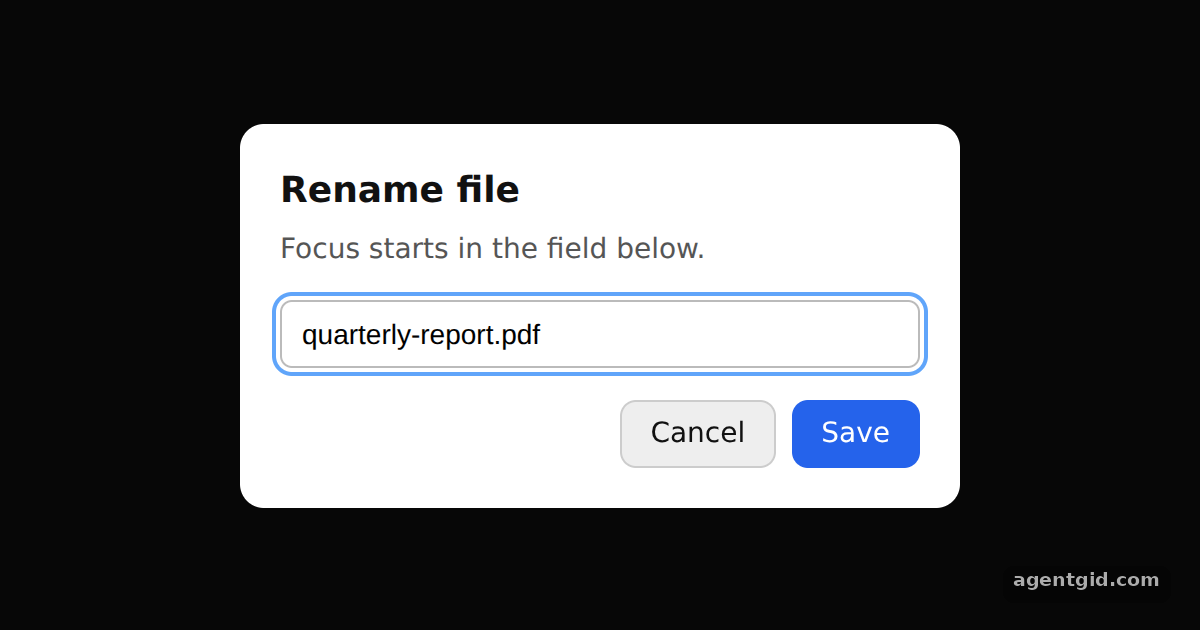
How it works
- Build the dialog from parts.
Dialog.Rootholds the open state,Dialog.Portalrenders theBackdropandPopupover the page, andDialog.Closebuttons close it. [1] - Choose the first focused element. The popup receives
initialFocus={inputRef}, so the file name field is focused as soon as the dialog opens. [2] - Show where focus is. The stylesheet adds a visible outline on
:focusand:focus-visible, because drawing the focus indicator is left to you. [2]
Run and edit it
It runs in your browser, in a sandboxed frame that cannot see this site; the packages load from esm.sh only after you press Run.
import { useRef } from 'react';
import { Dialog } from '@base-ui/react';

const css = `
.btn { height: 34px; padding: 0 14px; border-radius: 8px; border: 1px solid #555;
  background: #1f1f1f; color: #fff; font: 500 14px system-ui; cursor: pointer; }
.btn.primary { background: #2563eb; border-color: #2563eb; }
.btn:focus-visible, .field:focus { outline: 2px solid #60a5fa; outline-offset: 2px; }
.backdrop { position: fixed; inset: 0; background: rgb(0 0 0 / 60%); }
.popup { position: fixed; top: 50%; left: 50%; transform: translate(-50%, -50%);
  width: 320px; padding: 20px; border-radius: 12px; background: #fff; color: #111;
  font-family: system-ui; }
.popup h2 { margin: 0 0 6px; font-size: 18px; }
.popup p { margin: 0 0 14px; font-size: 14px; color: #555; }
.field { width: 100%; box-sizing: border-box; padding: 8px 10px; font-size: 14px;
  border: 1px solid #bbb; border-radius: 6px; }
.actions { display: flex; justify-content: flex-end; gap: 8px; margin-top: 16px; }
.actions .btn:not(.primary) { background: #eee; color: #111; border-color: #ccc; }
`;

export default function App() {
  const inputRef = useRef(null);
  return (
    <div style={{ height: 360, display: 'grid', placeItems: 'center', background: '#111' }}>
      <style>{css}</style>
      <Dialog.Root defaultOpen>
        <Dialog.Trigger className="btn">Rename file</Dialog.Trigger>
        <Dialog.Portal>
          <Dialog.Backdrop className="backdrop" />
          <Dialog.Popup className="popup" initialFocus={inputRef}>
            <Dialog.Title>Rename file</Dialog.Title>
            <Dialog.Description>Focus starts in the field below.</Dialog.Description>
            <input ref={inputRef} className="field" defaultValue="quarterly-report.pdf" />
            <div className="actions">
              <Dialog.Close className="btn">Cancel</Dialog.Close>
              <Dialog.Close className="btn primary">Save</Dialog.Close>
            </div>
          </Dialog.Popup>
        </Dialog.Portal>
      </Dialog.Root>
    </div>
  );
}
The dialog opens on load with the text field focused; press Esc or a button to close it, then reopen it with the trigger. Code written by AgentGid [1].
The dialog opens on load with the text field focused; press Esc or a button to close it, then reopen it with the trigger. Code written by AgentGid [1].Checked Oct 12, 2026: it starts without errors in Chromium with @base-ui/react 1.9.0, react 19.3.0, react-dom 19.3.0. Needs WebGL.
More Base UI examples
Popover in Base UI Accessible form fields in Base UI Checkbox and Switch in Base UI Accordion in Base UI
Sources
Explanations written by AgentGid from the official docs; the numbers in brackets point here. The code marked "written by AgentGid" is ours and free to copy.