Checkbox and Switch in Base UI
Checkboxes and switches are toggles for on/off settings. Base UI renders the accessible behaviour and leaves every pixel of the look to your CSS.
How it works
- Compose the parts.
Checkbox.Rootwraps aCheckbox.Indicatorfor the tick mark, andSwitch.Rootwraps aSwitch.Thumb. You can add or wrap parts like any other React element. [1] - Controlled and uncontrolled state. The checkbox is controlled with
checkedandonCheckedChange, so the status line below reads from React state. The switch just usesdefaultChecked. [2] - Style the checked state. The CSS targets the
data-checkedattribute on the root and thumb, so the colors and thumb position change without extra class logic. [1]
Run and edit it
It runs in your browser, in a sandboxed frame that cannot see this site; the packages load from esm.sh only after you press Run.
import { useState } from 'react';
import { Checkbox, Switch } from '@base-ui/react';

const css = `
.card { width: 300px; padding: 20px; border-radius: 12px; background: #fff; color: #111;
  font: 15px system-ui; display: flex; flex-direction: column; gap: 16px; }
.row { display: flex; align-items: center; gap: 12px; cursor: pointer; }
.box { width: 22px; height: 22px; border: 2px solid #888; border-radius: 6px; background: #fff;
  display: grid; place-items: center; padding: 0; cursor: pointer; }
.box[data-checked] { background: #2563eb; border-color: #2563eb; }
.tick { color: #fff; font-size: 14px; line-height: 1; }
.switch { width: 44px; height: 24px; border-radius: 12px; border: none; background: #ccc;
  padding: 2px; cursor: pointer; transition: background 150ms; }
.switch[data-checked] { background: #16a34a; }
.thumb { display: block; width: 20px; height: 20px; border-radius: 50%; background: #fff;
  transition: transform 150ms; }
.thumb[data-checked] { transform: translateX(20px); }
.status { color: #ddd; font: 14px system-ui; margin-top: 14px; text-align: center; }
`;

export default function App() {
  const [emails, setEmails] = useState(true);
  return (
    <div style={{ height: 360, display: 'grid', placeContent: 'center', background: '#111' }}>
      <style>{css}</style>
      <div className="card">
        <label className="row">
          <Checkbox.Root className="box" checked={emails} onCheckedChange={(v) => setEmails(v)}>
            <Checkbox.Indicator className="tick">✓</Checkbox.Indicator>
          </Checkbox.Root>
          Email me product updates
        </label>
        <label className="row">
          <Switch.Root className="switch" defaultChecked>
            <Switch.Thumb className="thumb" />
          </Switch.Root>
          Sync across devices
        </label>
      </div>
      <div className="status">Product emails: {emails ? 'on' : 'off'}</div>
    </div>
  );
}
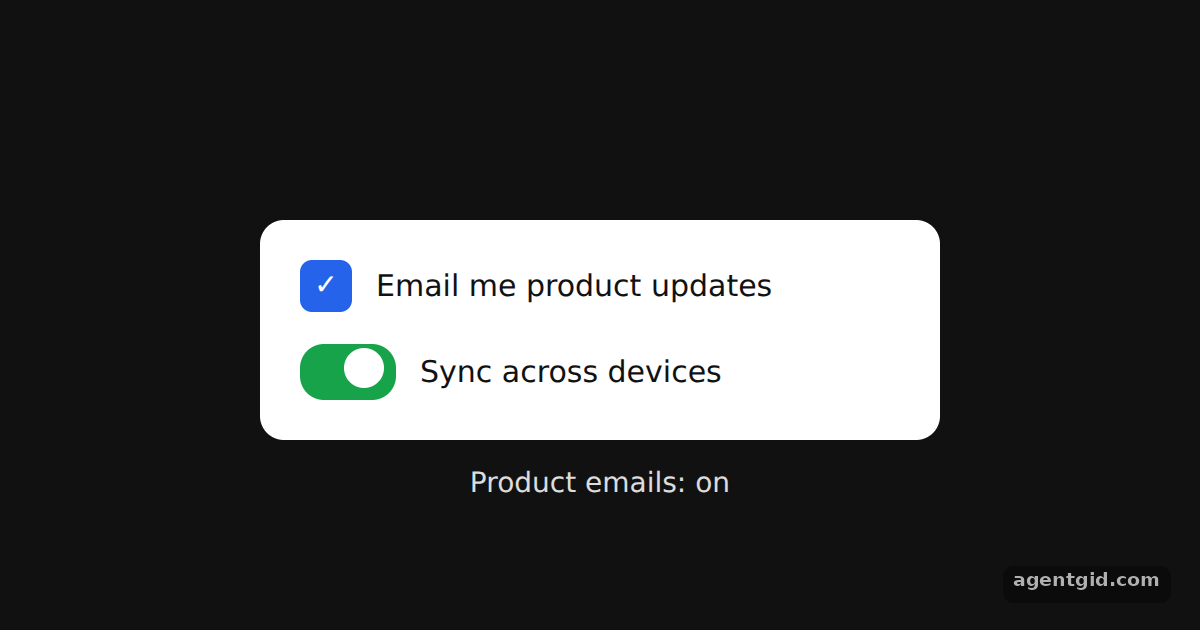
Click either toggle or its label; the checkbox state is echoed in the line under the card. Code written by AgentGid [1].
Click either toggle or its label; the checkbox state is echoed in the line under the card. Code written by AgentGid [1].Checked Oct 12, 2026: it starts without errors in Chromium with @base-ui/react 1.9.0, react 19.3.0, react-dom 19.3.0. Needs WebGL.
More Base UI examples
Popover in Base UI Dialog with focus control in Base UI Accessible form fields in Base UI Accordion in Base UI
Sources
Explanations written by AgentGid from the official docs; the numbers in brackets point here. The code marked "written by AgentGid" is ours and free to copy.