Accessible form fields in Base UI
Form controls need labels and descriptions that screen readers can connect to the input. Base UI's Field parts wire those links up for you.
How it works
- Group related inputs.
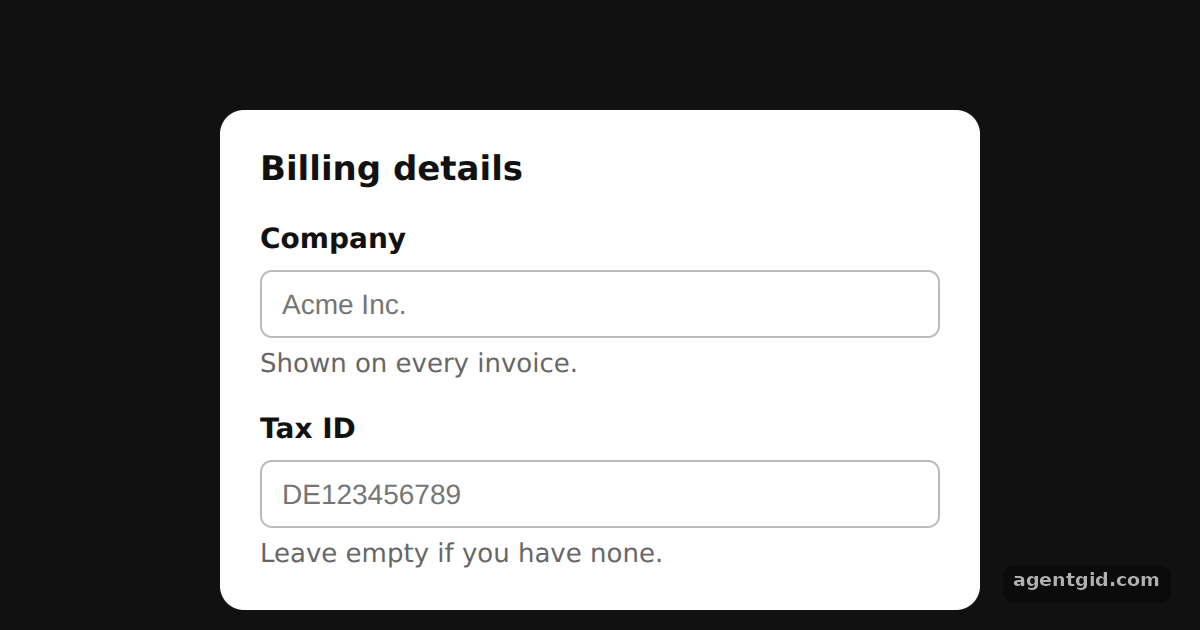
Fieldset.Rootwith aFieldset.Legendgives the two fields a shared heading, just like a native fieldset. [1] - Label each control. Inside each
Field.Root, theField.Label,Field.ControlandField.Descriptionparts are rendered without any manualidorhtmlForprops. [1] - Style the parts. Each part takes a
className, and the stylesheet is a plain string inserted with a<style>element. [2]
Run and edit it
It runs in your browser, in a sandboxed frame that cannot see this site; the packages load from esm.sh only after you press Run.
import { Field, Fieldset } from '@base-ui/react';

const css = `
.card { width: 340px; margin: 0; padding: 18px 20px; border: none; border-radius: 12px;
  background: #fff; color: #111; font-family: system-ui; }
.legend { font-size: 17px; font-weight: 700; margin-bottom: 10px; padding: 0; }
.field { display: flex; flex-direction: column; gap: 4px; margin-top: 12px; }
.label { font-size: 14px; font-weight: 600; cursor: pointer; }
.input { padding: 8px 10px; font-size: 14px; border: 1px solid #bbb; border-radius: 6px; }
.input:focus { outline: 2px solid #2563eb; outline-offset: 1px; }
.help { margin: 0; font-size: 13px; color: #666; }
`;

export default function App() {
  return (
    <div style={{ height: 360, display: 'grid', placeItems: 'center', background: '#111' }}>
      <style>{css}</style>
      <Fieldset.Root className="card">
        <Fieldset.Legend className="legend">Billing details</Fieldset.Legend>
        <Field.Root className="field">
          <Field.Label className="label">Company</Field.Label>
          <Field.Control className="input" placeholder="Acme Inc." />
          <Field.Description className="help">Shown on every invoice.</Field.Description>
        </Field.Root>
        <Field.Root className="field">
          <Field.Label className="label">Tax ID</Field.Label>
          <Field.Control className="input" placeholder="DE123456789" />
          <Field.Description className="help">Leave empty if you have none.</Field.Description>
        </Field.Root>
      </Fieldset.Root>
    </div>
  );
}
Click a label and the matching input gets focus, because Field links them for you. Code written by AgentGid [1].
Click a label and the matching input gets focus, because Field links them for you. Code written by AgentGid [1].Checked Oct 12, 2026: it starts without errors in Chromium with @base-ui/react 1.9.0, react 19.3.0, react-dom 19.3.0. Needs WebGL.
More Base UI examples
Popover in Base UI Dialog with focus control in Base UI Checkbox and Switch in Base UI Accordion in Base UI
Sources
Explanations written by AgentGid from the official docs; the numbers in brackets point here. The code marked "written by AgentGid" is ours and free to copy.