Multiple Vue apps on one page
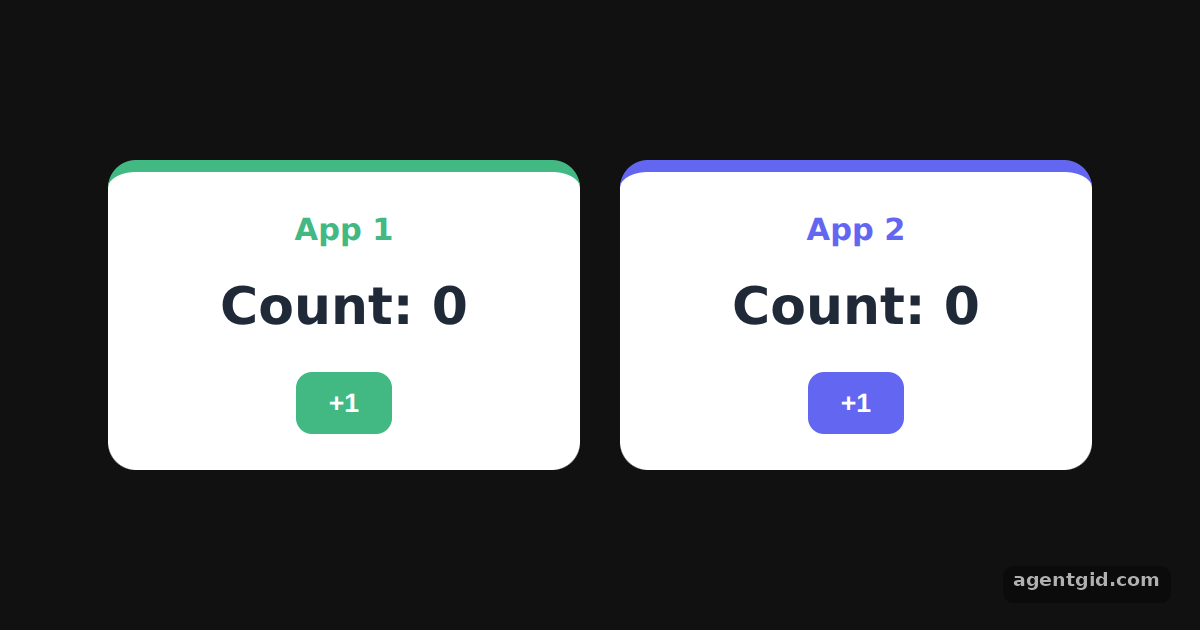
One page can host several Vue apps. Each one is created and configured on its own and controls only the element it is mounted on.
How it works
- Create two apps.
createApp(Counter)is called twice with the same root component. Each call returns a separate application instance. [1] - Configure each app separately. Each app sets
$appNameand$accenton its ownconfig.globalProperties. The shared component reads them asthis.$appNameandthis.$accent. [2] - Configure, then mount. Both apps finish their configuration before
mount('#container-1')andmount('#container-2')are called. [1]
Run and edit it
It runs in your browser, in a sandboxed frame that cannot see this site; the packages load from esm.sh only after you press Run.
import { createApp, h } from "vue";

const root = document.getElementById("root");
root.style.cssText = "height:100%;display:flex;gap:20px;align-items:center;justify-content:center;background:#111;font-family:system-ui,sans-serif";
root.innerHTML = '<div id="container-1"></div><div id="container-2"></div>';

// one component definition, used as the root of two separate apps
const Counter = {
  data() {
    return { count: 0 };
  },
  render() {
    // $appName and $accent come from each app's own config.globalProperties
    return h("div", { style: `background:#fff;color:#1f2937;width:200px;padding:18px;border-radius:14px;text-align:center;border-top:6px solid ${this.$accent}` }, [
      h("h3", { style: `margin:0 0 8px;color:${this.$accent}` }, this.$appName),
      h("p", { style: "margin:0 0 12px;font-size:26px;font-weight:700" }, `Count: ${this.count}`),
      h("button", {
        style: `padding:8px 16px;border:0;border-radius:8px;background:${this.$accent};color:#fff;font-weight:600;cursor:pointer`,
        onClick: () => this.count++,
      }, "+1"),
    ]);
  },
};

const app1 = createApp(Counter);
app1.config.globalProperties.$appName = "App 1";
app1.config.globalProperties.$accent = "#42b883";
app1.mount("#container-1");

const app2 = createApp(Counter);
app2.config.globalProperties.$appName = "App 2";
app2.config.globalProperties.$accent = "#6366f1";
app2.mount("#container-2");
Click +1 in each card: the two counters change independently. Code written by AgentGid [1].
Click +1 in each card: the two counters change independently. Code written by AgentGid [1].Checked Oct 12, 2026: it starts without errors in Chromium with vue 3.5.43. Needs WebGL.
More Vue examples
A reactive counter with createApp and ref in Vue Options API in Vue: data, methods and mounted Render functions with h() in Vue Catching errors with app.config.errorHandler in Vue
Sources
- Docs: Creating a Vue Application {#creating-a-vue-application}
- Docs: Template Syntax {#template-syntax}
Explanations written by AgentGid from the official docs; the numbers in brackets point here. The code marked "written by AgentGid" is ours and free to copy.