Paginated queries in TanStack Query
Paginated queries put the page number in the query key, so every page gets its own cache entry. Keeping the previous page on screen avoids a loading flash between pages.
How it works
- Page number in the key. The query key is
['projects', page], so pages 0, 1, 2… are cached separately andqueryFnloads only the requested slice of the inline list. [1] - Keep the old page visible.
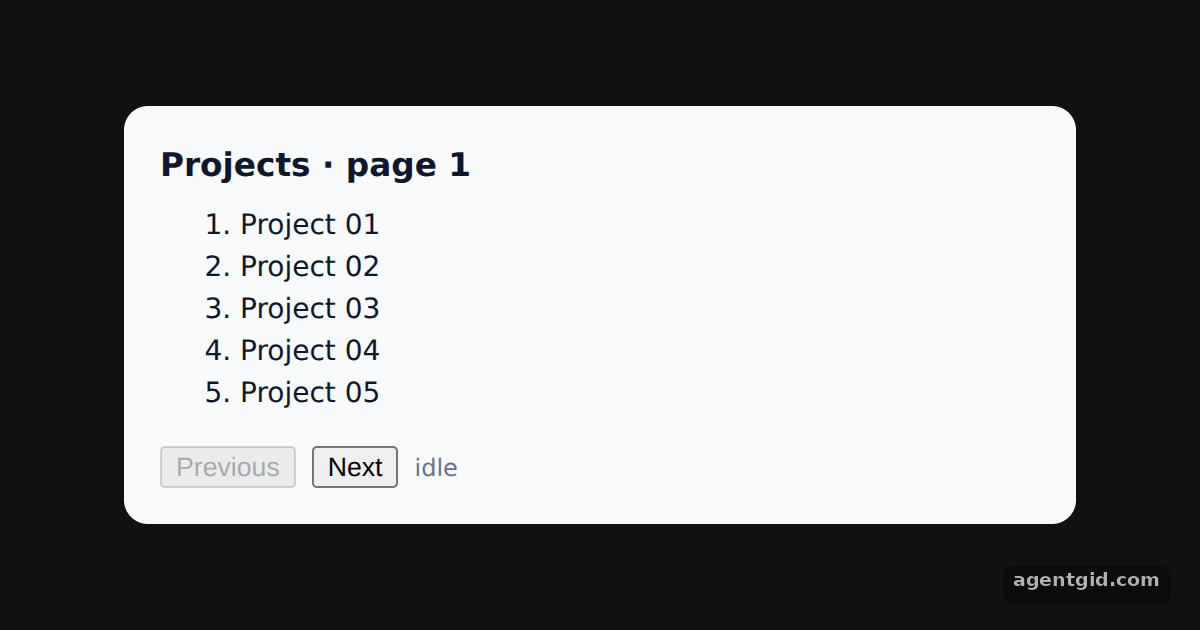
placeholderData: keepPreviousDatakeeps showing the last page while the next one loads.isPlaceholderDatais true during that time, and the example uses it to dim the list and disable Next. [2] - Revisit cached pages. Going back to a page you already opened reads its cache entry, while
isFetchingshows the background refresh. [2]
Run and edit it
It runs in your browser, in a sandboxed frame that cannot see this site; the packages load from esm.sh only after you press Run.
import { useState } from 'react'
import { QueryClient, QueryClientProvider, useQuery, keepPreviousData } from '@tanstack/react-query'

const queryClient = new QueryClient()
const ALL = Array.from({ length: 23 }, (_, i) => 'Project ' + String(i + 1).padStart(2, '0'))
const PER_PAGE = 5
const wait = (ms) => new Promise((r) => setTimeout(r, ms))

// Fake paginated endpoint
async function getPage(page) {
  await wait(800)
  const start = page * PER_PAGE
  return { items: ALL.slice(start, start + PER_PAGE), hasMore: start + PER_PAGE < ALL.length }
}

function Projects() {
  const [page, setPage] = useState(0)
  const { status, data, isFetching, isPlaceholderData } = useQuery({
    queryKey: ['projects', page],
    queryFn: () => getPage(page),
    placeholderData: keepPreviousData,
  })

  return (
    <div style={{ background: '#f8fafc', color: '#0f172a', borderRadius: 12, padding: 18, width: 440, fontSize: 14 }}>
      <h3 style={{ margin: '0 0 8px' }}>Projects · page {page + 1}</h3>
      {status === 'pending' ? <p>Loading…</p> : (
        <ol start={page * PER_PAGE + 1} style={{ opacity: isPlaceholderData ? 0.4 : 1, minHeight: 110, margin: '0 0 10px' }}>
          {data.items.map((p) => <li key={p}>{p}</li>)}
        </ol>
      )}
      <div style={{ display: 'flex', gap: 8, alignItems: 'center' }}>
        <button onClick={() => setPage((p) => Math.max(p - 1, 0))} disabled={page === 0}>Previous</button>
        <button
          onClick={() => setPage((p) => p + 1)}
          disabled={isPlaceholderData || !data?.hasMore}
        >Next</button>
        <span style={{ fontSize: 12, color: '#64748b' }}>
          {isFetching ? 'fetching…' : 'idle'}{isPlaceholderData ? ' (showing previous page)' : ''}
        </span>
      </div>
    </div>
  )
}

export default function App() {
  return (
    <QueryClientProvider client={queryClient}>
      <div style={{ minHeight: '100vh', display: 'grid', placeItems: 'center', background: '#111', fontFamily: 'system-ui, sans-serif' }}><Projects /></div>
    </QueryClientProvider>
  )
}
Click Next a few times, then Previous: earlier pages render from the cache while a background refetch runs. Code written by AgentGid [1].
Click Next a few times, then Previous: earlier pages render from the cache while a background refetch runs. Code written by AgentGid [1].Checked Oct 12, 2026: it starts without errors in Chromium with @tanstack/react-query 5.104.2, react 19.3.0, react-dom 19.3.0. Needs WebGL.
More TanStack Query examples
Fetching data with useQuery in TanStack Query Mutations and query invalidation in TanStack Query Optimistic updates with rollback in TanStack Query Dependent queries with enabled in TanStack Query
Sources
Explanations written by AgentGid from the official docs; the numbers in brackets point here. The code marked "written by AgentGid" is ours and free to copy.