Dependent queries with enabled in TanStack Query
A dependent query needs a value from another query before it can run. The second query stays idle until the first one has returned that value.
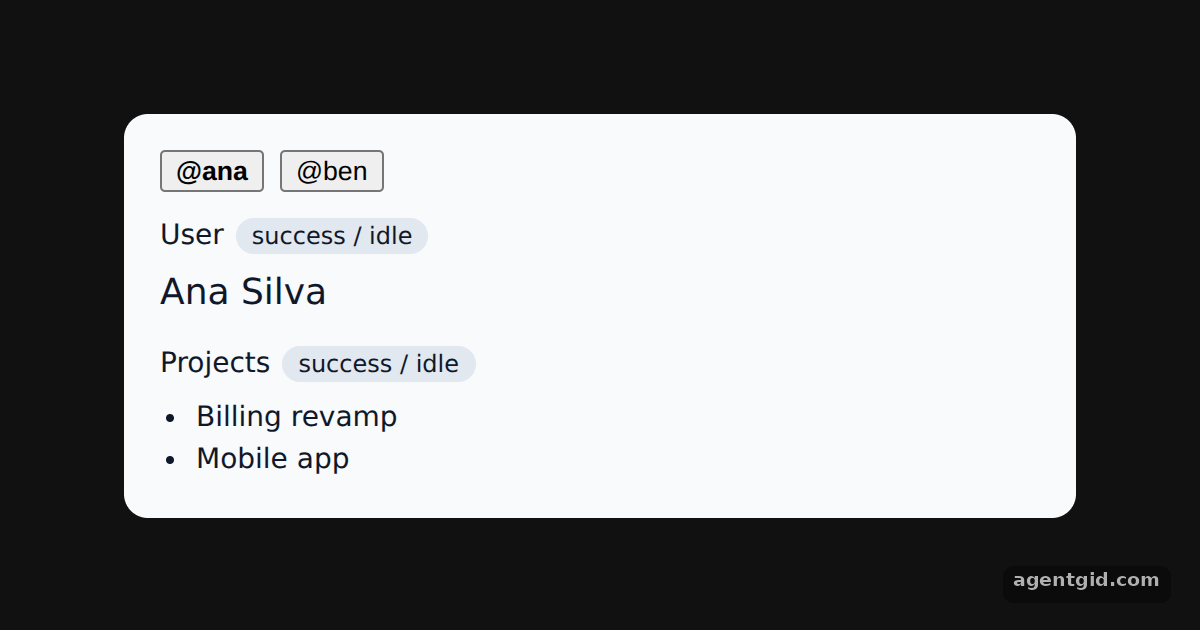
How it works
- First query: the user. The first
useQueryloads a user by handle with key['user', handle]. Switching the handle creates a new cache entry. [1] - Second query waits. The projects query uses
enabled: !!userId. Until the user has loaded, itsstatusispendingand itsfetchStatusisidle, which the example prints. [2] - Cached chains. Switching back to a user you already loaded reads both entries from the cache, so the projects show without waiting for the chain again. [2]
Run and edit it
It runs in your browser, in a sandboxed frame that cannot see this site; the packages load from esm.sh only after you press Run.
import { useState } from 'react'
import { QueryClient, QueryClientProvider, useQuery } from '@tanstack/react-query'

const queryClient = new QueryClient()
const wait = (ms) => new Promise((r) => setTimeout(r, ms))
const USERS = { ana: { id: 7, name: 'Ana Silva' }, ben: { id: 9, name: 'Ben Okafor' } }
const PROJECTS = { 7: ['Billing revamp', 'Mobile app'], 9: ['Docs site', 'CLI tool', 'Design tokens'] }

async function getUser(handle) { await wait(700); return USERS[handle] }
async function getProjects(userId) { await wait(900); return PROJECTS[userId] }

const pill = { fontSize: 12, padding: '2px 8px', borderRadius: 99, background: '#e2e8f0', marginLeft: 6 }

function Profile() {
  const [handle, setHandle] = useState('ana')
  const user = useQuery({ queryKey: ['user', handle], queryFn: () => getUser(handle) })
  const userId = user.data?.id

  // Runs only once userId exists
  const projects = useQuery({
    queryKey: ['projects', userId],
    queryFn: () => getProjects(userId),
    enabled: !!userId,
  })

  return (
    <div style={{ background: '#f8fafc', color: '#0f172a', borderRadius: 12, padding: 18, width: 440, fontSize: 14 }}>
      <div style={{ display: 'flex', gap: 8, marginBottom: 12 }}>
        {Object.keys(USERS).map((h) => (
          <button key={h} onClick={() => setHandle(h)} style={{ fontWeight: h === handle ? 700 : 400 }}>@{h}</button>
        ))}
      </div>
      <div>
        User<span style={pill}>{user.status} / {user.fetchStatus}</span>
        <div style={{ fontSize: 18, margin: '4px 0 12px' }}>{user.data ? user.data.name : '…'}</div>
      </div>
      <div>
        Projects<span style={pill}>{projects.status} / {projects.fetchStatus}</span>
        <ul style={{ margin: '6px 0 0', paddingLeft: 18 }}>
          {projects.data ? projects.data.map((p) => <li key={p}>{p}</li>) : <li>waiting for user…</li>}
        </ul>
      </div>
    </div>
  )
}

export default function App() {
  return (
    <QueryClientProvider client={queryClient}>
      <div style={{ minHeight: '100vh', display: 'grid', placeItems: 'center', background: '#111', fontFamily: 'system-ui, sans-serif' }}><Profile /></div>
    </QueryClientProvider>
  )
}
Switch between Ana and Ben and watch the projects query stay idle until the user query finishes. Code written by AgentGid [1].
Switch between Ana and Ben and watch the projects query stay idle until the user query finishes. Code written by AgentGid [1].Checked Oct 12, 2026: it starts without errors in Chromium with @tanstack/react-query 5.104.2, react 19.3.0, react-dom 19.3.0. Needs WebGL.
More TanStack Query examples
Fetching data with useQuery in TanStack Query Mutations and query invalidation in TanStack Query Optimistic updates with rollback in TanStack Query Paginated queries in TanStack Query
Sources
Explanations written by AgentGid from the official docs; the numbers in brackets point here. The code marked "written by AgentGid" is ours and free to copy.