Optimistic updates with rollback in TanStack Query
An optimistic update writes the expected result into the cache before the server answers, so the UI responds at once. If the request fails, the saved snapshot is put back.
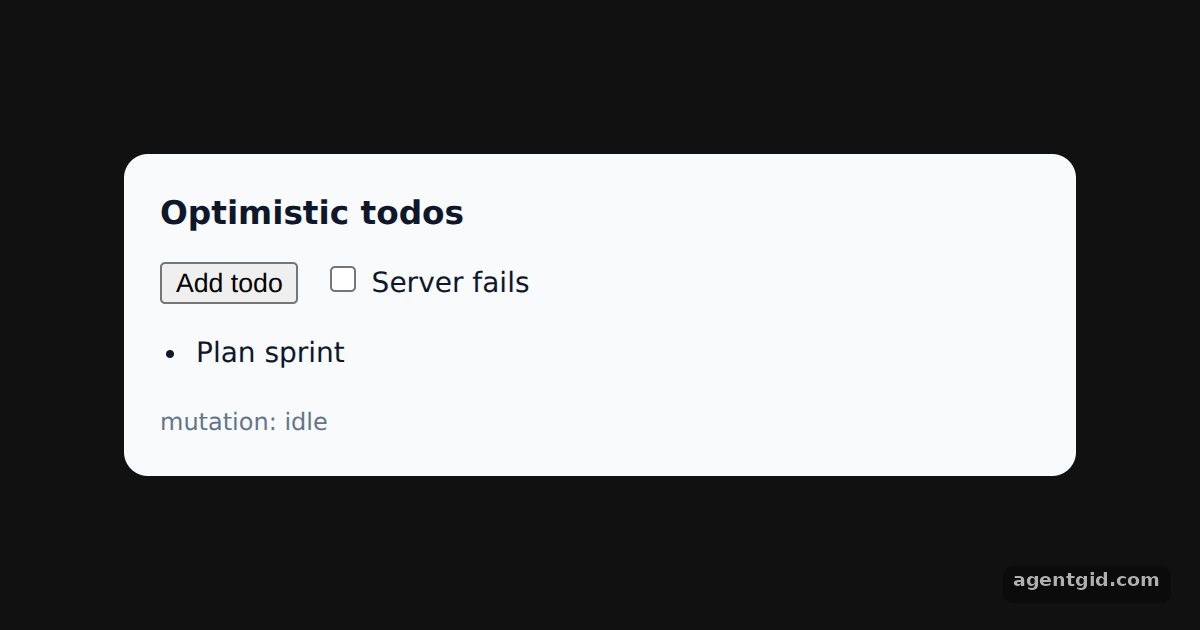
How it works
- Write to the cache first. In
onMutatethe example cancels running['todos']fetches, saves the current list withgetQueryData, and appends the new item withsetQueryData. The item is shown greyed out while it is pending. [1] - Roll back on error.
onMutatereturns{ previous }, andonErrorreceives it as the third argument. The example writes that snapshot back, so a rejected todo disappears. [1] - Settle with a refetch.
onSettledruns after success or failure and invalidates['todos'], so the list ends up matching the fake server. [1]
Run and edit it
It runs in your browser, in a sandboxed frame that cannot see this site; the packages load from esm.sh only after you press Run.
import { useState } from 'react'
import { QueryClient, QueryClientProvider, useQuery, useMutation, useQueryClient } from '@tanstack/react-query'

const queryClient = new QueryClient()
const db = [{ id: 1, text: 'Plan sprint' }]
const wait = (ms) => new Promise((r) => setTimeout(r, ms))
async function getTodos() { await wait(400); return [...db] }
async function saveTodo({ text, fail }) {
  await wait(1200)
  if (fail) throw new Error('Server rejected "' + text + '"')
  db.push({ id: Date.now(), text })
}

function Todos() {
  const client = useQueryClient()
  const [fail, setFail] = useState(false)
  const [n, setN] = useState(1)
  const todos = useQuery({ queryKey: ['todos'], queryFn: getTodos })
  const addTodo = useMutation({
    mutationFn: saveTodo,
    onMutate: async ({ text }) => {
      await client.cancelQueries({ queryKey: ['todos'] })
      const previous = client.getQueryData(['todos'])
      client.setQueryData(['todos'], (old = []) => [...old, { id: 'temp-' + Date.now(), text, pending: true }])
      return { previous }
    },
    onError: (err, vars, context) => client.setQueryData(['todos'], context.previous),
    onSettled: () => client.invalidateQueries({ queryKey: ['todos'] }),
  })

  const add = () => { addTodo.mutate({ text: 'Task #' + n, fail }); setN(n + 1) }
  return (
    <div style={{ background: '#f8fafc', color: '#0f172a', borderRadius: 12, padding: 18, width: 440, fontSize: 14 }}>
      <h3 style={{ margin: '0 0 10px' }}>Optimistic todos</h3>
      <div style={{ display: 'flex', gap: 12, alignItems: 'center' }}>
        <button onClick={add}>Add todo</button>
        <label><input type="checkbox" checked={fail} onChange={(e) => setFail(e.target.checked)} /> Server fails</label>
      </div>
      <ul style={{ paddingLeft: 18 }}>
        {(todos.data ?? []).map((t) => (
          <li key={t.id} style={{ opacity: t.pending ? 0.45 : 1 }}>{t.text}{t.pending ? ' (saving…)' : ''}</li>
        ))}
      </ul>
      <div style={{ fontSize: 12, color: addTodo.isError ? '#dc2626' : '#64748b' }}>
        {addTodo.isError ? addTodo.error.message + ' (rolled back)' : 'mutation: ' + addTodo.status}
      </div>
    </div>
  )
}

export default function App() {
  return (
    <QueryClientProvider client={queryClient}>
      <div style={{ minHeight: '100vh', display: 'grid', placeItems: 'center', background: '#111', fontFamily: 'system-ui, sans-serif' }}><Todos /></div>
    </QueryClientProvider>
  )
}
Tick "Server fails" and add a todo: it appears at once, then vanishes when the fake server throws. Code written by AgentGid [1].
Tick "Server fails" and add a todo: it appears at once, then vanishes when the fake server throws. Code written by AgentGid [1].Checked Oct 12, 2026: it starts without errors in Chromium with @tanstack/react-query 5.104.2, react 19.3.0, react-dom 19.3.0. Needs WebGL.
More TanStack Query examples
Fetching data with useQuery in TanStack Query Mutations and query invalidation in TanStack Query Paginated queries in TanStack Query Dependent queries with enabled in TanStack Query
Sources
Explanations written by AgentGid from the official docs; the numbers in brackets point here. The code marked "written by AgentGid" is ours and free to copy.