Tailwind Merge Examples You Can Edit and Run
5 small Tailwind Merge examples written by AgentGid from the official docs, one feature each. Every one runs in your browser: change the code and see the result at once, or describe a change and let AI rewrite it. The screenshots are taken from the same code by our server, which also checks that each example starts without errors.
Tailwind Merge: usage and stats 1,166 AI-built projects use it
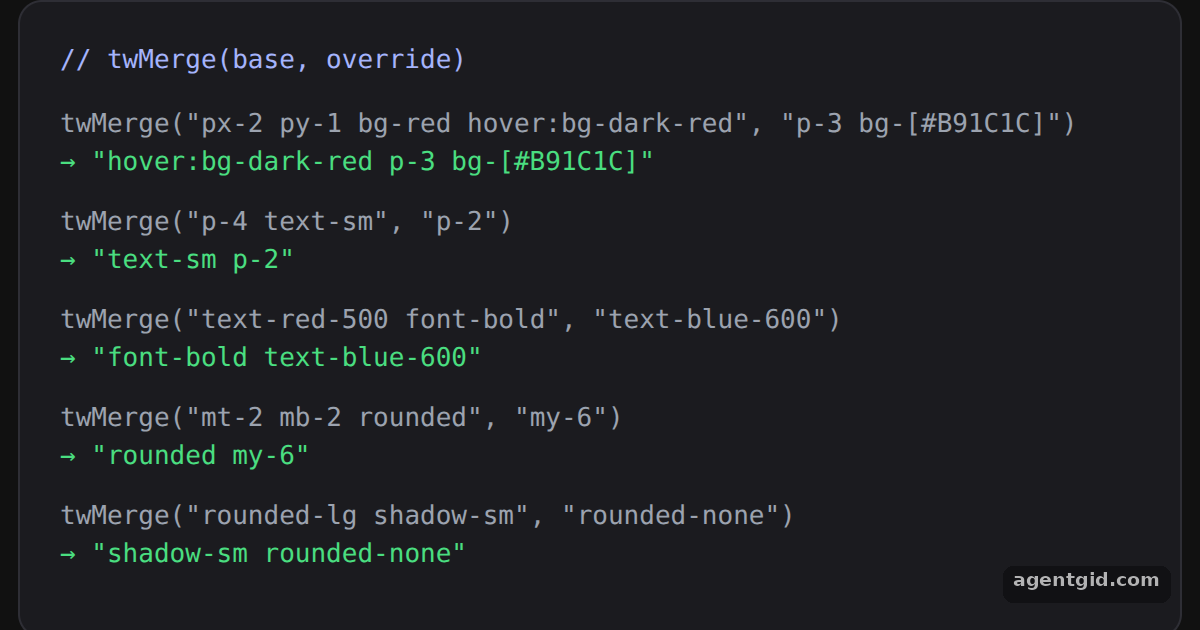 Merging conflicting classes with twMergeEach green line is the live output of twMerge; change a class in CASES to see a different merge.
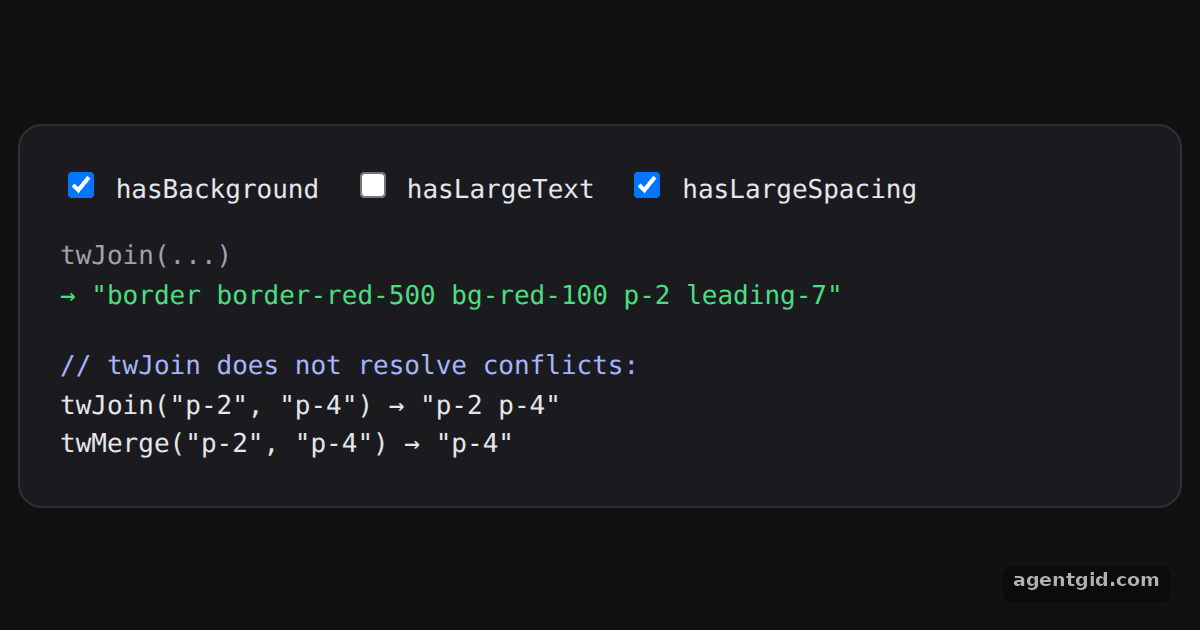 Conditional classes with twJoinToggle the checkboxes and watch the joined class string change.
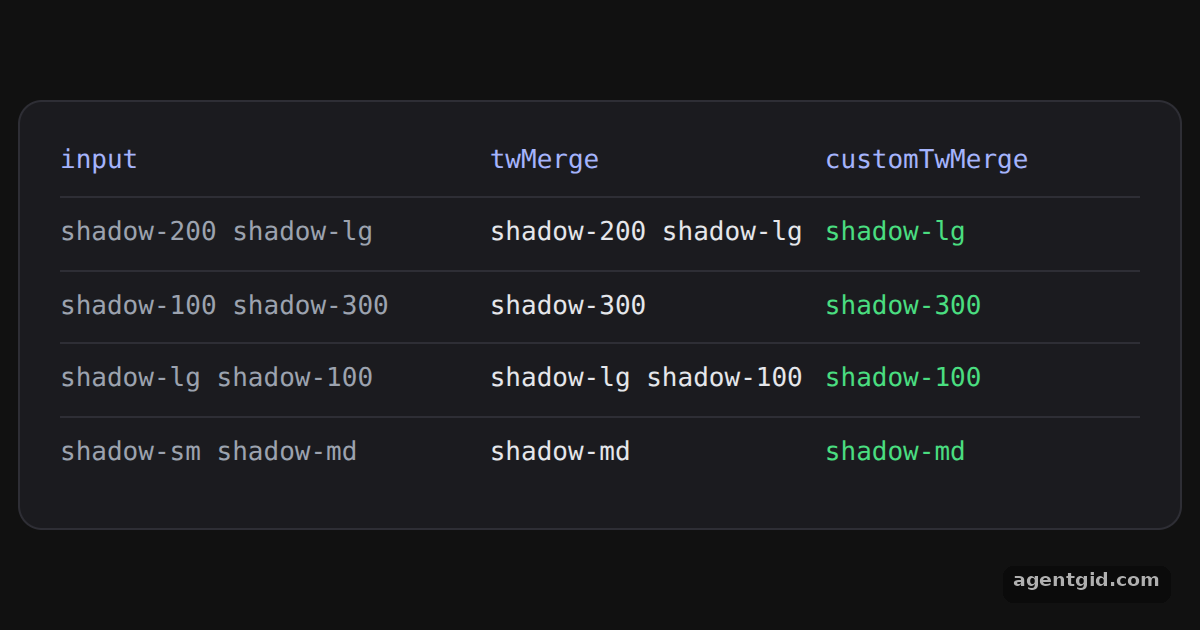 Custom theme values in tailwind-mergeCompare the two columns: the custom function treats shadow-100, shadow-200 and shadow-300 as shadow sizes.
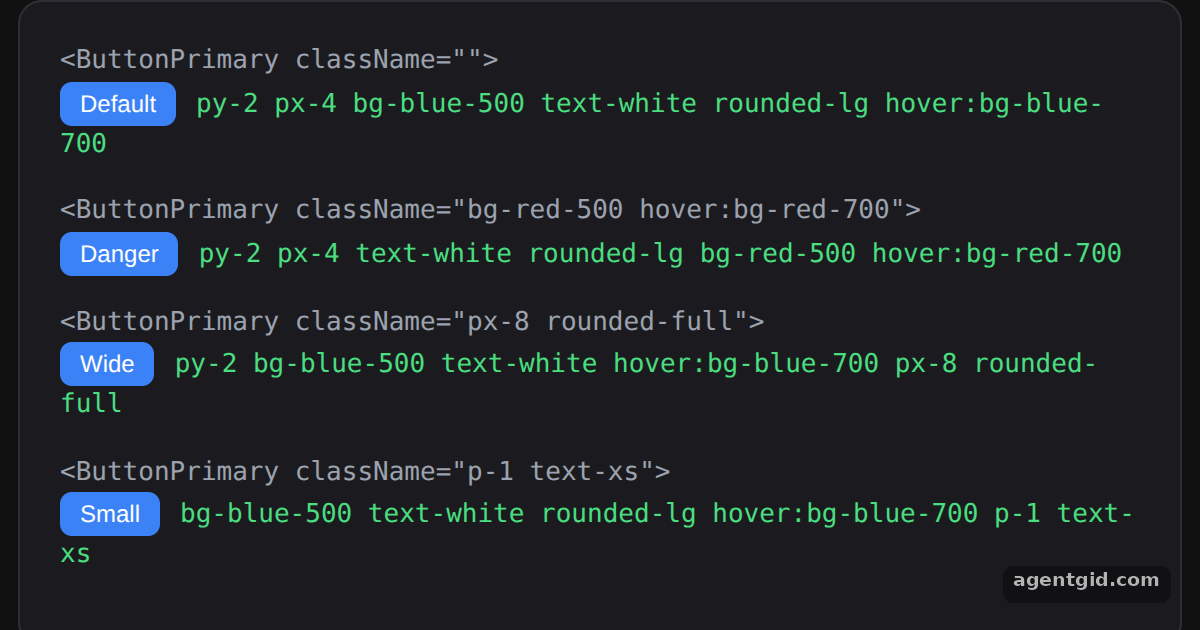 Overriding component classes with twMergeThe green text next to each button is its final className; edit a className prop to see the merge change.
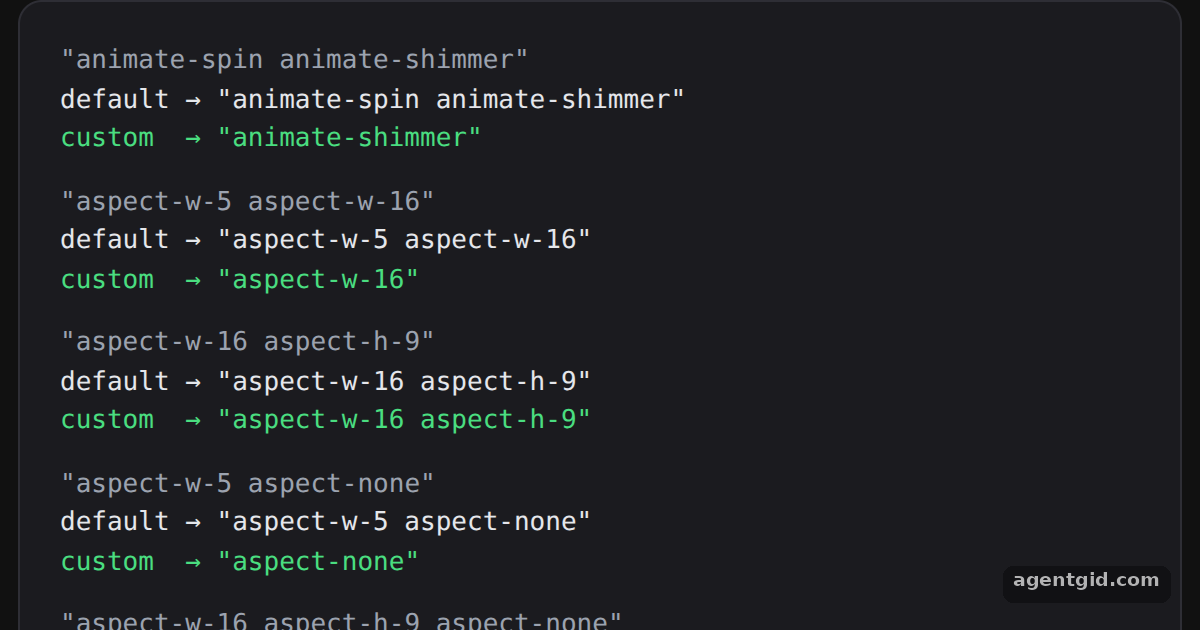 Custom class groups in tailwind-mergeCompare the default and custom lines for each input to see which classes the new groups merge.
Try them all in one place
import { twMerge } from "tailwind-merge";

// Later classes win when they set the same CSS property
const CASES = [
  ["px-2 py-1 bg-red hover:bg-dark-red", "p-3 bg-[#B91C1C]"],
  ["p-4 text-sm", "p-2"],
  ["text-red-500 font-bold", "text-blue-600"],
  ["mt-2 mb-2 rounded", "my-6"],
  ["rounded-lg shadow-sm", "rounded-none"],
];

export default function App() {
  return (
    <div style={page}>
      <div style={card}>
        <div style={{ color: "#a5b4fc", marginBottom: 12 }}>// twMerge(base, override)</div>
        {CASES.map(([base, extra]) => (
          <div key={base} style={{ marginBottom: 10 }}>
            <div style={{ color: "#9ca3af" }}>twMerge("{base}", "{extra}")</div>
            <div style={{ color: "#4ade80" }}>→ "{twMerge(base, extra)}"</div>
          </div>
        ))}
      </div>
    </div>
  );
}
const page = { minHeight: "100vh", display: "flex", alignItems: "center", justifyContent: "center", background: "#111", fontFamily: "ui-monospace, Menlo, monospace" };
const card = { width: 540, padding: 20, borderRadius: 12, background: "#1b1b1f", border: "1px solid #2e2e35", color: "#e5e7eb", fontSize: 13 };
Each green line is the live output of twMerge; change a class in CASES to see a different merge. Code written by AgentGid [1]. How it works, with a screenshot →
Each green line is the live output of twMerge; change a class in CASES to see a different merge. Code written by AgentGid [1]. How it works, with a screenshot →Toggle the checkboxes and watch the joined class string change. Code written by AgentGid [2]. How it works, with a screenshot →Compare the two columns: the custom function treats shadow-100, shadow-200 and shadow-300 as shadow sizes. Code written by AgentGid [3]. How it works, with a screenshot →The green text next to each button is its final className; edit a className prop to see the merge change. Code written by AgentGid [3]. How it works, with a screenshot →Compare the default and custom lines for each input to see which classes the new groups merge. Code written by AgentGid [2]. How it works, with a screenshot →Checked Oct 12, 2026: each example starts without errors in Chromium with tailwind-merge 3.7.0, react 19.3.0, react-dom 19.3.0. Needs WebGL.
Sources
- Tailwind Merge README (GitHub)
- Docs: dcastil › tailwind-merge › blob › tailwind-merge@3.7.0 › packages › tailwind-mer
- Docs: dcastil › tailwind-merge › blob › tailwind-merge@3.7.0 › packages › tailwind-mer
Explanations written by AgentGid from the official docs; the numbers in brackets point here. The code marked "written by AgentGid" is ours and free to copy.