State with useState in React
State lets a component remember a value between renders. When the value changes, React shows the new value on screen.
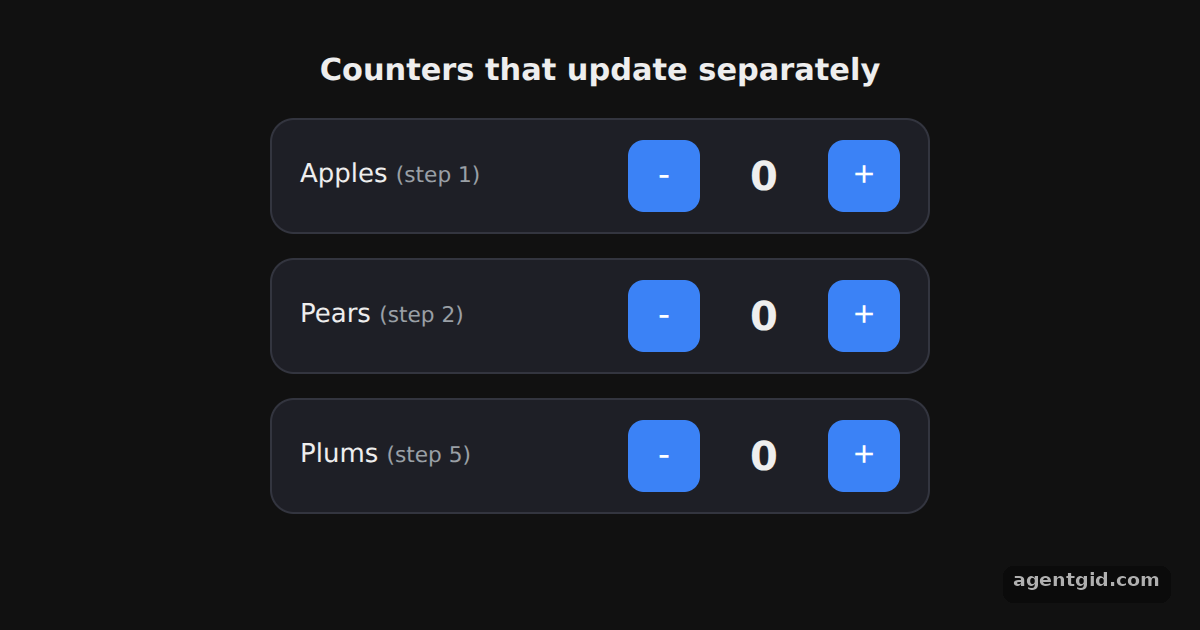
How it works
- Declare a state variable.
useState(0)returns the current value and a setter. The example names themcountandsetCount. [1] - Update it in an event handler. The buttons call
setCountwith a new value from theironClickhandlers. React calls the handler when the button is clicked. [1] - Separate state per instance.
ApprendersCounterthree times. Clicking one counter does not change the others. [1]
Run and edit it
It runs in your browser, in a sandboxed frame that cannot see this site; the packages load from esm.sh only after you press Run.
import { useState } from 'react';

function Counter({ label, step }) {
  const [count, setCount] = useState(0);
  const btn = { width: 36, height: 36, fontSize: 18, borderRadius: 8, border: 'none',
    background: '#3b82f6', color: '#fff', cursor: 'pointer' };
  return (
    <div style={{ display: 'flex', alignItems: 'center', gap: 12, width: 300, padding: '10px 14px',
      background: '#1e1f26', border: '1px solid #33353f', borderRadius: 12 }}>
      <span style={{ flex: 1 }}>{label} <small style={{ color: '#9aa0a6' }}>(step {step})</small></span>
      <button style={btn} onClick={() => setCount(count - step)}>-</button>
      <b style={{ width: 40, textAlign: 'center', fontSize: 20 }}>{count}</b>
      <button style={btn} onClick={() => setCount(count + step)}>+</button>
    </div>
  );
}

export default function App() {
  return (
    <div style={{ display: 'flex', flexDirection: 'column', alignItems: 'center', gap: 12, padding: 24, fontFamily: 'system-ui, sans-serif', color: '#eee' }}>
      <h3 style={{ margin: 0 }}>Counters that update separately</h3>
      <Counter label="Apples" step={1} />
      <Counter label="Pears" step={2} />
      <Counter label="Plums" step={5} />
    </div>
  );
}
Click + and - on each row; every counter keeps its own number. Code written by AgentGid [1].
Click + and - on each row; every counter keeps its own number. Code written by AgentGid [1].Checked Oct 12, 2026: it starts without errors in Chromium with react 19.3.0, react-dom 19.3.0. Needs WebGL.
More React examples
Components and props in React Conditional rendering in React Rendering lists in React Filtering a list from an input in React
Sources
Explanations written by AgentGid from the official docs; the numbers in brackets point here. The code marked "written by AgentGid" is ours and free to copy.