Rendering lists in React
Most apps show collections of data. In React you turn an array into a list of JSX elements, giving each one a stable key.
How it works
- Transform an array with map().
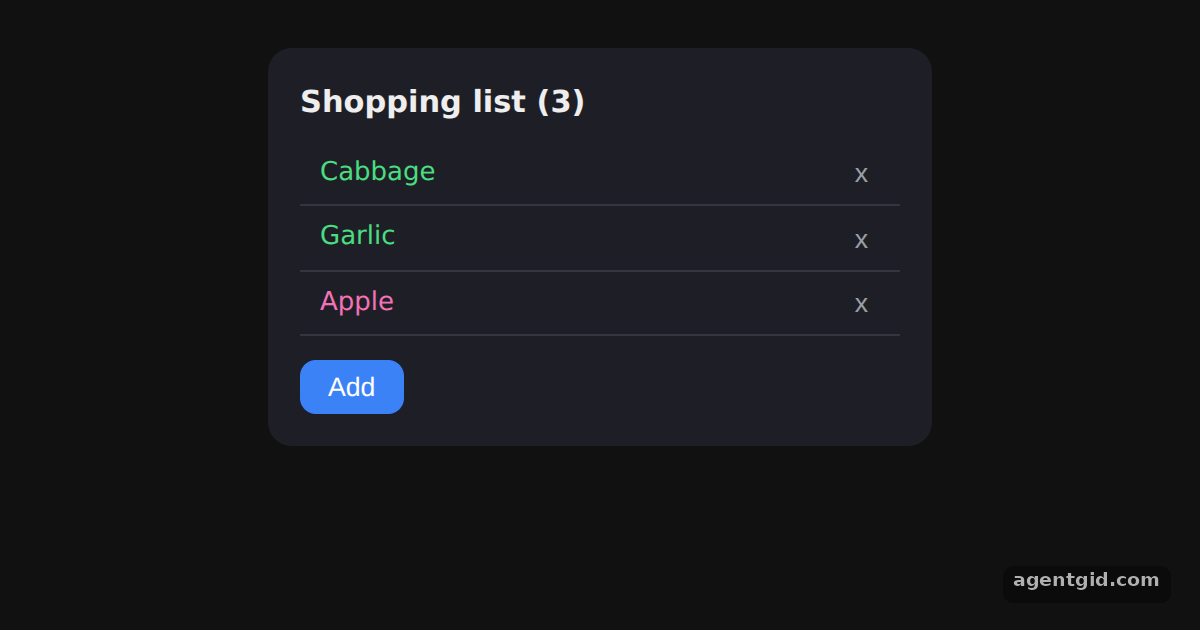
items.map()turns every product object into an<li>element. The fruit flag picks the text colour. [1] - Give every item a key. Each
<li>getskey={item.id}, an id that comes from the data rather than the array index. [1] - Insert and delete items. The buttons add a new item or remove one by filtering the array and saving it with
setItems. [1]
Run and edit it
It runs in your browser, in a sandboxed frame that cannot see this site; the packages load from esm.sh only after you press Run.
import { useState } from 'react';

const initial = [
  { title: 'Cabbage', isFruit: false, id: 1 },
  { title: 'Garlic', isFruit: false, id: 2 },
  { title: 'Apple', isFruit: true, id: 3 },
];
const extra = ['Mango', 'Carrot', 'Kiwi', 'Leek', 'Peach'];

export default function App() {
  const [items, setItems] = useState(initial);
  const [nextId, setNextId] = useState(4);

  function addItem() {
    const title = extra[nextId % extra.length];
    const isFruit = ['Mango', 'Kiwi', 'Peach'].includes(title);
    setItems([...items, { title, isFruit, id: nextId }]);
    setNextId(nextId + 1);
  }

  const listItems = items.map(item => (
    <li key={item.id} style={{ display: 'flex', justifyContent: 'space-between', padding: '6px 10px',
      borderBottom: '1px solid #33353f', color: item.isFruit ? '#f472b6' : '#4ade80' }}>
      {item.title}
      <button onClick={() => setItems(items.filter(i => i.id !== item.id))}
        style={{ background: 'none', border: 'none', color: '#9aa0a6', cursor: 'pointer' }}>x</button>
    </li>
  ));

  return (
    <div style={{ width: 300, margin: '24px auto', padding: 16, borderRadius: 12, background: '#1e1f26',
      color: '#eee', fontFamily: 'system-ui, sans-serif' }}>
      <h3 style={{ margin: '0 0 8px' }}>Shopping list ({items.length})</h3>
      <ul style={{ listStyle: 'none', margin: 0, padding: 0, maxHeight: 220, overflow: 'auto' }}>{listItems}</ul>
      <button onClick={addItem} style={{ marginTop: 12, padding: '6px 14px', borderRadius: 8,
        border: 'none', background: '#3b82f6', color: '#fff', cursor: 'pointer' }}>Add</button>
    </div>
  );
}
Click Add to append a product and x to remove one; the list re-renders from the array. Code written by AgentGid [1].
Click Add to append a product and x to remove one; the list re-renders from the array. Code written by AgentGid [1].Checked Oct 12, 2026: it starts without errors in Chromium with react 19.3.0, react-dom 19.3.0. Needs WebGL.
More React examples
Components and props in React State with useState in React Conditional rendering in React Filtering a list from an input in React
Sources
Explanations written by AgentGid from the official docs; the numbers in brackets point here. The code marked "written by AgentGid" is ours and free to copy.