Conditional rendering in React
Conditional rendering decides what a component shows based on its data, such as whether a user is logged in.
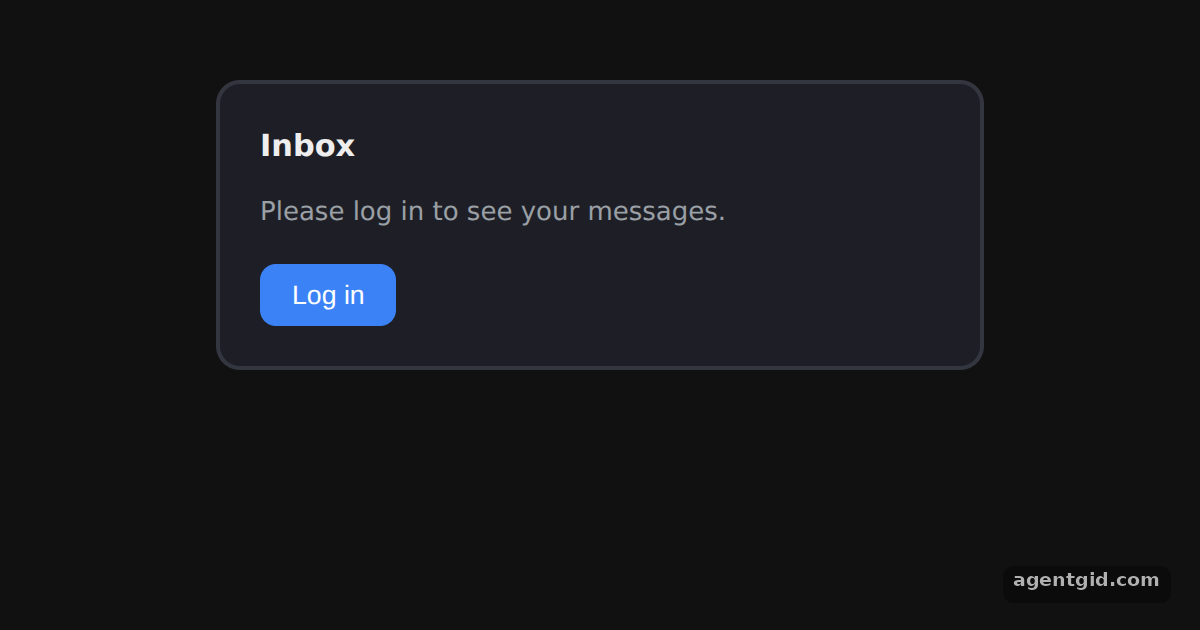
How it works
- Use plain JavaScript. The
ifstatement picks which JSX to store incontentbefore thereturn. [1] - Conditions inside JSX. The button label uses the
? :operator and the badge uses&&, so it only appears whenisLoggedInis true. [1] - Conditional attributes. The card border colour also depends on
isLoggedIn, set through thestyleattribute. [1]
Run and edit it
It runs in your browser, in a sandboxed frame that cannot see this site; the packages load from esm.sh only after you press Run.
import { useState } from 'react';

export default function App() {
  const [isLoggedIn, setIsLoggedIn] = useState(false);

  let content;
  if (isLoggedIn) {
    content = <p style={{ margin: 0 }}>Welcome back, Taylor! You have 3 new messages.</p>;
  } else {
    content = <p style={{ margin: 0, color: '#9aa0a6' }}>Please log in to see your messages.</p>;
  }

  return (
    <div style={{ display: 'grid', placeItems: 'center', padding: 40, fontFamily: 'system-ui, sans-serif', color: '#eee' }}>
      <div style={{ width: 340, padding: 20, borderRadius: 12, background: '#1e1f26',
        border: '2px solid ' + (isLoggedIn ? '#22c55e' : '#33353f') }}>
        <div style={{ display: 'flex', alignItems: 'center', gap: 8, marginBottom: 12 }}>
          <h3 style={{ margin: 0 }}>Inbox</h3>
          {isLoggedIn && (
            <span style={{ background: '#22c55e', color: '#111', borderRadius: 10, padding: '2px 8px', fontSize: 12 }}>
              online
            </span>
          )}
        </div>
        {content}
        <button onClick={() => setIsLoggedIn(!isLoggedIn)}
          style={{ marginTop: 16, padding: '8px 16px', borderRadius: 8, border: 'none',
            background: isLoggedIn ? '#ef4444' : '#3b82f6', color: '#fff', cursor: 'pointer' }}>
          {isLoggedIn ? 'Log out' : 'Log in'}
        </button>
      </div>
    </div>
  );
}
Press the button to log in and out; the message, badge, label and border all change. Code written by AgentGid [1].
Press the button to log in and out; the message, badge, label and border all change. Code written by AgentGid [1].Checked Oct 12, 2026: it starts without errors in Chromium with react 19.3.0, react-dom 19.3.0. Needs WebGL.
More React examples
Components and props in React State with useState in React Rendering lists in React Filtering a list from an input in React
Sources
Explanations written by AgentGid from the official docs; the numbers in brackets point here. The code marked "written by AgentGid" is ours and free to copy.