Filtering a list from an input in React
A search box is a common interaction: the text the user types is kept in state, and the list is recalculated from it on every render.
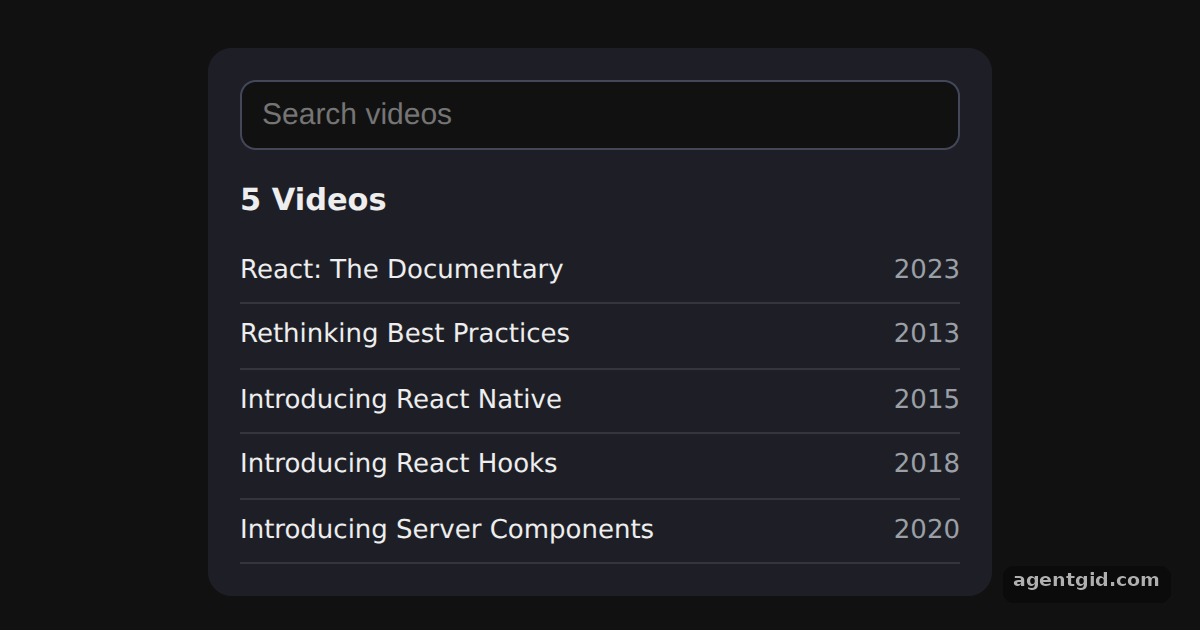
How it works
- Keep the input text in state.
searchTextholds what the user typed. The input'svaluecomes from state andonChangewrites the new text back. [1] - Derive the visible list.
foundis computed fromvideosandsearchTextduring render, so no second state variable is needed. [1] - Show a heading for empty results. When nothing matches, an
ifcheck swaps the heading for a 'No matches' message. [1]
Run and edit it
It runs in your browser, in a sandboxed frame that cannot see this site; the packages load from esm.sh only after you press Run.
import { useState } from 'react';

const videos = [
  { id: 1, title: 'React: The Documentary', year: 2023 },
  { id: 2, title: 'Rethinking Best Practices', year: 2013 },
  { id: 3, title: 'Introducing React Native', year: 2015 },
  { id: 4, title: 'Introducing React Hooks', year: 2018 },
  { id: 5, title: 'Introducing Server Components', year: 2020 },
];

export default function App() {
  const [searchText, setSearchText] = useState('');
  const found = videos.filter(v => v.title.toLowerCase().includes(searchText.toLowerCase()));

  let heading = found.length + (found.length === 1 ? ' Video' : ' Videos');
  if (found.length === 0) {
    heading = 'No matches for "' + searchText + '"';
  }

  return (
    <div style={{ width: 360, margin: '24px auto', padding: 16, borderRadius: 12, background: '#1e1f26',
      color: '#eee', fontFamily: 'system-ui, sans-serif' }}>
      <input value={searchText} onChange={e => setSearchText(e.target.value)} placeholder="Search videos"
        style={{ width: '100%', boxSizing: 'border-box', padding: '8px 10px', borderRadius: 8,
          border: '1px solid #44475a', background: '#111', color: '#eee', fontSize: 15 }} />
      <h3 style={{ margin: '14px 0 8px' }}>{heading}</h3>
      {found.map(v => (
        <div key={v.id} style={{ display: 'flex', justifyContent: 'space-between', padding: '6px 0',
          borderBottom: '1px solid #33353f' }}>
          <span>{v.title}</span>
          <span style={{ color: '#9aa0a6' }}>{v.year}</span>
        </div>
      ))}
    </div>
  );
}
Type 'react' or 'hooks' into the box; the list narrows with every key press. Code written by AgentGid [1].
Type 'react' or 'hooks' into the box; the list narrows with every key press. Code written by AgentGid [1].Checked Oct 12, 2026: it starts without errors in Chromium with react 19.3.0, react-dom 19.3.0. Needs WebGL.
More React examples
Components and props in React State with useState in React Conditional rendering in React Rendering lists in React
Sources
Explanations written by AgentGid from the official docs; the numbers in brackets point here. The code marked "written by AgentGid" is ours and free to copy.