useFrame in React Three Fiber
useFrame is React Three Fiber's per-component render loop: your callback runs right before every frame is drawn. It is where animation belongs.
All React Three Fiber examples React Three Fiber: usage and stats
How it works
- What the callback gets. The first argument is the root state (the same object
useThreereturns, withclock,camera,scene), the second is the time since the last frame in seconds. The subscription ends by itself when the component unmounts. [1] - Mutate, do not set state. Each planet changes
ref.current.positiondirectly. The docs warn never to callsetStateinsideuseFrame: it would push every frame through React's scheduler. [2] - Time, not frame counts. Positions come from
clock.elapsedTime, so the speed is the same at 60 Hz and 120 Hz. For step-by-step changes the docs recommend multiplying bydeltainstead of adding a fixed amount. [2]
Run and edit it
It runs in your browser, in a sandboxed frame that cannot see this site; the packages load from esm.sh only after you press Run.
import { Canvas, useFrame } from '@react-three/fiber'
import { useRef } from 'react'
import * as THREE from 'three'

const planets = [
  { radius: 1.8, size: 0.18, speed: 1.6, color: '#b8b6ad' },
  { radius: 2.7, size: 0.3, speed: 1.1, color: '#eda100' },
  { radius: 3.8, size: 0.32, speed: 0.8, color: '#2a78d6' },
  { radius: 5.0, size: 0.26, speed: 0.55, color: '#d03b3b' },
]

function Planet({ radius, size, speed, color }) {
  const ref = useRef()
  // runs before every frame: move the mesh directly, no React state
  useFrame(({ clock }) => {
    const t = clock.elapsedTime * speed
    ref.current.position.set(Math.cos(t) * radius, 0, Math.sin(t) * radius)
  })
  return (
    <mesh ref={ref}>
      <sphereGeometry args={[size, 32, 32]} />
      <meshStandardMaterial color={color} />
    </mesh>
  )
}

function Orbit({ radius }) {
  return (
    <mesh rotation={[-Math.PI / 2, 0, 0]}>
      <ringGeometry args={[radius - 0.01, radius + 0.01, 128]} />
      <meshBasicMaterial color="#3a3d4a" side={THREE.DoubleSide} />
    </mesh>
  )
}

export default function App() {
  return (
    <Canvas camera={{ position: [0, 8.5, 10.5], fov: 42 }}>
      <color attach="background" args={['#0b0d14']} />
      <ambientLight intensity={0.25} />
      <pointLight position={[0, 0, 0]} intensity={60} />
      <mesh>
        <sphereGeometry args={[0.8, 48, 48]} />
        <meshBasicMaterial color="#ffb703" />
      </mesh>
      {planets.map((p) => (
        <group key={p.radius}>
          <Orbit radius={p.radius} />
          <Planet {...p} />
        </group>
      ))}
    </Canvas>
  )
}
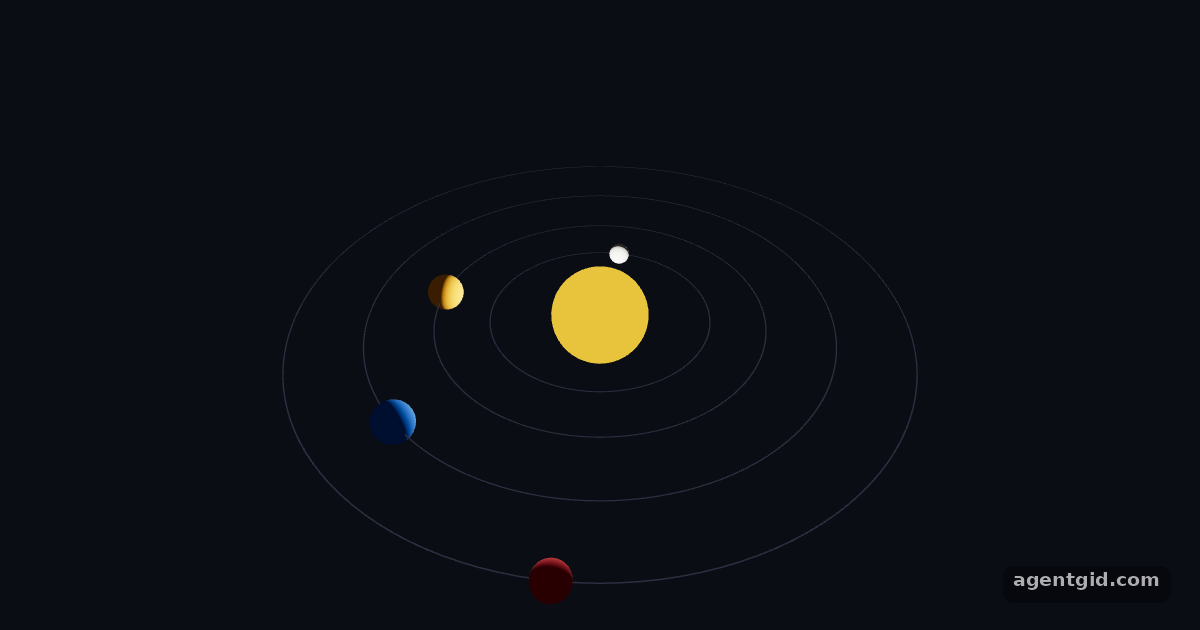
Planets on orbits: each one moves itself in useFrame from the clock, without React state. Code written by AgentGid [1].
Planets on orbits: each one moves itself in useFrame from the clock, without React state. Code written by AgentGid [1].Checked Oct 12, 2026: it starts without errors in Chromium with React Three Fiber 9.8.1, three.js 0.186.1, Drei 10.7.9, React 19.3.0. Needs WebGL.
More React Three Fiber examples
InstancedMesh in React Three Fiber Shadows in React Three Fiber onClick and pointer events in React Three Fiber OrbitControls in React Three Fiber
Sources
Explanations written by AgentGid from the official docs; the numbers in brackets point here. The code marked "written by AgentGid" is ours and free to copy.