OrbitControls in React Three Fiber
OrbitControls let the visitor turn the camera around a point with the mouse or a finger. With Drei it is one component inside the <Canvas>.
All React Three Fiber examples React Three Fiber: usage and stats
How it works
- One component.
<OrbitControls />from@react-three/dreiwraps three.js OrbitControls and takes its options as props. Drei's docs say its controls manage their own updates and remove themselves on unmount. [1] - Damping and limits.
enableDampinglets the camera glide to a stop;minDistanceandmaxDistancelimit zoom;maxPolarAnglekeeps the camera above the floor. [2] - makeDefault.
makeDefaultstores the controls in React Three Fiber's root state, so other components can read them withuseThree((state) => state.controls). [1]
Run and edit it
It runs in your browser, in a sandboxed frame that cannot see this site; the packages load from esm.sh only after you press Run.
import { Canvas } from '@react-three/fiber'
import { OrbitControls, Float } from '@react-three/drei'

const shapes = [
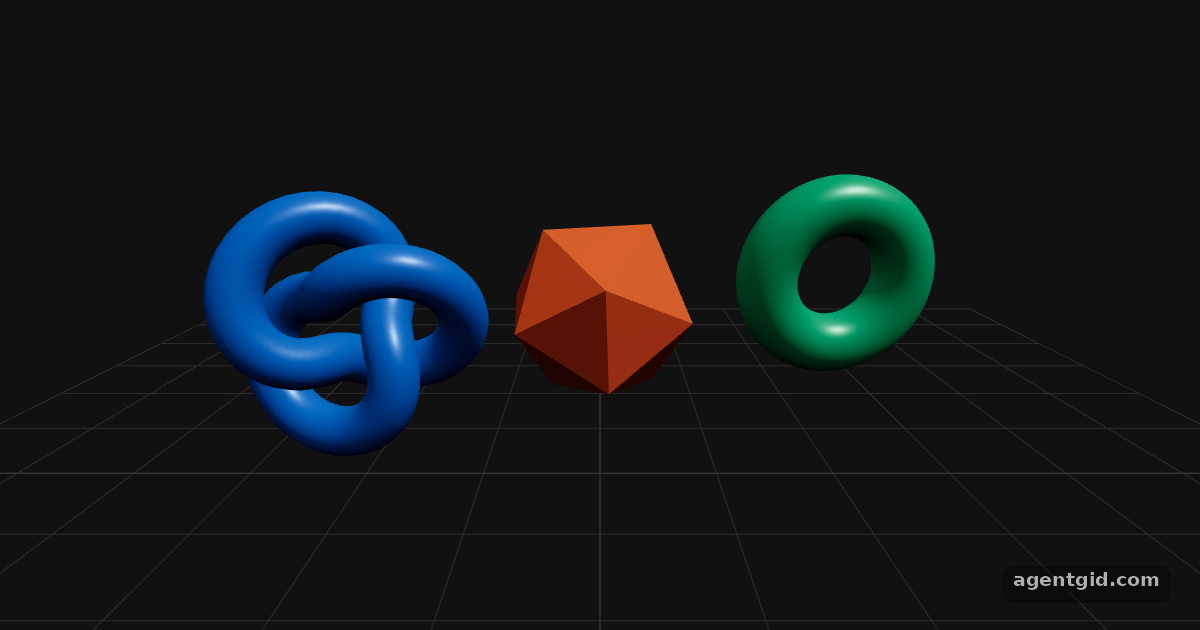
  { pos: [-2, 0, 0], color: '#2a78d6', geo: <torusKnotGeometry args={[0.6, 0.2, 128, 16]} /> },
  { pos: [0, 0, 0], color: '#eb6834', geo: <icosahedronGeometry args={[0.8, 0]} /> },
  { pos: [2, 0, 0], color: '#1baf7a', geo: <torusGeometry args={[0.6, 0.25, 32, 64]} /> },
]

export default function App() {
  return (
    <Canvas camera={{ position: [0, 1.5, 6], fov: 45 }}>
      <color attach="background" args={['#111']} />
      <hemisphereLight intensity={1.2} groundColor="#222" />
      <directionalLight position={[3, 5, 2]} intensity={2} />
      {shapes.map((s, i) => (
        <Float key={i} speed={2} rotationIntensity={1.5} floatIntensity={1.5}>
          <mesh position={s.pos}>
            {s.geo}
            <meshStandardMaterial color={s.color} roughness={0.35} metalness={0.2} />
          </mesh>
        </Float>
      ))}
      <gridHelper args={[12, 12, '#444', '#2a2a2a']} position={[0, -1.4, 0]} />
      {/* drag to rotate, scroll to zoom, right-drag to pan */}
      <OrbitControls enableDamping minDistance={3} maxDistance={12} maxPolarAngle={Math.PI / 2} makeDefault />
    </Canvas>
  )
}
Drag to rotate, scroll to zoom, right-drag to pan. OrbitControls and Float come from Drei, the helper library most R3F projects add. Code written by AgentGid [1].
Drag to rotate, scroll to zoom, right-drag to pan. OrbitControls and Float come from Drei, the helper library most R3F projects add. Code written by AgentGid [1].Checked Oct 12, 2026: it starts without errors in Chromium with React Three Fiber 9.8.1, three.js 0.186.1, Drei 10.7.9, React 19.3.0. Needs WebGL.
More React Three Fiber examples
InstancedMesh in React Three Fiber Shadows in React Three Fiber useFrame in React Three Fiber onClick and pointer events in React Three Fiber
Sources
Explanations written by AgentGid from the official docs; the numbers in brackets point here. The code marked "written by AgentGid" is ours and free to copy.