Custom components in react-markdown
The components prop maps tag names to your own React components, so you control how each markdown element is rendered without touching the markdown.
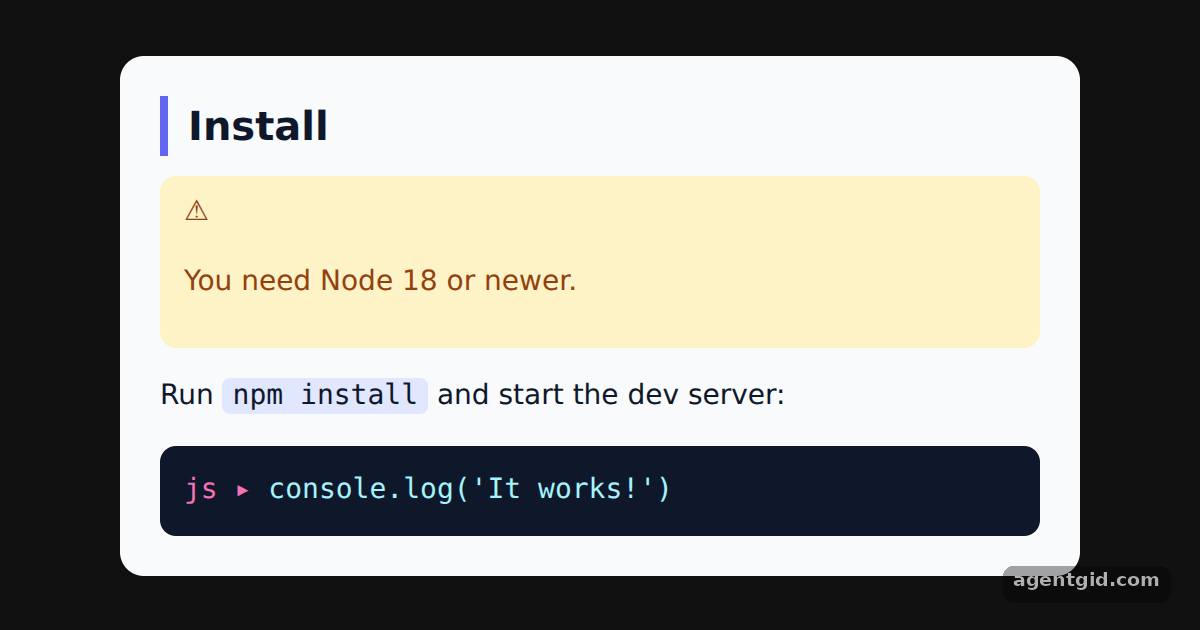
How it works
- Map tag names to components. The
componentsobject has keysh2,blockquote,preandcode. Each value is a function component that receives the element's props. [1] - Drop the node prop. Every component also gets a
nodeprop with the original syntax tree element. The example pulls it out before spreading the rest onto a DOM element. [1] - Detect the code language. Fenced code gets a
classNamelikelanguage-js. Thecodecomponent reads it with the same regular expression the docs use and prints the language as a label. [1]
Run and edit it
It runs in your browser, in a sandboxed frame that cannot see this site; the packages load from esm.sh only after you press Run.
import Markdown from 'react-markdown'

const markdown = `## Install

> You need Node 18 or newer.

Run \`npm install\` and start the dev server:

~~~js
console.log('It works!')
~~~
`

const components = {
  h2({ node, ...rest }) {
    return <h2 style={{ margin: '0 0 10px', paddingLeft: 10, borderLeft: '4px solid #6366f1', fontSize: 20 }} {...rest} />
  },
  blockquote({ node, children }) {
    return <div style={{ background: '#fef3c7', color: '#92400e', padding: '8px 12px', borderRadius: 8 }}>⚠ {children}</div>
  },
  pre({ node, ...rest }) {
    return <pre style={{ margin: 0 }} {...rest} />
  },
  code({ node, className, children, ...rest }) {
    const match = /language-(\w+)/.exec(className || '')
    return match ? (
      <code {...rest} style={{ display: 'block', background: '#0f172a', color: '#a5f3fc', padding: 12, borderRadius: 8 }}>
        <span style={{ color: '#f472b6' }}>{match[1]} ▸ </span>{children}
      </code>
    ) : (
      <code {...rest} style={{ background: '#e0e7ff', padding: '1px 5px', borderRadius: 4 }}>{children}</code>
    )
  },
}

export default function App() {
  return (
    <div style={{ minHeight: '100vh', display: 'grid', placeItems: 'center', background: '#111', fontFamily: 'system-ui, sans-serif' }}>
      <div style={{ background: '#f8fafc', color: '#0f172a', borderRadius: 12, padding: 20, width: 440, fontSize: 14 }}>
        <Markdown components={components}>{markdown}</Markdown>
      </div>
    </div>
  )
}
Change the colours in the h2 or blockquote component and the rendered markdown updates at once. Code written by AgentGid [1].
Change the colours in the h2 or blockquote component and the rendered markdown updates at once. Code written by AgentGid [1].Checked Oct 12, 2026: it starts without errors in Chromium with react-markdown 10.1.0, react 19.3.0, react-dom 19.3.0. Needs WebGL.
More react-markdown examples
Rendering markdown with react-markdown Filtering elements in react-markdown Handling HTML in markdown with react-markdown Transforming link URLs in react-markdown
Sources
Explanations written by AgentGid from the official docs; the numbers in brackets point here. The code marked "written by AgentGid" is ours and free to copy.