Changing the map view with useMap
Changing the center prop of MapContainer does nothing after the map is created. A child component that calls useMap can move the map instead.
How it works
- MapContainer props are set once.
centerandzoomare only used to create the map. Clicking a city changes React state, which would not move the map throughMapContainer. [1] - Get the map with useMap.
ChangeViewis a child of the map, so it can calluseMap()and get the Leaflet map instance. [1] - Move the view in an effect. When the
centerprop changes, the effect callsmap.setView(center, map.getZoom()), the same call the docs use in their hook examples. [1]
Run and edit it
It runs in your browser, in a sandboxed frame that cannot see this site; the packages load from esm.sh only after you press Run.
import { useEffect, useState } from "react";
import { MapContainer, Marker, Polyline, useMap } from "react-leaflet";
import L from "leaflet";

// A marker icon drawn with HTML and CSS (no image files)
const pin = (color) => L.divIcon({ className: "", iconSize: [20, 20], iconAnchor: [10, 10],
  html: `<div style="width:14px;height:14px;border-radius:50%;background:${color};border:3px solid #fff;box-shadow:0 0 0 2px rgba(0,0,0,.4)"></div>` });

const cities = { London: [51.505, -0.09], Paris: [48.857, 2.352], Brussels: [50.85, 4.35], Amsterdam: [52.37, 4.9] };

// MapContainer props are set once, so a child uses the map instance to move the view
function ChangeView({ center }) {
  const map = useMap();
  useEffect(() => {
    map.setView(center, map.getZoom());
  }, [center, map]);
  return null;
}

export default function App() {
  const [city, setCity] = useState("London");
  return (
    <div style={{ display: "flex", height: "100vh", background: "#111", font: "14px system-ui, sans-serif" }}>
      <MapContainer center={cities.London} zoom={6} style={{ flex: 1, height: "100%", background: "#0b1626" }}>
        <Polyline positions={Object.values(cities)} pathOptions={{ color: "#94a3b8", weight: 2, dashArray: "6 6" }} />
        {Object.entries(cities).map(([name, pos]) => (
          <Marker key={name} position={pos} icon={pin(name === city ? "#f43f5e" : "#94a3b8")} />
        ))}
        <ChangeView center={cities[city]} />
      </MapContainer>
      <div style={{ width: 150, padding: 12, display: "grid", alignContent: "start", gap: 8 }}>
        {Object.keys(cities).map((name) => (
          <button key={name} onClick={() => setCity(name)}
            style={{ padding: "8px", borderRadius: 6, border: "none", cursor: "pointer", background: name === city ? "#f43f5e" : "#27272a", color: "#fff" }}>
            {name}
          </button>
        ))}
      </div>
    </div>
  );
}
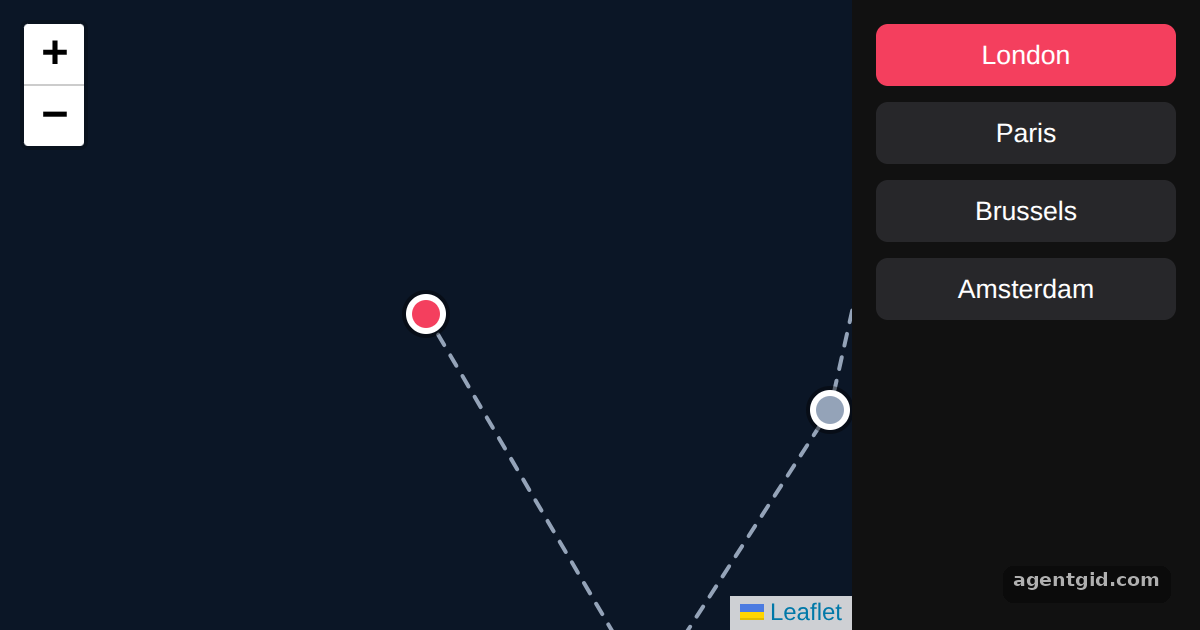
Click a city on the right: the map recentres on it and its marker turns pink. Code written by AgentGid [1].
Click a city on the right: the map recentres on it and its marker turns pink. Code written by AgentGid [1].Checked Oct 12, 2026: it starts without errors in Chromium with react-leaflet 5.0.0, react 19.3.0, react-dom 19.3.0, leaflet 1.9.4. Needs WebGL.
More React Leaflet examples
Map, marker and popup in React Leaflet Listening to map events with useMapEvents Adding markers on click in React Leaflet Fitting the map to bounds in React Leaflet
Sources
Explanations written by AgentGid from the official docs; the numbers in brackets point here. The code marked "written by AgentGid" is ours and free to copy.