Tweens in Phaser
A tween changes properties of a game object over time, which covers most simple motion like sliding, pulsing and spinning.
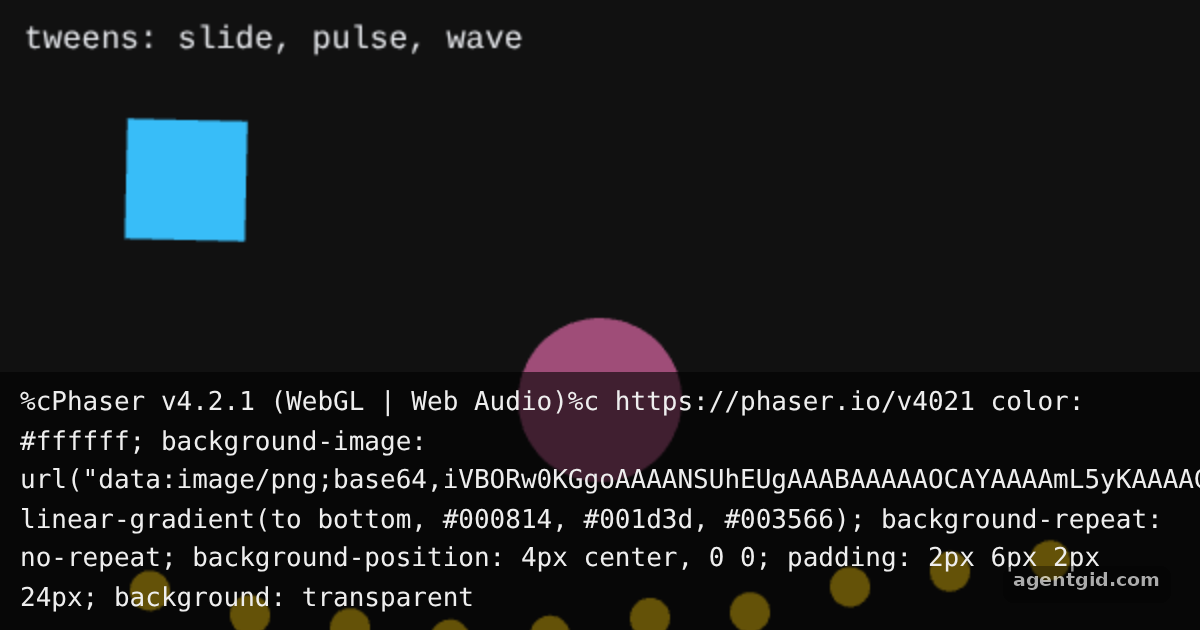
How it works
- Add shapes.
this.add.rectangleandthis.add.circlecreate shape game objects, so nothing has to be loaded. [1] - Describe the tween.
this.tweens.addtakes thetargetsplus the end values to reach, herexandangle, with adurationin milliseconds and aneasename. [2] - Loop it.
yoyo: trueplays each tween back to its start, andrepeat: -1keeps it running forever. The third tween uses adelayper target so the dots move in a wave. [3]
Run and edit it
It runs in your browser, in a sandboxed frame that cannot see this site; the packages load from esm.sh only after you press Run.
import Phaser from 'phaser';

class Tweens extends Phaser.Scene {
  create() {
    // Slide and spin
    const box = this.add.rectangle(90, 90, 60, 60, 0x38bdf8);
    this.tweens.add({
      targets: box, x: 510, angle: 180,
      duration: 1600, ease: 'Sine.easeInOut', yoyo: true, repeat: -1,
    });

    // Pulse
    const ring = this.add.circle(300, 200, 26, 0xf472b6);
    this.tweens.add({
      targets: ring, scale: 2, alpha: 0.35,
      duration: 900, ease: 'Quad.easeOut', yoyo: true, repeat: -1,
    });

    // A wave of dots, one delay per target
    const dots = [];
    for (let i = 0; i < 10; i++) dots.push(this.add.circle(75 + i * 50, 320, 10, 0xfacc15));
    this.tweens.add({
      targets: dots, y: 280,
      duration: 500, ease: 'Sine.easeInOut', yoyo: true, repeat: -1,
      delay: (target, key, value, index) => index * 80,
    });

    this.add.text(12, 10, 'tweens: slide, pulse, wave', { fontSize: '16px', color: '#e5e7eb' });
  }
}

new Phaser.Game({
  type: Phaser.AUTO,
  parent: 'root',
  width: 600,
  height: 380,
  backgroundColor: '#111111',
  scene: Tweens,
});
All three tweens start on load and loop; try another ease such as 'Bounce.easeOut'. Code written by AgentGid [1].
All three tweens start on load and loop; try another ease such as 'Bounce.easeOut'. Code written by AgentGid [1].Checked Oct 12, 2026: it starts without errors in Chromium with phaser 4.2.1. Needs WebGL.
More Phaser examples
Draw shapes in a Phaser scene Arcade physics in Phaser Keyboard and pointer input in Phaser Particle effects in Phaser
Sources
- Docs: news › 2024 › 04 › phaser-by-example-book
- Phaser README (GitHub)
- Docs: tutorials › getting-started-phaser3
Explanations written by AgentGid from the official docs; the numbers in brackets point here. The code marked "written by AgentGid" is ours and free to copy.