Arcade physics in Phaser
Arcade physics gives game objects velocity, gravity and collisions. It is the lighter of the two physics systems built into Phaser.
How it works
- Turn on Arcade physics. The game config sets
physics: { default: 'arcade' }with a downward gravity, which every physics body in the scene then uses. [1] - Make a texture in code. There are no image files to load, so a white circle is drawn with Graphics and saved with
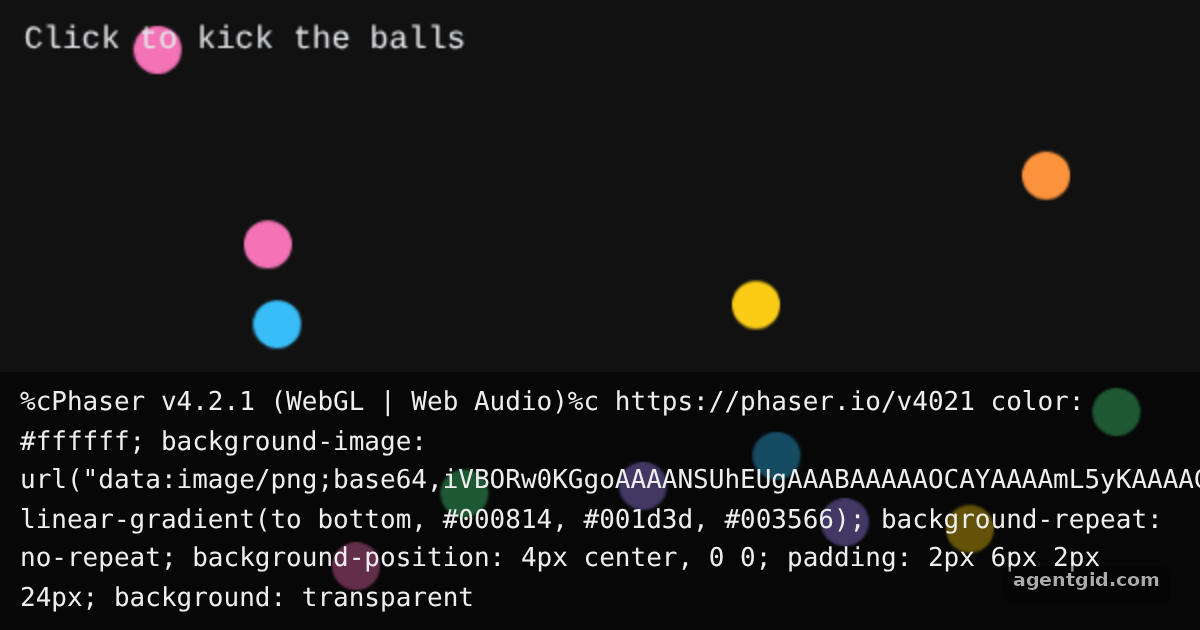
generateTexture('ball', 24, 24). Each ball then gets its own color withsetTint. [2] - Bounce and collide. Balls are created in a physics group with random velocity,
setBounceandsetCollideWorldBounds(true).this.physics.add.collider(balls, balls)makes them hit each other. [3]
Run and edit it
It runs in your browser, in a sandboxed frame that cannot see this site; the packages load from esm.sh only after you press Run.
import Phaser from 'phaser';

const COLORS = [0x38bdf8, 0xf472b6, 0xfacc15, 0x4ade80, 0xa78bfa, 0xfb923c];

class Bounce extends Phaser.Scene {
  create() {
    // Draw a white circle once and store it as a texture
    const g = this.add.graphics();
    g.fillStyle(0xffffff, 1);
    g.fillCircle(12, 12, 12);
    g.generateTexture('ball', 24, 24);
    g.destroy();

    const balls = this.physics.add.group();
    for (let i = 0; i < 14; i++) {
      const b = balls.create(Phaser.Math.Between(40, 560), Phaser.Math.Between(30, 180), 'ball');
      b.setTint(COLORS[i % COLORS.length]);
      b.setCircle(12);
      b.setBounce(0.95);
      b.setCollideWorldBounds(true);
      b.setVelocity(Phaser.Math.Between(-220, 220), Phaser.Math.Between(-80, 80));
    }
    this.physics.add.collider(balls, balls);

    this.input.on('pointerdown', () => {
      balls.getChildren().forEach((b) => b.setVelocityY(Phaser.Math.Between(-520, -320)));
    });

    this.add.text(12, 10, 'Click to kick the balls', { fontSize: '16px', color: '#e5e7eb' });
  }
}

new Phaser.Game({
  type: Phaser.AUTO,
  parent: 'root',
  width: 600,
  height: 380,
  backgroundColor: '#111111',
  physics: { default: 'arcade', arcade: { gravity: { y: 400 } } },
  scene: Bounce,
});
Click anywhere to kick every ball upward again. Code written by AgentGid [1].
Click anywhere to kick every ball upward again. Code written by AgentGid [1].Checked Oct 12, 2026: it starts without errors in Chromium with phaser 4.2.1. Needs WebGL.
More Phaser examples
Draw shapes in a Phaser scene Tweens in Phaser Keyboard and pointer input in Phaser Particle effects in Phaser
Sources
- Phaser README (GitHub)
- Docs: tutorials › getting-started-phaser3
- Docs: news › 2024 › 04 › phaser-by-example-book
Explanations written by AgentGid from the official docs; the numbers in brackets point here. The code marked "written by AgentGid" is ours and free to copy.