Draw shapes in a Phaser scene
Every Phaser game starts from a game config and at least one scene. Graphics objects let you draw shapes in code without loading any image files.
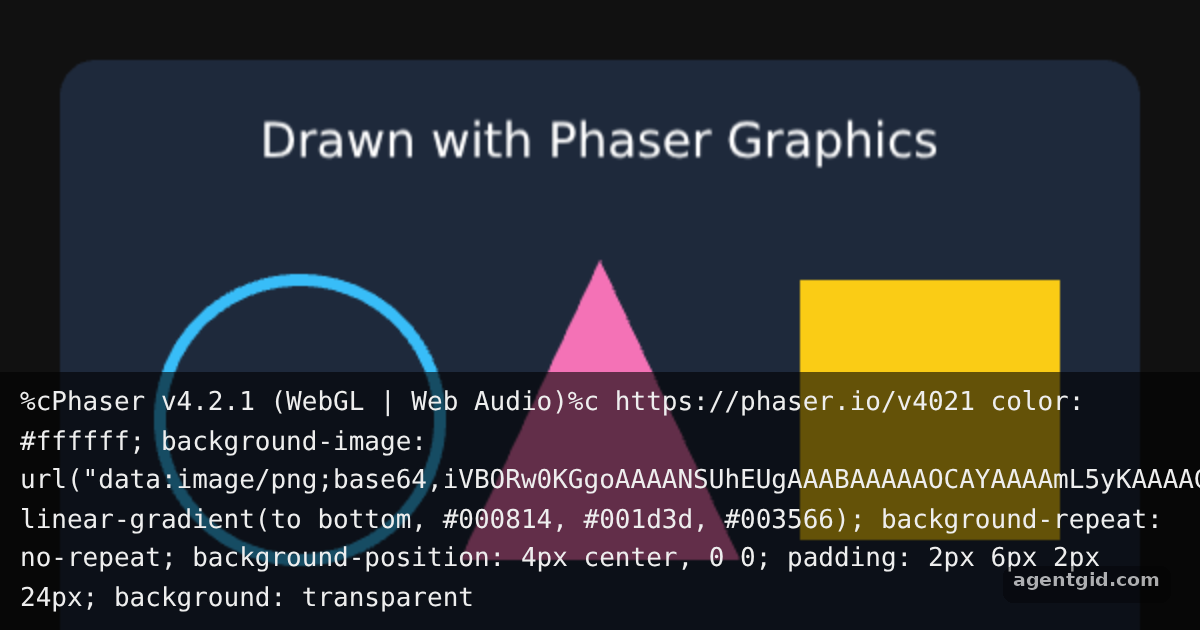
How it works
- Import Phaser. The code imports the default
Phaserexport, the same way you would in a bundler project. [1] - Create a scene.
BoardextendsPhaser.Scene, and itscreate()method runs once to build the scene. Game objects are added through thethis.addfactory. [2] - Draw with Graphics.
this.add.graphics()returns a drawing surface: set afillStyleorlineStyle, then callfillRoundedRect,strokeCircle,fillTriangleand friends. [3] - Start the game.
new Phaser.Game(config)creates a 600x380 canvas inside the#rootelement and starts the scene. [1]
Run and edit it
It runs in your browser, in a sandboxed frame that cannot see this site; the packages load from esm.sh only after you press Run.
import Phaser from 'phaser';

class Board extends Phaser.Scene {
  constructor() {
    super('board');
  }

  create() {
    const g = this.add.graphics();

    // Background panel
    g.fillStyle(0x1e293b, 1);
    g.fillRoundedRect(30, 30, 540, 320, 18);

    // A ring, a triangle and a square
    g.lineStyle(6, 0x38bdf8, 1);
    g.strokeCircle(150, 210, 70);
    g.fillStyle(0xf472b6, 1);
    g.fillTriangle(300, 130, 230, 280, 370, 280);
    g.fillStyle(0xfacc15, 1);
    g.fillRect(400, 140, 130, 130);

    this.add.text(300, 70, 'Drawn with Phaser Graphics', {
      fontFamily: 'system-ui, sans-serif',
      fontSize: '24px',
      color: '#ffffff',
    }).setOrigin(0.5);
  }
}

new Phaser.Game({
  type: Phaser.AUTO,
  parent: 'root',
  width: 600,
  height: 380,
  backgroundColor: '#111111',
  scene: Board,
});
Change the colors or coordinates in create() to redraw the scene. Code written by AgentGid [1].
Change the colors or coordinates in create() to redraw the scene. Code written by AgentGid [1].Checked Oct 12, 2026: it starts without errors in Chromium with phaser 4.2.1. Needs WebGL.
More Phaser examples
Arcade physics in Phaser Tweens in Phaser Keyboard and pointer input in Phaser Particle effects in Phaser
Sources
- Phaser README (GitHub)
- Docs: news › 2024 › 04 › phaser-by-example-book
- Docs: tutorials › getting-started-phaser3
Explanations written by AgentGid from the official docs; the numbers in brackets point here. The code marked "written by AgentGid" is ours and free to copy.