jsPDF Examples You Can Edit and Run
5 small jsPDF examples written by AgentGid from the official docs, one feature each. Every one runs in your browser: change the code and see the result at once, or describe a change and let AI rewrite it. The screenshots are taken from the same code by our server, which also checks that each example starts without errors.
jsPDF: usage and stats 131 AI-built projects use it
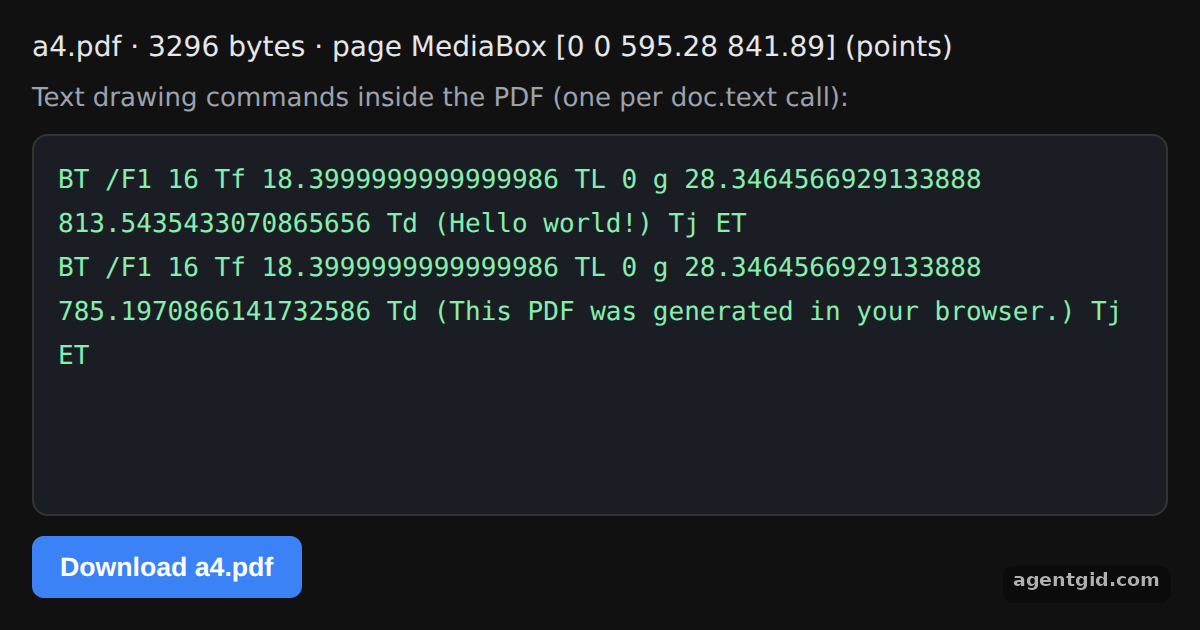 Creating your first PDF with jsPDFChange the text or the coordinates and the commands in the panel update; the button downloads the PDF.
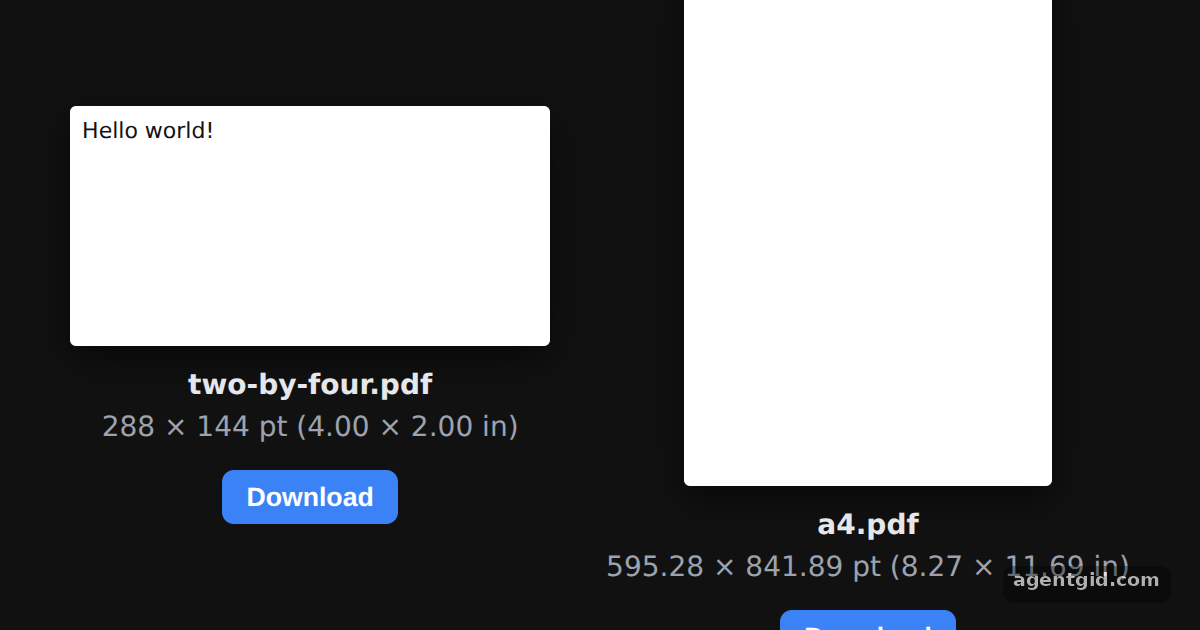 Page size, orientation and units in jsPDFChange format to [6, 4] or orientation to "portrait" and the page preview changes shape.
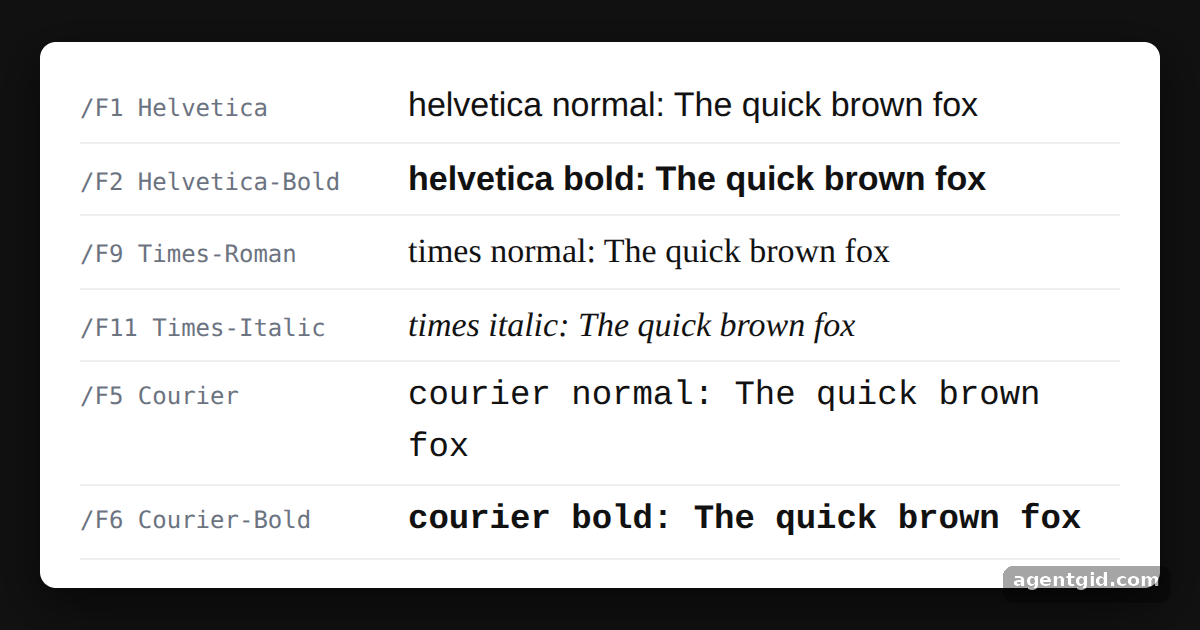 Switching fonts with setFont in jsPDFAdd ["times", "bold"] to the samples list to see one more font appear.
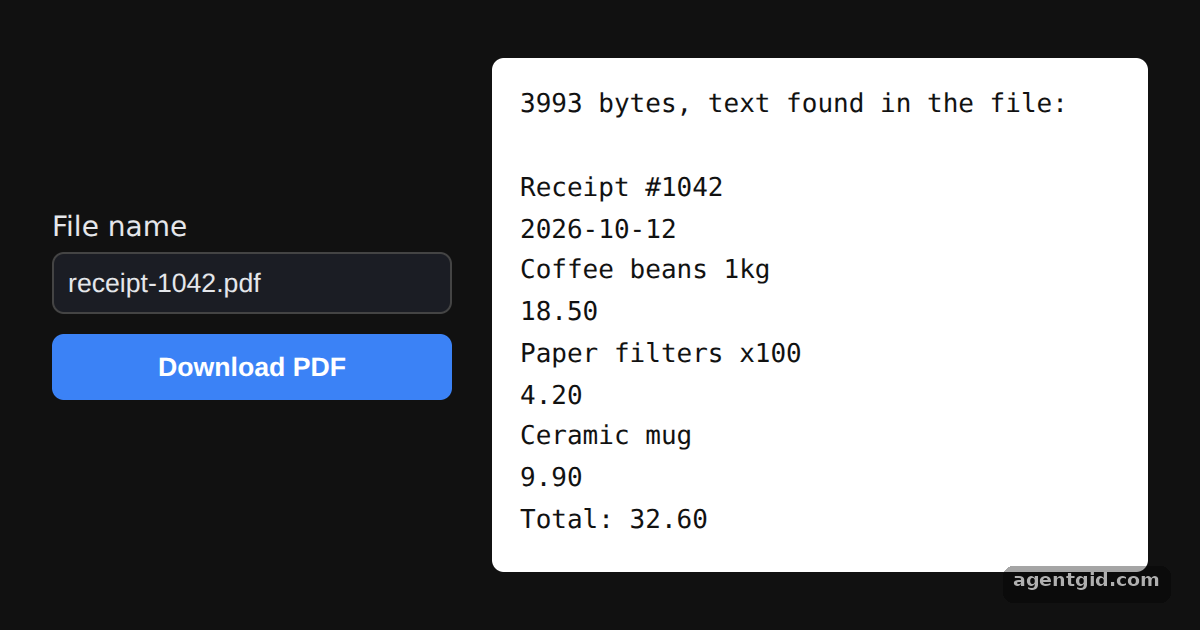 Downloading a generated PDF with jsPDF save()Type a different file name and press Download PDF; the white panel shows the text inside the file.
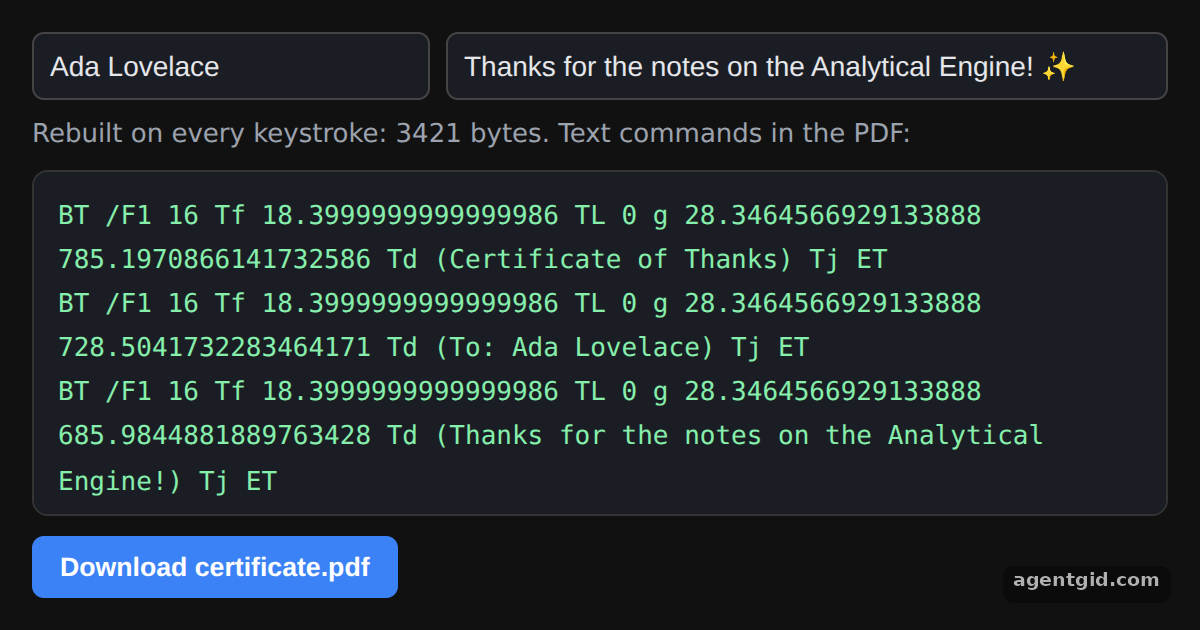 Generating a PDF from user input with jsPDFType in either field and watch the PDF text commands update; non-ASCII characters are dropped.
Try them all in one place
import { jsPDF } from "jspdf";

// Default export is a4 paper, portrait, using millimeters for units
const doc = new jsPDF();
doc.text("Hello world!", 10, 10);
doc.text("This PDF was generated in your browser.", 10, 20);

show(doc, "a4.pdf");

// Display the generated file: size, page box and the text commands jsPDF wrote
function show(doc, file) {
  const pdf = doc.output(); // the whole PDF file as a string
  const box = pdf.match(/\/MediaBox \[([^\]]*)\]/);
  const ops = pdf.match(/\bBT\b[\s\S]*?\bET\b/g) || [];
  const root = document.getElementById("root");
  root.style.cssText = "height:100%;box-sizing:border-box;padding:16px;display:flex;flex-direction:column;gap:10px;background:#111;color:#e5e7eb;font:14px system-ui,sans-serif";
  const head = document.createElement("div");
  head.textContent = `${file} · ${pdf.length} bytes · page MediaBox [${box ? box[1].split(" ").map(Number).join(" ") : "?"}] (points)`;
  const label = document.createElement("div");
  label.style.cssText = "color:#9ca3af;font-size:13px";
  label.textContent = "Text drawing commands inside the PDF (one per doc.text call):";
  const pre = document.createElement("pre");
  pre.style.cssText = "flex:1;margin:0;overflow:auto;white-space:pre-wrap;padding:12px;border-radius:8px;background:#1b1d24;border:1px solid #333;color:#86efac;font:13px/1.7 ui-monospace,monospace";
  pre.textContent = ops.map((op) => op.replace(/\s+/g, " ")).join("\n") || pdf.slice(0, 600);
  const btn = document.createElement("button");
  btn.textContent = "Download " + file;
  btn.style.cssText = "align-self:flex-start;padding:8px 14px;border:0;border-radius:6px;background:#3b82f6;color:#fff;font-weight:600;cursor:pointer";
  btn.onclick = () => doc.save(file);
  root.replaceChildren(head, label, pre, btn);
}
Change the text or the coordinates and the commands in the panel update; the button downloads the PDF. Code written by AgentGid [1]. How it works, with a screenshot →
Change the text or the coordinates and the commands in the panel update; the button downloads the PDF. Code written by AgentGid [1]. How it works, with a screenshot →Change format to [6, 4] or orientation to "portrait" and the page preview changes shape. Code written by AgentGid [1]. How it works, with a screenshot →Add ["times", "bold"] to the samples list to see one more font appear. Code written by AgentGid [1]. How it works, with a screenshot →Type a different file name and press Download PDF; the white panel shows the text inside the file. Code written by AgentGid [1]. How it works, with a screenshot →Type in either field and watch the PDF text commands update; non-ASCII characters are dropped. Code written by AgentGid [1]. How it works, with a screenshot →Checked Oct 12, 2026: each example starts without errors in Chromium with jspdf 4.2.1. Needs WebGL.
Sources
Explanations written by AgentGid from the official docs; the numbers in brackets point here. The code marked "written by AgentGid" is ours and free to copy.