Sequencing with a GSAP timeline
A timeline holds several tweens and plays them in sequence, so you don't have to juggle delays. The position parameter places a tween at an exact time in the timeline.
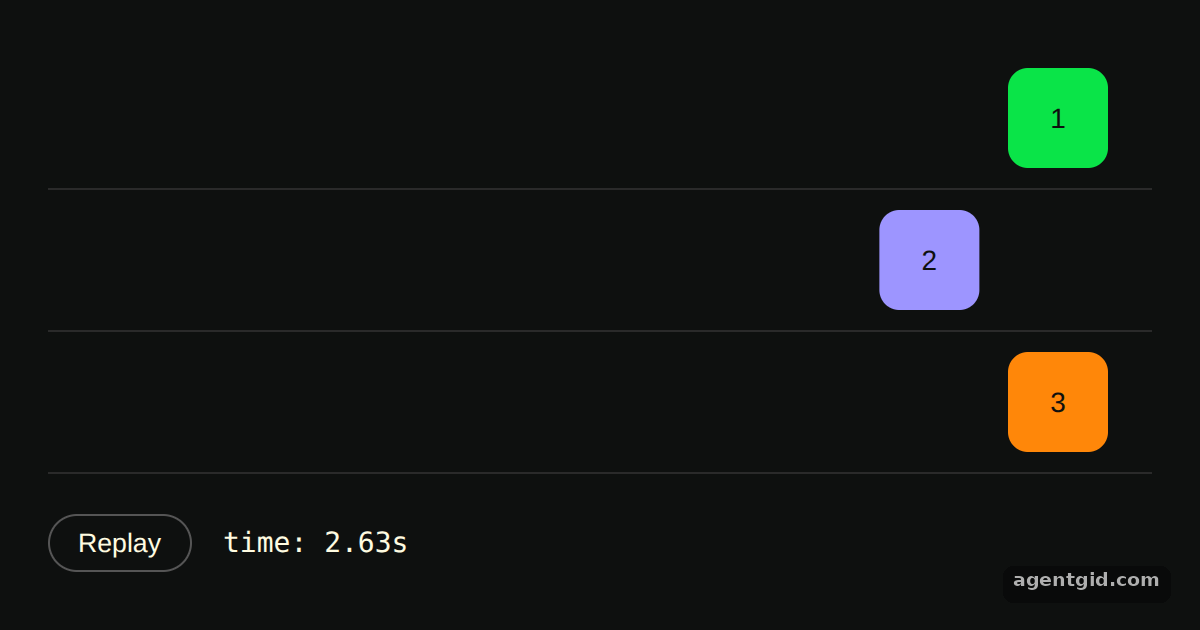
How it works
- Create the timeline.
gsap.timeline()returns a timeline, and tweens are added withtl.to()instead ofgsap.to(). The green and purple boxes are added one after the other. [1] - Place a tween with the position parameter. The orange tween has a third argument,
1, which puts it at one second into the timeline. It overlaps the green tween instead of waiting for the purple one. [1] - Show the time and replay. The
onUpdatecallback writestl.time()into the readout. The Replay button callstl.restart()to run the whole sequence again. [1]
Run and edit it
It runs in your browser, in a sandboxed frame that cannot see this site; the packages load from esm.sh only after you press Run.
import gsap from "gsap";

const root = document.getElementById("root");
root.style.cssText =
  "background:#0e100f;color:#fffce1;font:14px sans-serif;padding:24px;box-sizing:border-box;height:100%";

function box(color, label) {
  const row = document.createElement("div");
  row.style.cssText = "height:70px;display:flex;align-items:center;border-bottom:1px solid #2a2a2a";
  const el = document.createElement("div");
  el.textContent = label;
  el.style.cssText = `width:50px;height:50px;border-radius:10px;background:${color};color:#0e100f;display:grid;place-items:center`;
  row.append(el);
  root.append(row);
  return el;
}

const green = box("#0ae448", "1");
const purple = box("#9d95ff", "2");
const orange = box("#ff8709", "3");

const controls = document.createElement("div");
controls.style.cssText = "display:flex;align-items:center;gap:16px;margin-top:20px";
const replay = document.createElement("button");
replay.textContent = "Replay";
replay.style.cssText = "padding:6px 14px;border-radius:99px;border:1px solid #555;background:none;color:inherit;cursor:pointer";
const readout = document.createElement("code");
controls.append(replay, readout);
root.append(controls);

const tl = gsap.timeline({
  onUpdate: () => (readout.textContent = "time: " + tl.time().toFixed(2) + "s"),
});

tl.to(green, { x: 480, duration: 2 });
tl.to(purple, { x: 480, duration: 1 });
// position parameter: start at exactly 1 second
tl.to(orange, { x: 480, duration: 1 }, 1);

replay.onclick = () => tl.restart();
Change the orange tween's position from 1 to another number and press Replay to see where it lands. Code written by AgentGid [1].
Change the orange tween's position from 1 to another number and press Replay to see where it lands. Code written by AgentGid [1].Checked Oct 12, 2026: it starts without errors in Chromium with gsap 3.15.0. Needs WebGL.
More GSAP examples
Grid stagger in GSAP Easing in GSAP Staggered animations in GSAP Controlling a tween in GSAP
Sources
Explanations written by AgentGid from the official docs; the numbers in brackets point here. The code marked "written by AgentGid" is ours and free to copy.