Skip to content
Agents tracked: 440 Downloads (7d): 202M down 19.5% GitHub stars: 10.4M Releases (7d): 607 Agent status: 3 with issuesSince last limit reset: Claude 28d · Codex 0d Updated Oct 21, 2026

Shared layout animations with layoutId

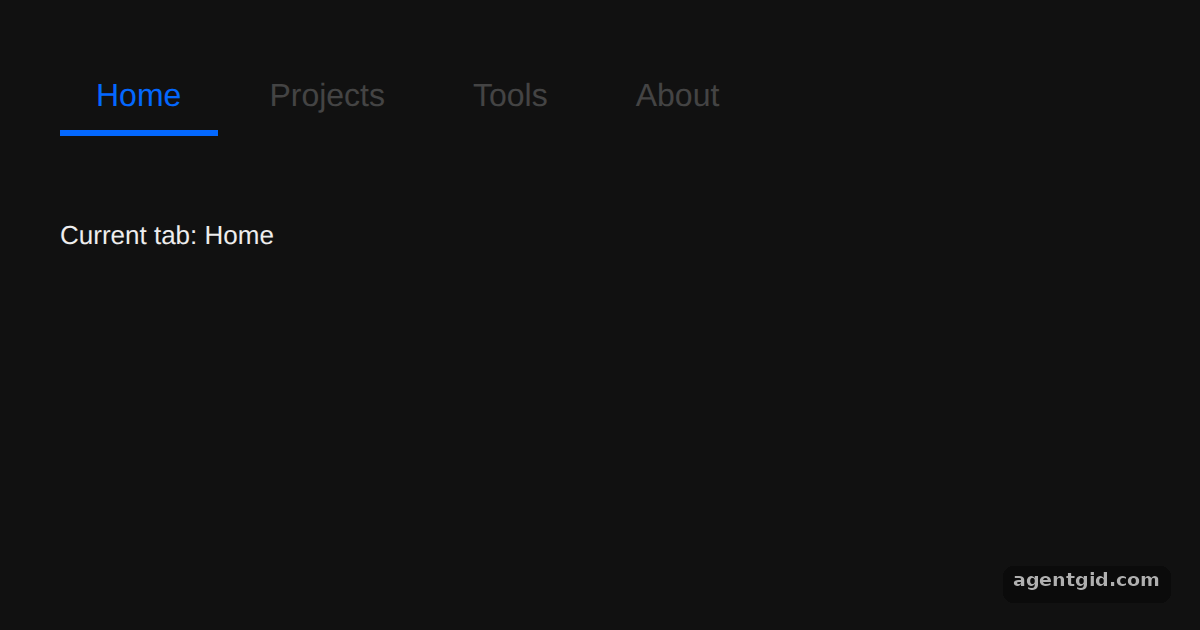
Giving components the same layoutId makes one animate into the other when it replaces it. A common use is an underline that moves between tabs.
All Framer Motion examples Framer Motion: usage and stats

Shared layout animations with layoutId: screenshot of the example below running
The code below, running in Chromium on our server (Oct 12, 2026). Press Run to see it live and change it.

How it works

  1. Render the underline under the active tab. Each tab renders a motion.div with layoutId="underline", but only while it is the active tab. When active changes, the underline animates from the old tab to the new one. [1]
  2. Namespace it with LayoutGroup. All layoutIds in an app share one global context. Wrapping the tabs in LayoutGroup id="tabs" scopes the underline id to this tab bar. [1]

Run and edit it

It runs in your browser, in a sandboxed frame that cannot see this site; the packages load from esm.sh only after you press Run.

import { useState } from "react";
import { motion, LayoutGroup } from "framer-motion";

const tabs = ["Home", "Projects", "Tools", "About"];

export default function App() {
  const [active, setActive] = useState("Home");
  return (
    <div style={{ padding: 30, fontFamily: "sans-serif" }}>
      <LayoutGroup id="tabs">
        <div style={{ display: "flex", gap: 8 }}>
          {tabs.map((tab) => (
            <button
              key={tab}
              onClick={() => setActive(tab)}
              style={{
                position: "relative",
                padding: "10px 18px",
                fontSize: 16,
                border: "none",
                background: "none",
                cursor: "pointer",
                color: active === tab ? "#0368ff" : "#444444"
              }}
            >
              {tab}
              {/* Shared id: animates from the old tab to the new one */}
              {active === tab && (
                <motion.div
                  layoutId="underline"
                  style={{
                    position: "absolute",
                    left: 0,
                    right: 0,
                    bottom: 0,
                    height: 3,
                    background: "#0368ff"
                  }}
                />
              )}
            </button>
          ))}
        </div>
      </LayoutGroup>
      <p style={{ marginTop: 40 }}>Current tab: {active}</p>
    </div>
  );
}
Ctrl/⌘ + Enter runs

Free for signed-in members, with a daily limit. Describe the change in plain words; the new code runs only in your browser.

Click the tabs to move the underline between them. Code written by AgentGid [1].

Checked Oct 12, 2026: it starts without errors in Chromium with framer-motion 14.1.0, react 19.3.0, react-dom 19.3.0. Needs WebGL.

More Framer Motion examples

The animate prop in Framer Motion Drag with useTransform in Framer Motion useSpring in Framer Motion Hover and tap gestures in Framer Motion

Sources

  1. Docs: Upgrade guide

Explanations written by AgentGid from the official docs; the numbers in brackets point here. The code marked "written by AgentGid" is ours and free to copy.

Building something with Framer Motion? Ask AgentGid →