useCommandState in cmdk
useCommandState lets a component inside the menu read part of the menu's state, such as the current search, and re-render when it changes.
How it works
- Select a slice of state.
useCommandState((state) => state.search)returns the current search text. Components that call it must be rendered insideCommand. [1] - Reveal sub-items while searching.
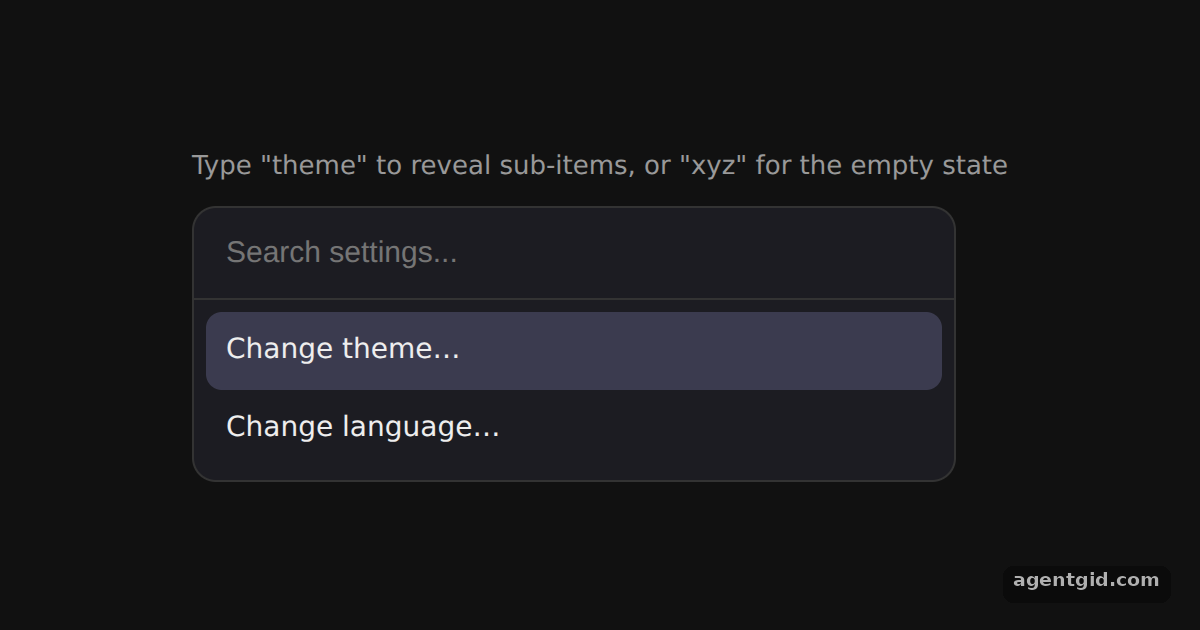
SubItemreturnsnullwhen the search is empty and a normalCommand.Itemotherwise. The theme and language options only appear once you start typing. [1] - Show a detailed empty state. The
Emptycomponent puts the search text into theCommand.Emptymessage, so the user sees exactly which query found nothing. [1]
Run and edit it
It runs in your browser, in a sandboxed frame that cannot see this site; the packages load from esm.sh only after you press Run.
import { Command, useCommandState } from 'cmdk'

const css = `
  .wrap { min-height: 100vh; display: grid; place-items: center; background: #111; font-family: system-ui, sans-serif; }
  [cmdk-root] { width: 380px; background: #1c1c22; border: 1px solid #333; border-radius: 12px; color: #eee; overflow: hidden; }
  [cmdk-input] { width: 100%; box-sizing: border-box; padding: 14px 16px; border: 0; border-bottom: 1px solid #333;
    background: transparent; color: #fff; font-size: 15px; outline: none; }
  [cmdk-list] { max-height: 240px; overflow: auto; padding: 6px; }
  [cmdk-item] { padding: 9px 10px; border-radius: 8px; font-size: 14px; cursor: pointer; }
  [cmdk-item][data-selected="true"] { background: #3b3b4f; }
  [cmdk-empty] { padding: 18px; text-align: center; color: #888; font-size: 14px; }
  .hint { color: #999; font-size: 13px; margin: 0 0 10px; text-align: center; }
`

// Only shown while the user is searching
const SubItem = (props) => {
  const search = useCommandState((state) => state.search)
  if (!search) return null
  return <Command.Item {...props} />
}

// Empty state that repeats the current query
const Empty = () => {
  const search = useCommandState((state) => state.search)
  return <Command.Empty>No results found for "{search}".</Command.Empty>
}

export default function App() {
  return (
    <div className="wrap">
      <style>{css}</style>
      <div>
        <p className="hint">Type "theme" to reveal sub-items, or "xyz" for the empty state</p>
        <Command label="Settings">
          <Command.Input placeholder="Search settings..." autoFocus />
          <Command.List>
            <Empty />
            <Command.Item>Change theme…</Command.Item>
            <SubItem>Change theme to dark</SubItem>
            <SubItem>Change theme to light</SubItem>
            <Command.Item>Change language…</Command.Item>
            <SubItem>Change language to English</SubItem>
            <SubItem>Change language to Spanish</SubItem>
          </Command.List>
        </Command>
      </div>
    </div>
  )
}
Type "theme" to make the dark and light options appear, or type "xyz" to see the query in the empty message. Code written by AgentGid [1].
Type "theme" to make the dark and light options appear, or type "xyz" to see the query in the empty message. Code written by AgentGid [1].Checked Oct 12, 2026: it starts without errors in Chromium with cmdk 1.1.1, react 19.3.0, react-dom 19.3.0. Needs WebGL.
More cmdk examples
Command menu in cmdk Cmd+K command dialog in cmdk Custom filter and keywords in cmdk Nested pages in cmdk
Sources
Explanations written by AgentGid from the official docs; the numbers in brackets point here. The code marked "written by AgentGid" is ours and free to copy.