Skip to content
Agents tracked: 440 Downloads (7d): 202M down 19.5% GitHub stars: 10.4M Releases (7d): 607 Agent status: 3 with issuesSince last limit reset: Claude 28d · Codex 0d Updated Oct 21, 2026

Command menu in cmdk

cmdk gives you a command menu component for React: you render the items and it filters and sorts them as the user types.
All cmdk examples cmdk: usage and stats

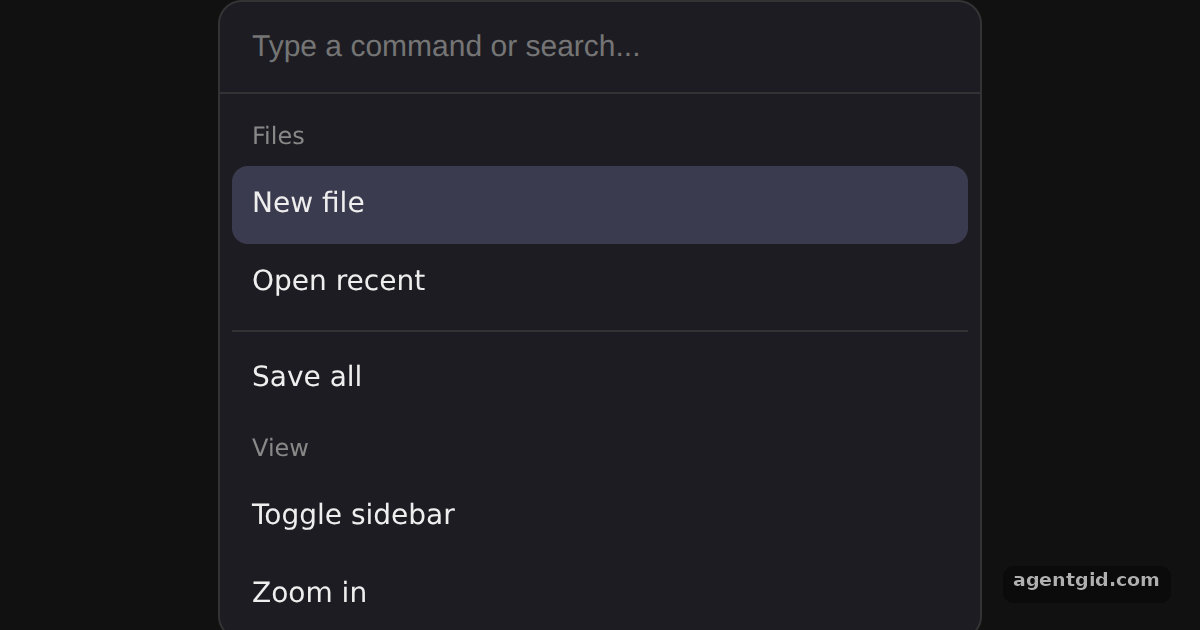
Command menu in cmdk: screenshot of the example below running
The code below, running in Chromium on our server (Oct 12, 2026). Press Run to see it live and change it.

How it works

  1. Compose the menu from parts. The menu is built from Command, Command.Input, Command.List and Command.Item. Typing in the input narrows the list without any filtering code of our own. [1]
  2. Groups, separator and empty state. Command.Group adds a heading above related items, and Command.Separator draws a divider. Command.Empty shows its text when the search matches nothing. [1]
  3. Style it with data attributes. cmdk ships no styles, so the <style> block targets selectors such as [cmdk-input], [cmdk-item] and [data-selected="true"] to build a dark theme. [1]

Run and edit it

It runs in your browser, in a sandboxed frame that cannot see this site; the packages load from esm.sh only after you press Run.

import { Command } from 'cmdk'

// cmdk is unstyled: target its data attributes
const css = `
  .wrap { min-height: 100vh; display: grid; place-items: center; background: #111; font-family: system-ui, sans-serif; }
  [cmdk-root] { width: 380px; background: #1c1c22; border: 1px solid #333; border-radius: 12px; color: #eee; overflow: hidden; }
  [cmdk-input] { width: 100%; box-sizing: border-box; padding: 14px 16px; border: 0; border-bottom: 1px solid #333;
    background: transparent; color: #fff; font-size: 15px; outline: none; }
  [cmdk-list] { max-height: 260px; overflow: auto; padding: 6px; }
  [cmdk-group-heading] { padding: 6px 10px; font-size: 12px; color: #888; }
  [cmdk-item] { padding: 9px 10px; border-radius: 8px; font-size: 14px; cursor: pointer; }
  [cmdk-item][data-selected="true"] { background: #3b3b4f; }
  [cmdk-separator] { height: 1px; background: #333; margin: 4px 0; }
  [cmdk-empty] { padding: 18px; text-align: center; color: #888; font-size: 14px; }
`

export default function App() {
  return (
    <div className="wrap">
      <style>{css}</style>
      <Command label="Command Menu">
        <Command.Input placeholder="Type a command or search..." autoFocus />
        <Command.List>
          <Command.Empty>No results found.</Command.Empty>
          <Command.Group heading="Files">
            <Command.Item>New file</Command.Item>
            <Command.Item>Open recent</Command.Item>
            <Command.Separator />
            <Command.Item>Save all</Command.Item>
          </Command.Group>
          <Command.Group heading="View">
            <Command.Item>Toggle sidebar</Command.Item>
            <Command.Item>Zoom in</Command.Item>
          </Command.Group>
          <Command.Item>Settings</Command.Item>
        </Command.List>
      </Command>
    </div>
  )
}
Ctrl/⌘ + Enter runs

Free for signed-in members, with a daily limit. Describe the change in plain words; the new code runs only in your browser.

Type "zoom" or "save" to filter, use the arrow keys to move the highlight, or type nonsense to see the empty state. Code written by AgentGid [1].

Checked Oct 12, 2026: it starts without errors in Chromium with cmdk 1.1.1, react 19.3.0, react-dom 19.3.0. Needs WebGL.

More cmdk examples

Cmd+K command dialog in cmdk Custom filter and keywords in cmdk Nested pages in cmdk useCommandState in cmdk

Sources

  1. cmdk README (GitHub)

Explanations written by AgentGid from the official docs; the numbers in brackets point here. The code marked "written by AgentGid" is ours and free to copy.

Building something with cmdk? Ask AgentGid →