Custom filter and keywords in cmdk
The filter prop decides how each item ranks against the search, and item keywords let users find an item by words that are not in its label.
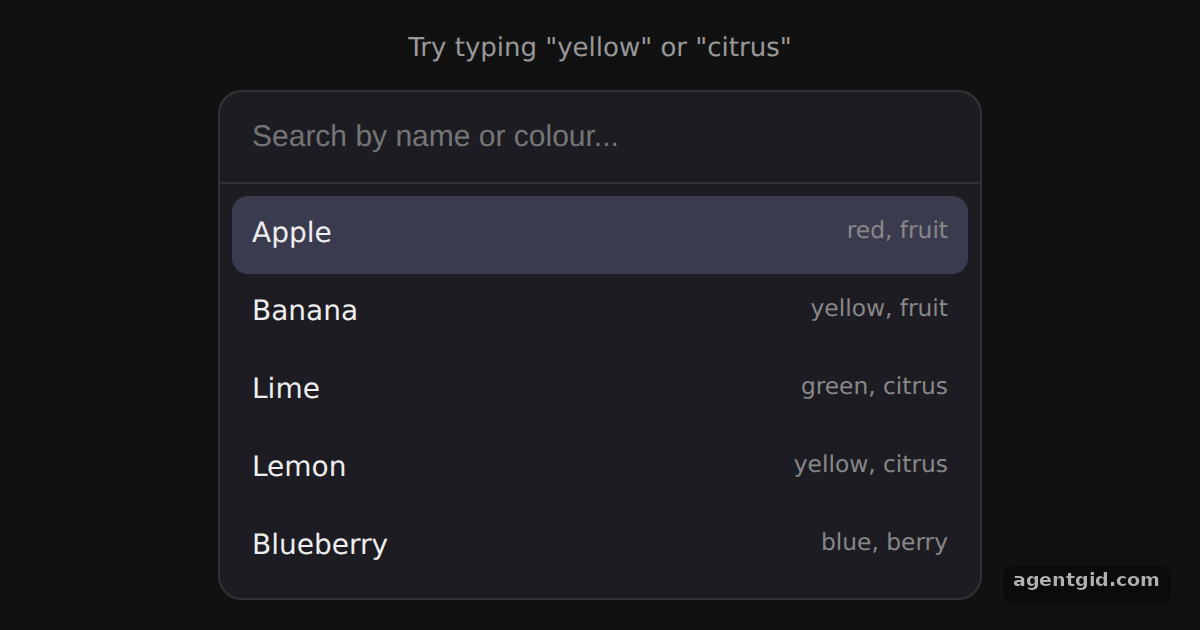
How it works
- Pass a filter function.
filteronCommandreturns1for a match and0to hide the item. This version lowercases both sides and checksincludes. [1] - Match on keywords too. The third argument holds the item's keywords, so the function joins them onto the value before testing the search. Typing a colour or "citrus" now finds fruit whose names do not contain it. [1]
- Set keywords and loop navigation. Each
Command.Itemgets akeywordsarray from the data. Theloopprop makes the arrow keys jump from the last item back to the first. [1]
Run and edit it
It runs in your browser, in a sandboxed frame that cannot see this site; the packages load from esm.sh only after you press Run.
import { Command } from 'cmdk'

const css = `
  .wrap { min-height: 100vh; display: grid; place-items: center; background: #111; font-family: system-ui, sans-serif; }
  [cmdk-root] { width: 380px; background: #1c1c22; border: 1px solid #333; border-radius: 12px; color: #eee; overflow: hidden; }
  [cmdk-input] { width: 100%; box-sizing: border-box; padding: 14px 16px; border: 0; border-bottom: 1px solid #333;
    background: transparent; color: #fff; font-size: 15px; outline: none; }
  [cmdk-list] { max-height: 250px; overflow: auto; padding: 6px; }
  [cmdk-item] { display: flex; justify-content: space-between; padding: 9px 10px; border-radius: 8px; font-size: 14px; cursor: pointer; }
  [cmdk-item][data-selected="true"] { background: #3b3b4f; }
  [cmdk-item] small { color: #888; }
  [cmdk-empty] { padding: 18px; text-align: center; color: #888; font-size: 14px; }
  .hint { color: #999; font-size: 13px; margin: 0 0 10px; text-align: center; }
`

const fruits = [
  { name: 'Apple', keywords: ['red', 'fruit'] },
  { name: 'Banana', keywords: ['yellow', 'fruit'] },
  { name: 'Lime', keywords: ['green', 'citrus'] },
  { name: 'Lemon', keywords: ['yellow', 'citrus'] },
  { name: 'Blueberry', keywords: ['blue', 'berry'] },
]

// Rank each item: 1 = match, 0 = hidden. Keywords act as aliases.
const filter = (value, search, keywords) => {
  const extendValue = (value + ' ' + keywords.join(' ')).toLowerCase()
  if (extendValue.includes(search.toLowerCase())) return 1
  return 0
}

export default function App() {
  return (
    <div className="wrap">
      <style>{css}</style>
      <div>
        <p className="hint">Try typing "yellow" or "citrus"</p>
        <Command label="Fruit search" filter={filter} loop>
          <Command.Input placeholder="Search by name or colour..." autoFocus />
          <Command.List>
            <Command.Empty>No fruit matches.</Command.Empty>
            {fruits.map((f) => (
              <Command.Item key={f.name} value={f.name} keywords={f.keywords}>
                {f.name} <small>{f.keywords.join(', ')}</small>
              </Command.Item>
            ))}
          </Command.List>
        </Command>
      </div>
    </div>
  )
}
Type "yellow" to get Banana and Lemon, then hold the down arrow to see the selection wrap around. Code written by AgentGid [1].
Type "yellow" to get Banana and Lemon, then hold the down arrow to see the selection wrap around. Code written by AgentGid [1].Checked Oct 12, 2026: it starts without errors in Chromium with cmdk 1.1.1, react 19.3.0, react-dom 19.3.0. Needs WebGL.
More cmdk examples
Command menu in cmdk Cmd+K command dialog in cmdk Nested pages in cmdk useCommandState in cmdk
Sources
Explanations written by AgentGid from the official docs; the numbers in brackets point here. The code marked "written by AgentGid" is ours and free to copy.