Built-in geometries in Three.js
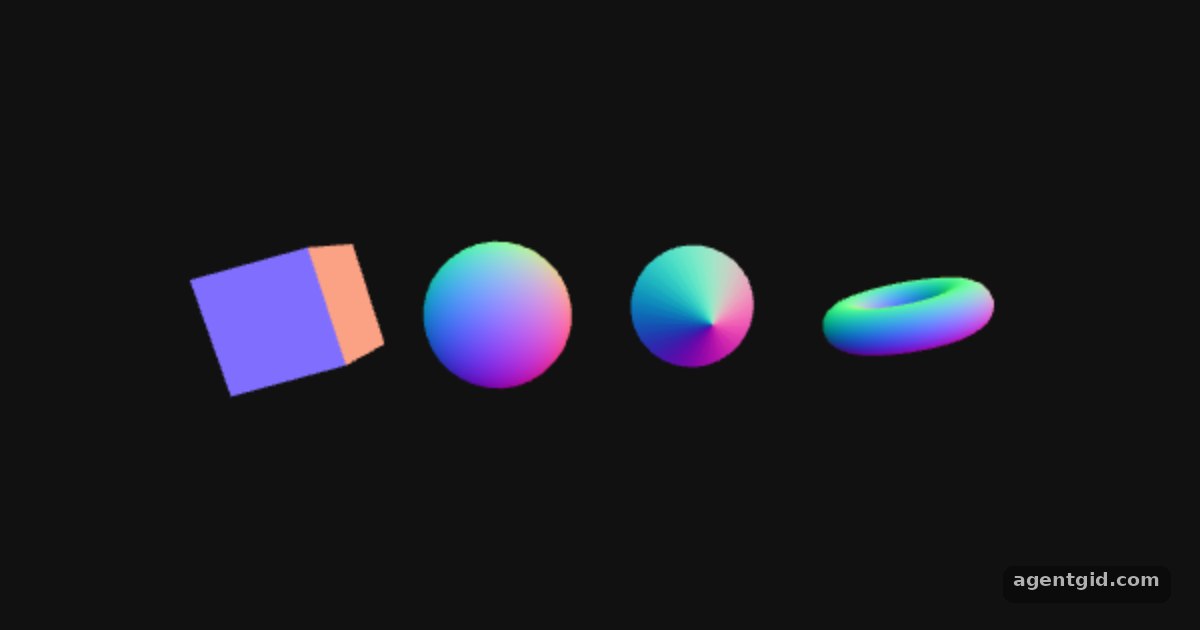
Three.js includes geometry classes for common shapes; this example puts four of them side by side as spinning meshes.
How it works
- Pick geometry classes. The docs list the built-in geometries. This example creates a
BoxGeometry,SphereGeometry,ConeGeometryandTorusGeometryand keeps them in an array. [1] - Wrap each one in a mesh. Each geometry is paired with a
MeshNormalMaterialinnew THREE.Mesh(geometry, material), positioned along the x axis and added withscene.add. [2] - Spin them. The
animatecallback passed tosetAnimationLooprotates every mesh from thetimevalue so you can see all sides of each shape. [2]
Run and edit it
It runs in your browser, in a sandboxed frame that cannot see this site; the packages load from esm.sh only after you press Run.
import * as THREE from 'three';

const root = document.getElementById('root');
const width = root.clientWidth || 600, height = root.clientHeight || 380;

const camera = new THREE.PerspectiveCamera(50, width / height, 0.1, 100);
camera.position.z = 6;

const scene = new THREE.Scene();
scene.background = new THREE.Color(0x111111);

const geometries = [
  new THREE.BoxGeometry(1, 1, 1),
  new THREE.SphereGeometry(0.65, 32, 16),
  new THREE.ConeGeometry(0.6, 1.2, 32),
  new THREE.TorusGeometry(0.5, 0.2, 16, 48),
];

const material = new THREE.MeshNormalMaterial();
const meshes = geometries.map((geometry, i) => {
  const mesh = new THREE.Mesh(geometry, material);
  mesh.position.x = (i - 1.5) * 1.8;
  scene.add(mesh);
  return mesh;
});

const renderer = new THREE.WebGLRenderer({ antialias: true });
renderer.setSize(width, height);
renderer.setAnimationLoop(animate);
root.appendChild(renderer.domElement);

function animate(time) {
  for (const mesh of meshes) {
    mesh.rotation.x = time / 2000;
    mesh.rotation.y = time / 1000;
  }
  renderer.render(scene, camera);
}
Swap one shape for another from the docs list, such as IcosahedronGeometry(0.7). Code written by AgentGid [1].
Swap one shape for another from the docs list, such as IcosahedronGeometry(0.7). Code written by AgentGid [1].Checked Oct 12, 2026: it starts without errors in Chromium with three 0.186.1. Needs WebGL.
More Three.js examples
Rotating cube in Three.js Animation loop in Three.js Lights and lit materials in Three.js Grouping objects in Three.js
Sources
Explanations written by AgentGid from the official docs; the numbers in brackets point here. The code marked "written by AgentGid" is ours and free to copy.