Showing a toast with Sonner
Sonner shows toast notifications in React. You place one Toaster component and call toast() wherever something should be announced.
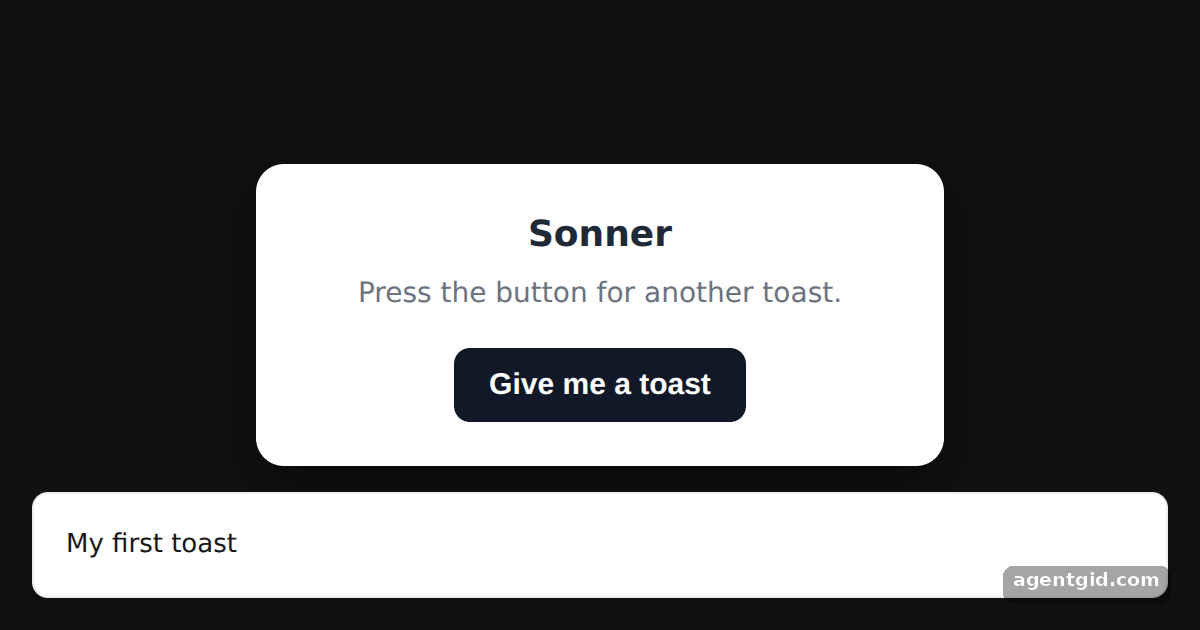
How it works
- Add the Toaster.
<Toaster />is rendered once inApp. All toasts from this example appear inside it. [1] - Call toast(). The button calls
toast(`Toast number ${count + 1}`). On load auseEffectshows "My first toast" after a short delay. [1] - Place it anywhere. The Toaster sits next to the card here, but it does not have to be at the top of the tree. [2]
Run and edit it
It runs in your browser, in a sandboxed frame that cannot see this site; the packages load from esm.sh only after you press Run.
import { useEffect, useState } from "react";
import { Toaster, toast } from "sonner";

const S = {
  page: { minHeight: "100vh", display: "flex", alignItems: "center", justifyContent: "center", background: "#111", fontFamily: "system-ui, sans-serif" },
  card: { width: 300, background: "#fff", color: "#1f2937", borderRadius: 14, padding: 22, textAlign: "center", boxShadow: "0 10px 30px rgba(0,0,0,.5)" },
  btn: { padding: "10px 18px", border: 0, borderRadius: 8, background: "#111827", color: "#fff", fontSize: 15, fontWeight: 600, cursor: "pointer" },
};

export default function App() {
  const [count, setCount] = useState(0);

  // show one toast right away so the result is visible on load
  useEffect(() => {
    const id = setTimeout(() => toast("My first toast"), 300);
    return () => clearTimeout(id);
  }, []);

  const show = () => {
    setCount(count + 1);
    toast(`Toast number ${count + 1}`);
  };

  return (
    <div style={S.page}>
      {/* every toast() call renders inside this Toaster */}
      <Toaster />
      <div style={S.card}>
        <h2 style={{ margin: "0 0 6px", fontSize: 18 }}>Sonner</h2>
        <p style={{ margin: "0 0 16px", color: "#6b7280", fontSize: 14 }}>Press the button for another toast.</p>
        <button style={S.btn} onClick={show}>Give me a toast</button>
      </div>
    </div>
  );
}
Press "Give me a toast" several times to stack up numbered toasts. Code written by AgentGid [1].
Press "Give me a toast" several times to stack up numbered toasts. Code written by AgentGid [1].Checked Oct 12, 2026: it starts without errors in Chromium with sonner 2.0.8, react 19.3.0, react-dom 19.3.0. Needs WebGL.
More Sonner examples
Toast types in Sonner Changing toast position in Sonner Rich colors for Sonner toasts Expanded toasts and visibleToasts in Sonner
Sources
Explanations written by AgentGid from the official docs; the numbers in brackets point here. The code marked "written by AgentGid" is ours and free to copy.