Selecting by prop with useSelector in React Redux
List items often need one record out of a larger collection. A selector can close over a component prop, such as an id, to pick that record from the store.
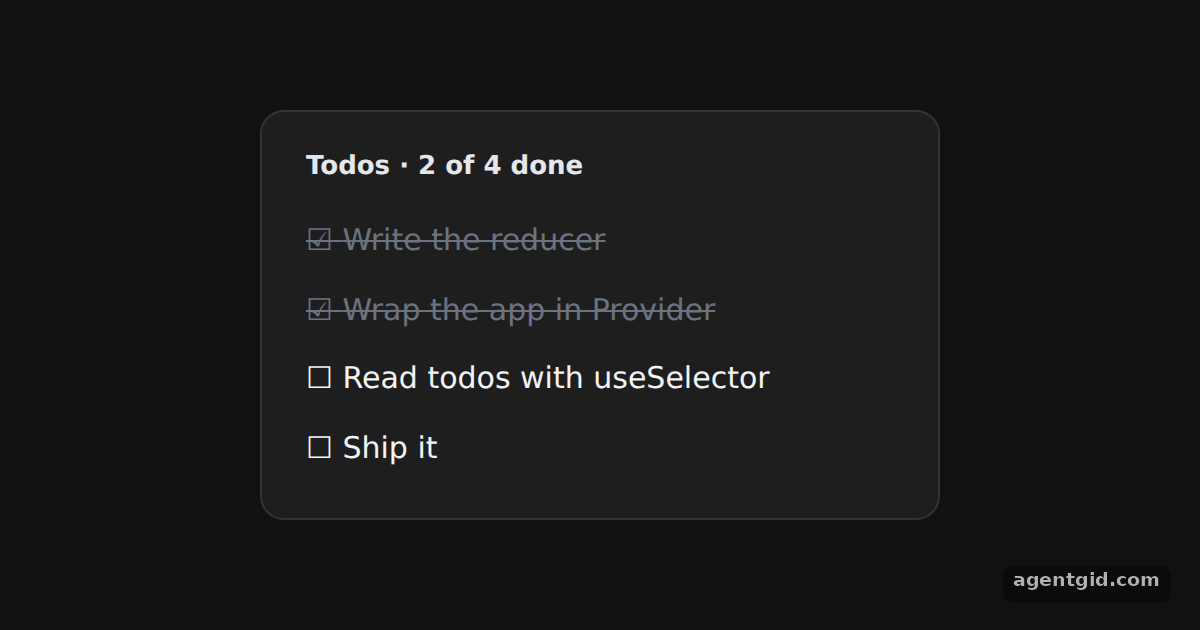
How it works
- Selector closes over a prop.
TodoListItemreceives anidprop and callsuseSelector((state) => state.todos[id]). Each item reads only its own todo. [1] - Toggle with an action. Clicking an item dispatches
todos/togglewith its id, and the reducer returns new state with that todo flipped. [1] - Order lives in the store. The list itself selects
state.order, an array kept in state, and renders one item per id. The progress line selects the count of finished todos. [1]
Run and edit it
It runs in your browser, in a sandboxed frame that cannot see this site; the packages load from esm.sh only after you press Run.
import { createStore } from "redux";
import { Provider, useSelector, useDispatch } from "react-redux";
const initialState = {
order: [1, 2, 3, 4],
todos: {
1: { text: "Write the reducer", done: true },
2: { text: "Wrap the app in Provider", done: true },
3: { text: "Read todos with useSelector", done: false },
4: { text: "Ship it", done: false },
},
};
function reducer(state = initialState, action) {
if (action.type === "todos/toggle") {
const todo = state.todos[action.id];
return { ...state, todos: { ...state.todos, [action.id]: { ...todo, done: !todo.done } } };
}
return state;
}
const store = createStore(reducer);
const page = { minHeight: "100vh", background: "#111", display: "flex", alignItems: "center",
justifyContent: "center", fontFamily: "system-ui, sans-serif" };
const card = { background: "#1e1e1e", color: "#e5e7eb", border: "1px solid #333", borderRadius: 12,
padding: "18px 22px", boxSizing: "border-box" };
const btn = { padding: "6px 12px", borderRadius: 8, border: "1px solid #444", background: "#2a2a2a",
color: "#f3f4f6", fontSize: 14, cursor: "pointer" };
function TodoListItem({ id }) {
// The id prop is captured by the selector function
const todo = useSelector((state) => state.todos[id]);
const dispatch = useDispatch();
return (
<li onClick={() => dispatch({ type: "todos/toggle", id })}
style={{ cursor: "pointer", padding: "6px 0", color: todo.done ? "#6b7280" : "#f3f4f6",
textDecoration: todo.done ? "line-through" : "none" }}>
{todo.done ? "\u2611" : "\u2610"} {todo.text}
</li>
);
}
function TodoList() {
const order = useSelector((state) => state.order);
const done = useSelector((state) => order.filter((id) => state.todos[id].done).length);
return (
<div style={{ ...card, width: 340 }}>
<b>Todos · {done} of {order.length} done</b>
<ul style={{ listStyle: "none", padding: 0, margin: "10px 0 0", fontSize: 15 }}>
{order.map((id) => <TodoListItem key={id} id={id} />)}
</ul>
</div>
);
}
export default function App() {
return (
<Provider store={store}>
<div style={page}>
<TodoList />
</div>
</Provider>
);
}
Click a todo to mark it done or not done; the progress line updates too. Code written by AgentGid [1].
Click a todo to mark it done or not done; the progress line updates too. Code written by AgentGid [1].Checked Oct 12, 2026: it starts without errors in Chromium with react-redux 9.3.0, react 19.3.0, react-dom 19.3.0, redux 5.0.1. Needs WebGL.
More React Redux examples
Provider in React Redux useSelector and useDispatch counter in React Redux shallowEqual with useSelector in React Redux Derived values with useSelector in React Redux
Sources
Explanations written by AgentGid from the official docs; the numbers in brackets point here. The code marked "written by AgentGid" is ours and free to copy.