useSelector and useDispatch counter in React Redux
Reading state is half of the job; components also need to change it. useDispatch gives a component the store's dispatch function so buttons can send actions.
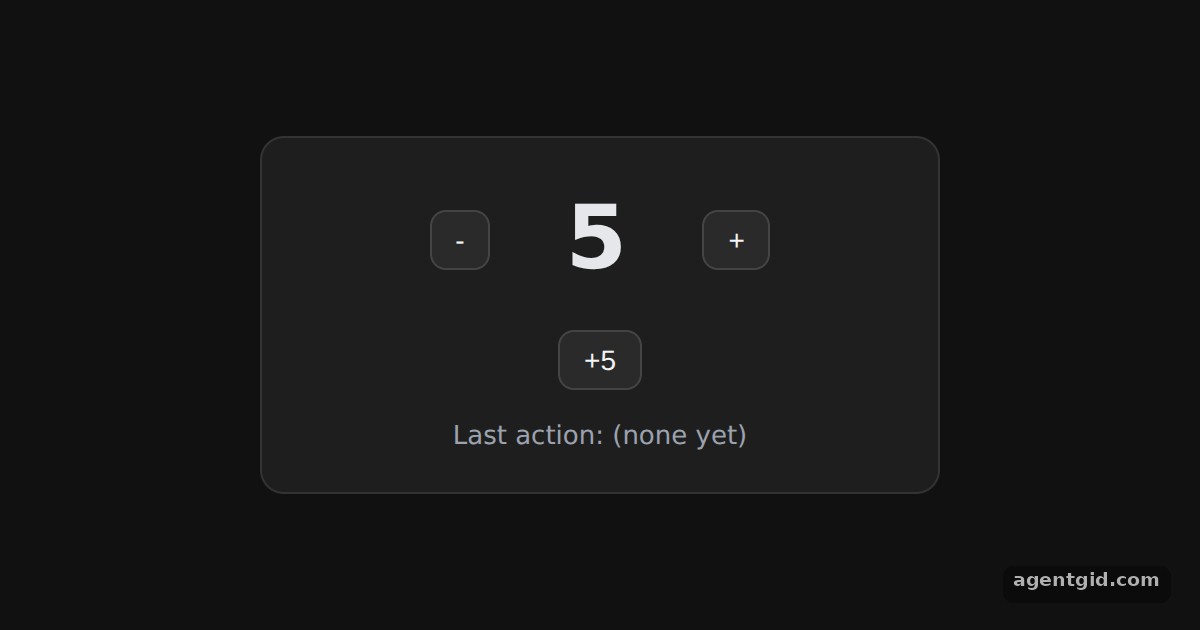
How it works
- Two hooks.
CountercallsuseSelectorfor the current value anduseDispatchfor the dispatch function. Both are imported straight fromreact-redux. [1] - Dispatch on click. Each button calls
dispatchwith an action object. The +5 button adds apayloadthat the reducer adds to the value. [2] - The UI follows the store. The reducer returns new state with the new value and the last action type.
Counterreads both and re-renders with them. [2]
Run and edit it
It runs in your browser, in a sandboxed frame that cannot see this site; the packages load from esm.sh only after you press Run.
import { createStore } from "redux";
import { Provider, useSelector, useDispatch } from "react-redux";

function counter(state = { value: 5, last: "(none yet)" }, action) {
  switch (action.type) {
    case "counter/increment":
      return { value: state.value + 1, last: action.type };
    case "counter/decrement":
      return { value: state.value - 1, last: action.type };
    case "counter/incrementByAmount":
      return { value: state.value + action.payload, last: `${action.type} (${action.payload})` };
    default:
      return state;
  }
}

const store = createStore(counter);

const page = { minHeight: "100vh", background: "#111", display: "flex", alignItems: "center",
  justifyContent: "center", fontFamily: "system-ui, sans-serif" };
const card = { background: "#1e1e1e", color: "#e5e7eb", border: "1px solid #333", borderRadius: 12,
  padding: "18px 22px", boxSizing: "border-box" };
const btn = { padding: "6px 12px", borderRadius: 8, border: "1px solid #444", background: "#2a2a2a",
  color: "#f3f4f6", fontSize: 14, cursor: "pointer" };

function Counter() {
  const count = useSelector((state) => state.value);
  const last = useSelector((state) => state.last);
  const dispatch = useDispatch();
  return (
    <div style={{ ...card, width: 340, textAlign: "center" }}>
      <div style={{ display: "flex", alignItems: "center", justifyContent: "center", gap: 18 }}>
        <button style={btn} onClick={() => dispatch({ type: "counter/decrement" })}>-</button>
        <span style={{ fontSize: 44, fontWeight: 700, minWidth: 70 }}>{count}</span>
        <button style={btn} onClick={() => dispatch({ type: "counter/increment" })}>+</button>
      </div>
      <button style={{ ...btn, marginTop: 12 }}
        onClick={() => dispatch({ type: "counter/incrementByAmount", payload: 5 })}>
        +5
      </button>
      <p style={{ margin: "14px 0 0", fontSize: 13, color: "#9ca3af" }}>Last action: {last}</p>
    </div>
  );
}

export default function App() {
  return (
    <Provider store={store}>
      <div style={page}>
        <Counter />
      </div>
    </Provider>
  );
}
Click the buttons; the number and the last action line change together. Code written by AgentGid [1].
Click the buttons; the number and the last action line change together. Code written by AgentGid [1].Checked Oct 12, 2026: it starts without errors in Chromium with react-redux 9.3.0, react 19.3.0, react-dom 19.3.0, redux 5.0.1. Needs WebGL.
More React Redux examples
Provider in React Redux Selecting by prop with useSelector in React Redux shallowEqual with useSelector in React Redux Derived values with useSelector in React Redux
Sources
Explanations written by AgentGid from the official docs; the numbers in brackets point here. The code marked "written by AgentGid" is ours and free to copy.