Aligning icons with text in React Icons
An icon next to text can sit slightly too high or low. React Icons leaves vertical alignment to you, and IconContext lets you set it once for a group of icons.
How it works
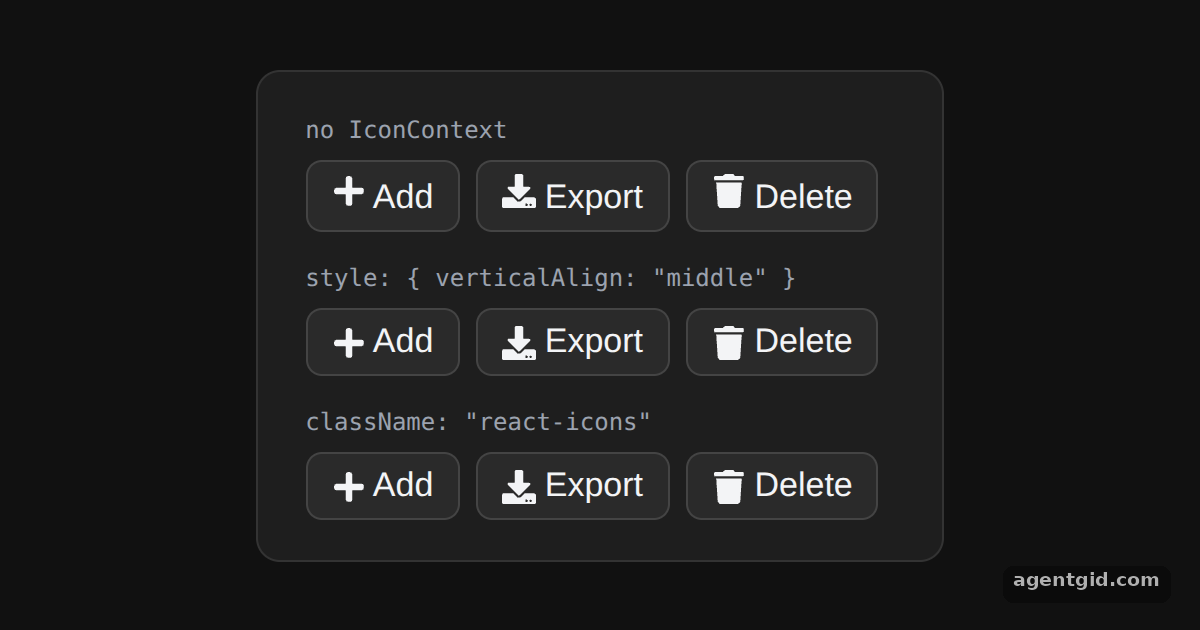
- No alignment by default. The first row renders the icons with no extra styling, so you can compare it with the two aligned rows below. [1]
- Inline style through context. The second row wraps the buttons in a provider whose
styleis{ verticalAlign: 'middle' }. Every icon inside receives that style. [1] - Or a shared class. The third row sets
className: 'react-icons'instead, and a<style>element defines.react-icons { vertical-align: middle; }. [1]
Run and edit it
It runs in your browser, in a sandboxed frame that cannot see this site; the packages load from esm.sh only after you press Run.
import { IconContext } from "react-icons";
import { FaPlus, FaDownload, FaTrash } from "react-icons/fa";

const page = { minHeight: "100vh", background: "#111", display: "flex", alignItems: "center",
  justifyContent: "center", fontFamily: "system-ui, sans-serif" };
const card = { background: "#1e1e1e", color: "#e5e7eb", border: "1px solid #333", borderRadius: 12,
  padding: "20px 24px", boxSizing: "border-box" };

const css = ".react-icons { vertical-align: middle; }";
const btn = { fontSize: 17, padding: "6px 12px", marginRight: 8, borderRadius: 8,
  border: "1px solid #444", background: "#2a2a2a", color: "#f3f4f6" };
const label = { margin: "14px 0 6px", fontSize: 12, color: "#9ca3af", fontFamily: "monospace" };

function Buttons() {
  return (
    <div>
      <button style={btn}><FaPlus /> Add</button>
      <button style={btn}><FaDownload /> Export</button>
      <button style={btn}><FaTrash /> Delete</button>
    </div>
  );
}

export default function App() {
  return (
    <div style={page}>
      <style>{css}</style>
      <div style={card}>
        <p style={{ ...label, marginTop: 0 }}>no IconContext</p>
        <Buttons />
        <p style={label}>{'style: { verticalAlign: "middle" }'}</p>
        <IconContext.Provider value={{ style: { verticalAlign: "middle" } }}>
          <Buttons />
        </IconContext.Provider>
        <p style={label}>{'className: "react-icons"'}</p>
        <IconContext.Provider value={{ className: "react-icons" }}>
          <Buttons />
        </IconContext.Provider>
      </div>
    </div>
  );
}
Look at the icons in the first row next to the other two to see the alignment change. Code written by AgentGid [1].
Look at the icons in the first row next to the other two to see the alignment change. Code written by AgentGid [1].Checked Oct 12, 2026: it starts without errors in Chromium with react-icons 5.7.0, react 19.3.0, react-dom 19.3.0. Needs WebGL.
More React Icons examples
Using an icon in React Icons Icons from different packs in React Icons IconContext in React Icons Icon size, color and title in React Icons
Sources
Explanations written by AgentGid from the official docs; the numbers in brackets point here. The code marked "written by AgentGid" is ours and free to copy.