Icon size, color and title in React Icons
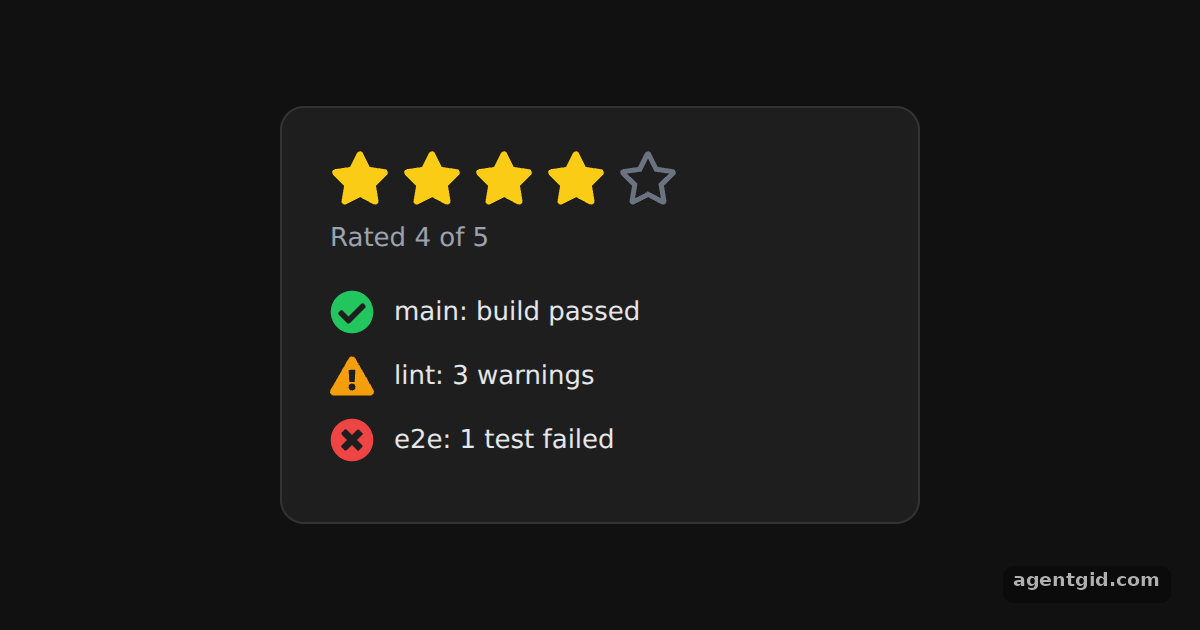
Sometimes one icon needs its own look, like a filled star or a red error mark. The size, color and title settings from the React Icons config table can be set on a single icon.
How it works
- Per-icon settings. The README lists
color,sizeandtitleamong the react-icons props. Here each icon gets them directly, for examplesize={22}andcolor="#22c55e". [1] - A title for screen readers. Each status icon gets a
titlesuch as "Build passed". Hover an icon in the list to see its title. [1] - SVG components, not a font. Each icon is an SVG React component, so picking one is just picking a component. The rating maps over five slots and renders
FaStarorFaRegStarfor each one. [1]
Run and edit it
It runs in your browser, in a sandboxed frame that cannot see this site; the packages load from esm.sh only after you press Run.
import { FaStar, FaRegStar, FaCheckCircle, FaExclamationTriangle, FaTimesCircle } from "react-icons/fa";

const page = { minHeight: "100vh", background: "#111", display: "flex", alignItems: "center",
  justifyContent: "center", fontFamily: "system-ui, sans-serif" };
const card = { background: "#1e1e1e", color: "#e5e7eb", border: "1px solid #333", borderRadius: 12,
  padding: "20px 24px", boxSizing: "border-box" };

const rating = 4;
const statuses = [
  { Icon: FaCheckCircle, color: "#22c55e", title: "Build passed", text: "main: build passed" },
  { Icon: FaExclamationTriangle, color: "#f59e0b", title: "Warnings", text: "lint: 3 warnings" },
  { Icon: FaTimesCircle, color: "#ef4444", title: "Tests failed", text: "e2e: 1 test failed" },
];

export default function App() {
  return (
    <div style={page}>
      <div style={{ ...card, width: 320 }}>
        <div style={{ display: "flex", gap: 6, marginBottom: 6 }}>
          {[1, 2, 3, 4, 5].map((n) =>
            n <= rating
              ? <FaStar key={n} size={30} color="#facc15" title={`${n} of 5`} />
              : <FaRegStar key={n} size={30} color="#6b7280" title={`${n} of 5`} />
          )}
        </div>
        <p style={{ margin: "0 0 16px", color: "#9ca3af" }}>Rated {rating} of 5</p>
        {statuses.map(({ Icon, color, title, text }) => (
          <div key={text} style={{ display: "flex", alignItems: "center", gap: 10, marginBottom: 10 }}>
            <Icon size={22} color={color} title={title} />
            <span>{text}</span>
          </div>
        ))}
      </div>
    </div>
  );
}
Change the rating constant to 2 and only two stars stay filled. Code written by AgentGid [1].
Change the rating constant to 2 and only two stars stay filled. Code written by AgentGid [1].Checked Oct 12, 2026: it starts without errors in Chromium with react-icons 5.7.0, react 19.3.0, react-dom 19.3.0. Needs WebGL.
More React Icons examples
Using an icon in React Icons Icons from different packs in React Icons IconContext in React Icons Aligning icons with text in React Icons
Sources
Explanations written by AgentGid from the official docs; the numbers in brackets point here. The code marked "written by AgentGid" is ours and free to copy.