Bar chart in React Chart.js 2
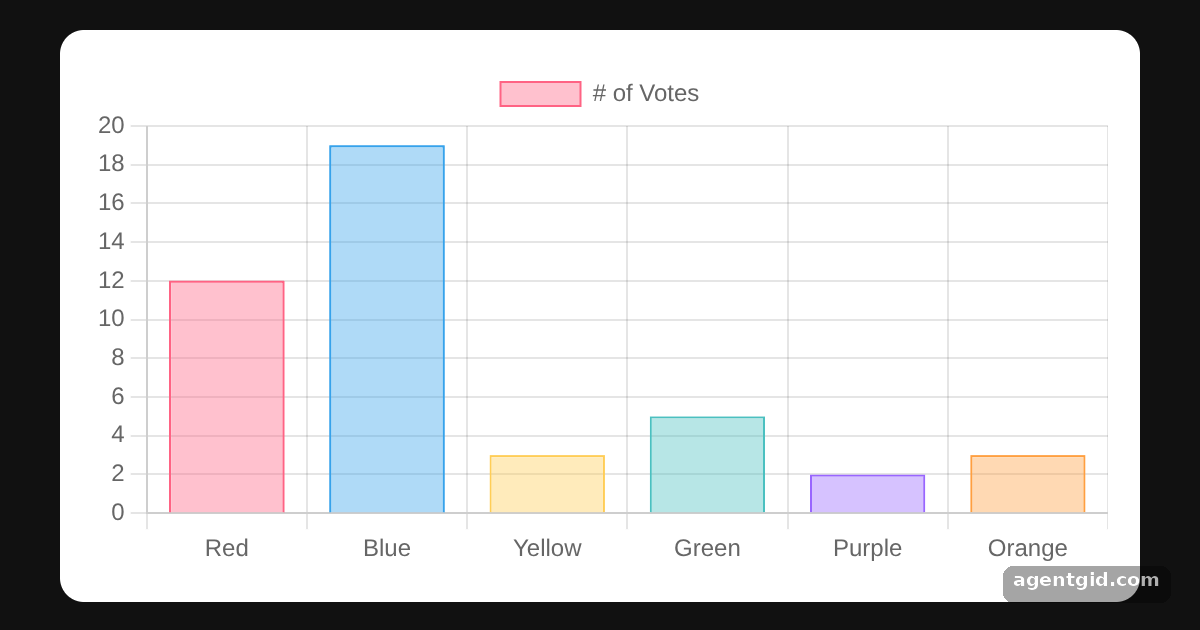
Bar charts compare values across categories with vertical bars. In React you render them with the Bar component and pass Chart.js data and options as props.
All React Chart.js 2 examples React Chart.js 2: usage and stats
How it works
- Register scales and the bar element. A bar chart needs a category scale for the labels, a linear scale for the values and the
BarElement. All of them are passed toChartJS.registeronce, outside the component. [1] - Describe the data.
labelsnames each bar and the single dataset holds the values.backgroundColorandborderColorare arrays, so every bar gets its own color. [2] - Start the y axis at zero. The
optionsprop takes the same object as a plain Chart.js config. Herescales.y.beginAtZerokeeps the value axis anchored at 0. [3]
Run and edit it
It runs in your browser, in a sandboxed frame that cannot see this site; the packages load from esm.sh only after you press Run.
import { Chart as ChartJS, CategoryScale, LinearScale, BarElement, Tooltip, Legend } from "chart.js";
import { Bar } from "react-chartjs-2";

ChartJS.register(CategoryScale, LinearScale, BarElement, Tooltip, Legend);

const data = {
  labels: ["Red", "Blue", "Yellow", "Green", "Purple", "Orange"],
  datasets: [
    {
      label: "# of Votes",
      data: [12, 19, 3, 5, 2, 3],
      backgroundColor: ["rgba(255, 99, 132, 0.4)", "rgba(54, 162, 235, 0.4)", "rgba(255, 205, 86, 0.4)",
        "rgba(75, 192, 192, 0.4)", "rgba(153, 102, 255, 0.4)", "rgba(255, 159, 64, 0.4)"],
      borderColor: ["rgb(255, 99, 132)", "rgb(54, 162, 235)", "rgb(255, 205, 86)",
        "rgb(75, 192, 192)", "rgb(153, 102, 255)", "rgb(255, 159, 64)"],
      borderWidth: 1,
    },
  ],
};

const options = { animation: false, scales: { y: { beginAtZero: true } } };

const page = { minHeight: "100vh", background: "#111", display: "flex", alignItems: "center",
  justifyContent: "center", fontFamily: "system-ui, sans-serif" };
const card = { background: "#fff", color: "#1f2937", borderRadius: 12, padding: 16, boxSizing: "border-box" };

export default function App() {
  return (
    <div style={page}>
      <div style={{ ...card, width: 540 }}>
        <Bar data={data} options={options} />
      </div>
    </div>
  );
}
Change a number in the data array and the matching bar resizes. Code written by AgentGid [1].
Change a number in the data array and the matching bar resizes. Code written by AgentGid [1].Checked Oct 12, 2026: it starts without errors in Chromium with react-chartjs-2 5.3.1, react 19.3.0, react-dom 19.3.0, chart.js 4.5.1. Needs WebGL.
More React Chart.js 2 examples
Doughnut chart in React Chart.js 2 Line chart in React Chart.js 2 Stacked bar chart in React Chart.js 2 Horizontal bar chart in React Chart.js 2
Sources
- Docs: https://react-chartjs-2.js.org/
- Docs: docs › latest › charts › bar.html
- Docs: docs › latest › getting-started
Explanations written by AgentGid from the official docs; the numbers in brackets point here. The code marked "written by AgentGid" is ours and free to copy.