React Chart.js 2 Examples You Can Edit and Run
5 small React Chart.js 2 examples written by AgentGid from the official docs, one feature each. Every one runs in your browser: change the code and see the result at once, or describe a change and let AI rewrite it. The screenshots are taken from the same code by our server, which also checks that each example starts without errors.
React Chart.js 2: usage and stats 41 AI-built projects use it
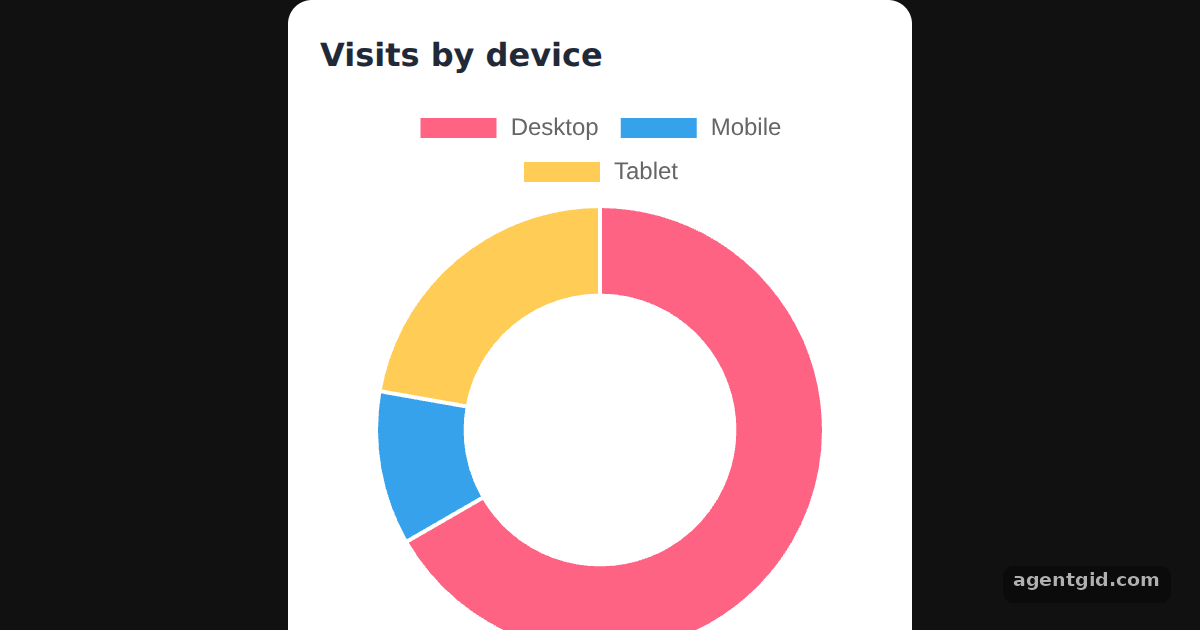 Doughnut chart in React Chart.js 2Hover a segment to see its tooltip; change cutout to 0 to turn the doughnut into a pie.
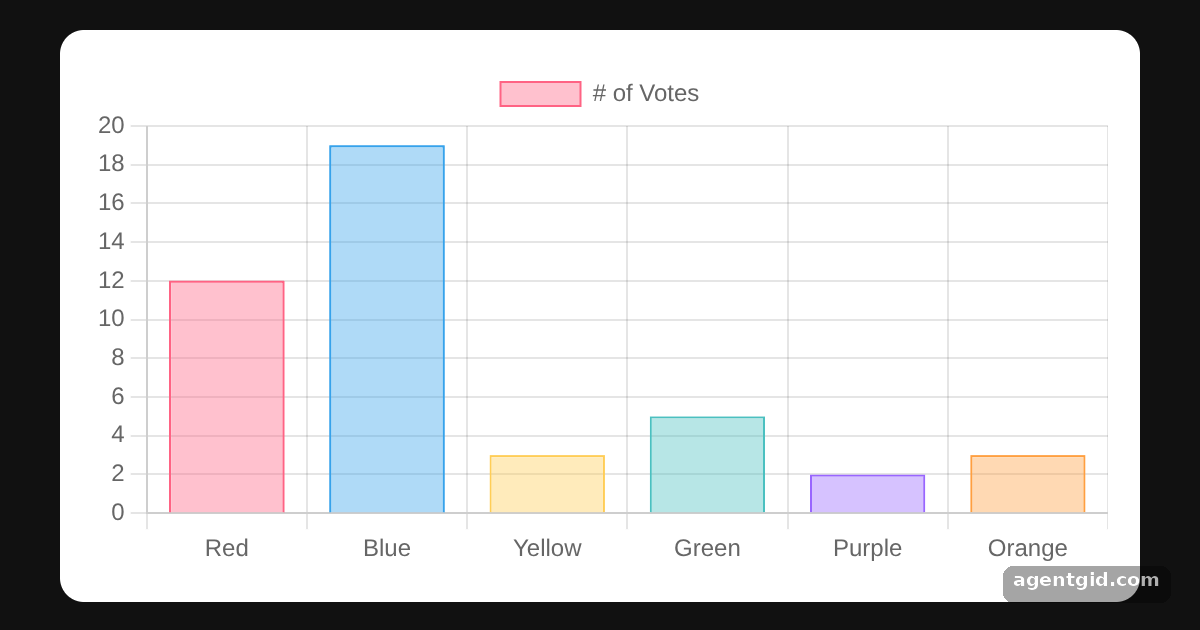 Bar chart in React Chart.js 2Change a number in the data array and the matching bar resizes.
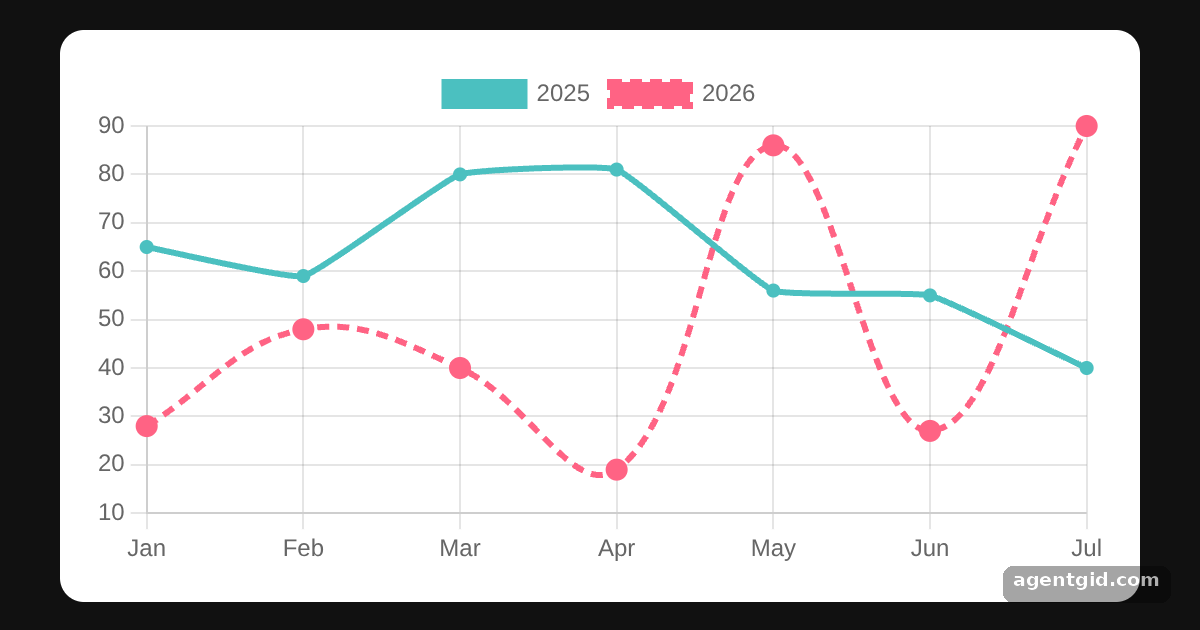 Line chart in React Chart.js 2Set tension to 0 on both datasets to get straight segments between the points.
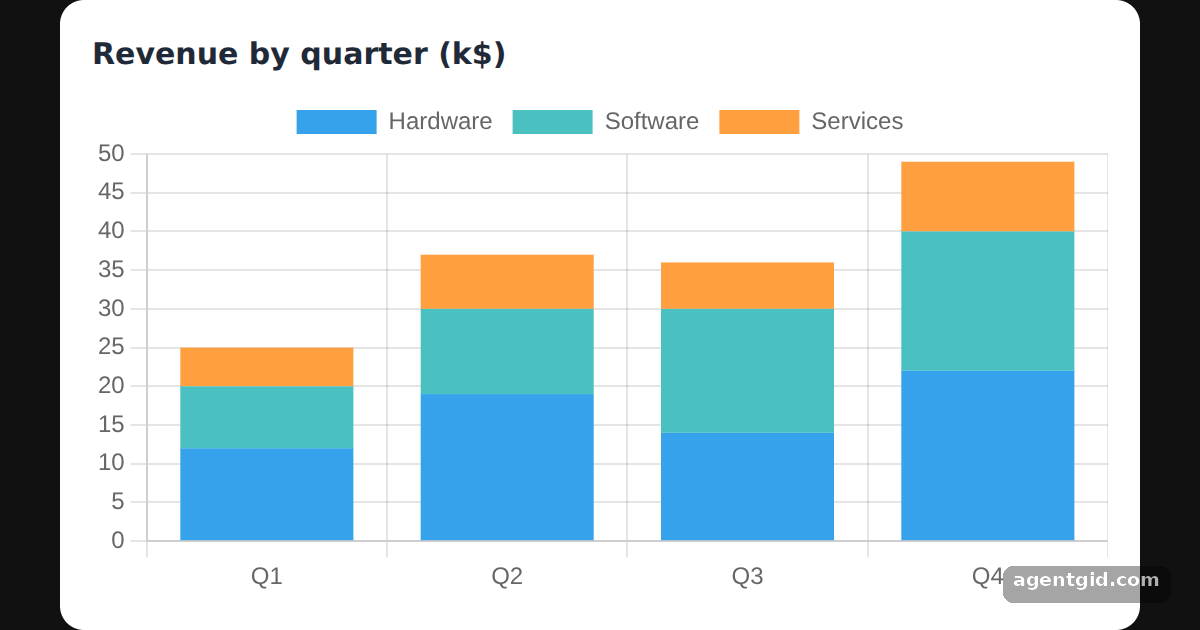 Stacked bar chart in React Chart.js 2Click a legend entry to hide that dataset and watch the stacks shrink.
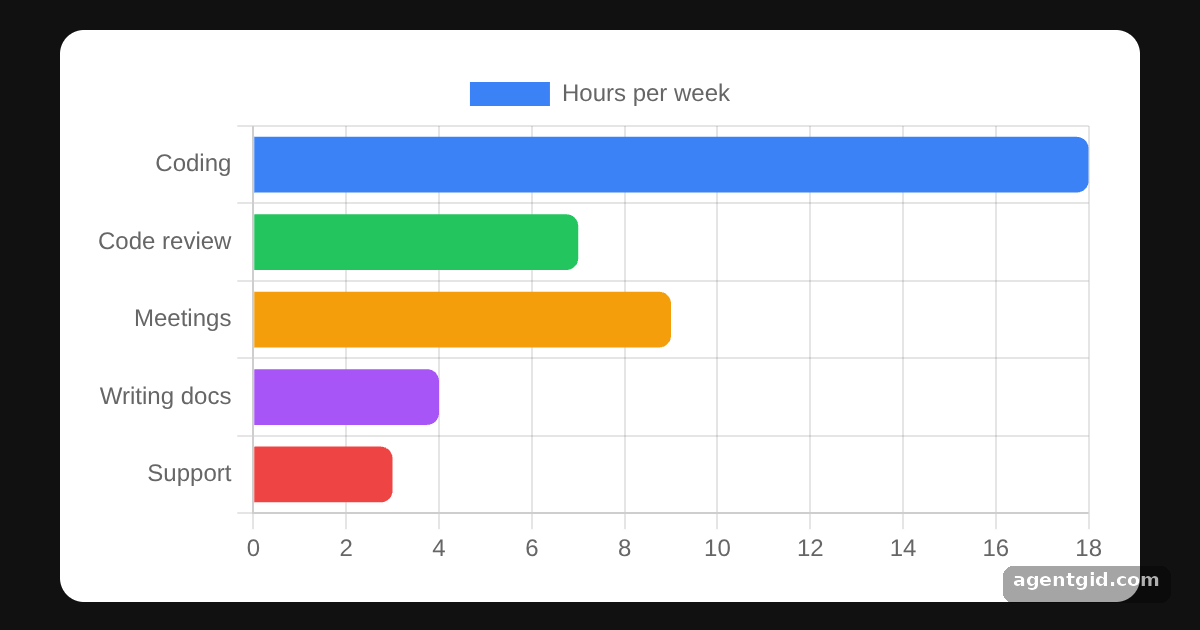 Horizontal bar chart in React Chart.js 2Delete the indexAxis line to see the same data as vertical bars.
Try them all in one place
import { Chart as ChartJS, ArcElement, Tooltip, Legend } from "chart.js";
import { Doughnut } from "react-chartjs-2";

// Register only the pieces a doughnut chart needs
ChartJS.register(ArcElement, Tooltip, Legend);

const data = {
  labels: ["Desktop", "Mobile", "Tablet"],
  datasets: [
    {
      label: "Visits",
      data: [300, 50, 100],
      backgroundColor: ["rgb(255, 99, 132)", "rgb(54, 162, 235)", "rgb(255, 205, 86)"],
      hoverOffset: 4,
    },
  ],
};

const options = { cutout: "60%", animation: false };

const page = { minHeight: "100vh", background: "#111", display: "flex", alignItems: "center",
  justifyContent: "center", fontFamily: "system-ui, sans-serif" };
const card = { background: "#fff", color: "#1f2937", borderRadius: 12, padding: 16, boxSizing: "border-box" };

export default function App() {
  return (
    <div style={page}>
      <div style={card}>
        <h3 style={{ margin: "0 0 8px", fontSize: 16 }}>Visits by device</h3>
        <div style={{ width: 280 }}>
          <Doughnut data={data} options={options} />
        </div>
      </div>
    </div>
  );
}
Hover a segment to see its tooltip; change cutout to 0 to turn the doughnut into a pie. Code written by AgentGid [1]. How it works, with a screenshot →
Hover a segment to see its tooltip; change cutout to 0 to turn the doughnut into a pie. Code written by AgentGid [1]. How it works, with a screenshot →Change a number in the data array and the matching bar resizes. Code written by AgentGid [1]. How it works, with a screenshot →Set tension to 0 on both datasets to get straight segments between the points. Code written by AgentGid [5]. How it works, with a screenshot →Click a legend entry to hide that dataset and watch the stacks shrink. Code written by AgentGid [3]. How it works, with a screenshot →Delete the indexAxis line to see the same data as vertical bars. Code written by AgentGid [3]. How it works, with a screenshot →Checked Oct 12, 2026: each example starts without errors in Chromium with react-chartjs-2 5.3.1, react 19.3.0, react-dom 19.3.0, chart.js 4.5.1. Needs WebGL.
Sources
- Docs: https://react-chartjs-2.js.org/
- Docs: docs › latest › charts › doughnut.html
- Docs: docs › latest › charts › bar.html
- Docs: docs › latest › getting-started
- Docs: docs › latest › charts › line.html
Explanations written by AgentGid from the official docs; the numbers in brackets point here. The code marked "written by AgentGid" is ours and free to copy.