Passing refs through Radix Slot
Components built on Slot often need a ref to the real DOM node, for focus or measuring. Slot passes the ref to its child element.
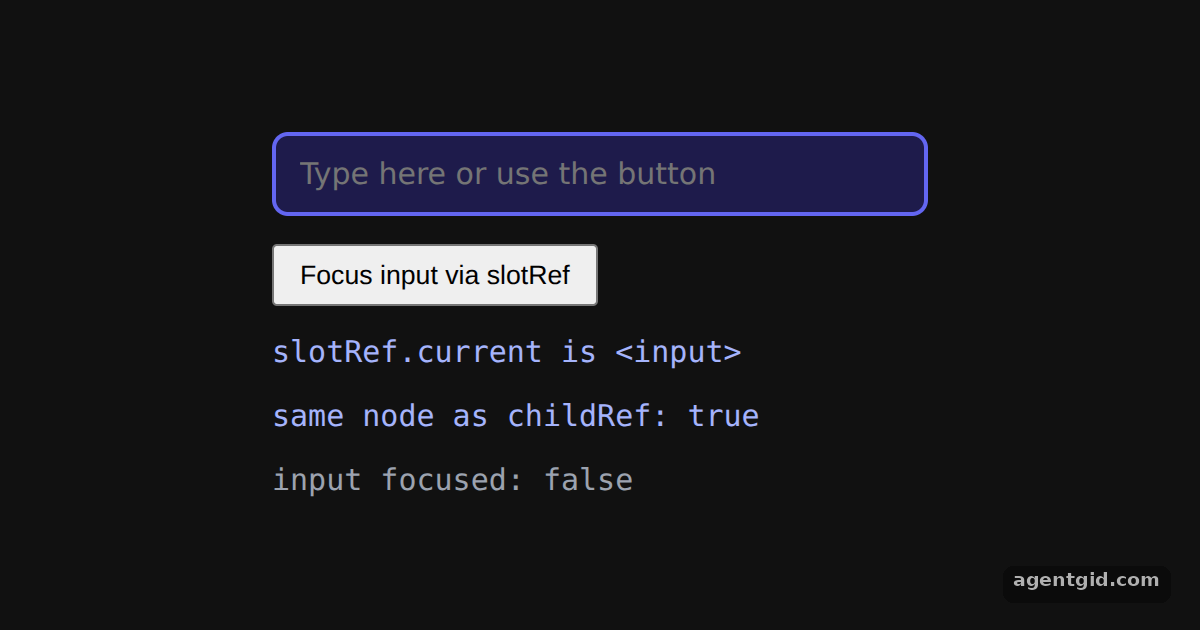
How it works
- Give the Slot a ref.
slotRefgoes on theSlot, and the input inside it has its ownchildRef. Slot renders the input with its props and refs on it. [1] - Use the ref. After mount, the effect prints the tag name of
slotRef.currentand checks that it is the same node aschildRef.current. The button callsslotRef.current.focus(), and the Slot'sonFocus/onBlurupdate the last line. [1] - One child element. Slot works on a single child element here, the input. The release notes list clearer errors for children Slot cannot use. [1]
Run and edit it
It runs in your browser, in a sandboxed frame that cannot see this site; the packages load from esm.sh only after you press Run.
import { useEffect, useRef, useState } from "react";
import { Slot } from "@radix-ui/react-slot";

export default function App() {
  const slotRef = useRef(null);  // ref given to the Slot
  const childRef = useRef(null); // ref the child keeps for itself
  const [info, setInfo] = useState([]);
  const [focused, setFocused] = useState(false);

  useEffect(() => {
    setInfo([
      "slotRef.current is <" + slotRef.current.tagName.toLowerCase() + ">",
      "same node as childRef: " + (slotRef.current === childRef.current),
    ]);
  }, []);

  return (
    <div style={{ minHeight: "100vh", display: "grid", placeContent: "center", gap: 14, background: "#111", color: "#e5e7eb", font: "15px system-ui, sans-serif" }}>
      <Slot ref={slotRef} onFocus={() => setFocused(true)} onBlur={() => setFocused(false)} style={{ width: 300, padding: "10px 12px", borderRadius: 8, border: "2px solid #6366f1", background: "#1e1b4b", color: "#fff", font: "inherit" }}>
        <input ref={childRef} placeholder="Type here or use the button" />
      </Slot>
      <button onClick={() => slotRef.current.focus()} style={{ padding: "6px 12px", justifySelf: "start" }}>
        Focus input via slotRef
      </button>
      {info.map((line) => <code key={line} style={{ color: "#a5b4fc" }}>{line}</code>)}
      <code style={{ color: focused ? "#86efac" : "#9ca3af" }}>input focused: {String(focused)}</code>
    </div>
  );
}
Press the button to focus the input through the Slot's ref; the last line turns green while the input has focus. Code written by AgentGid [1].
Press the button to focus the input through the Slot's ref; the last line turns green while the input has focus. Code written by AgentGid [1].Checked Oct 12, 2026: it starts without errors in Chromium with @radix-ui/react-slot 1.5.0, react 19.3.0, react-dom 19.3.0. Needs WebGL.
More Radix UI examples
The asChild pattern with Radix Slot How Radix Slot merges props Icon button with Radix Slottable
Sources
Explanations written by AgentGid from the official docs; the numbers in brackets point here. The code marked "written by AgentGid" is ours and free to copy.