The asChild pattern with Radix Slot
Radix parts take an asChild prop so you can render your own element instead of the default one. The Slot component lets your own components offer the same option.
How it works
- asChild in Radix parts. Radix examples pass
asChildto a part, likeTooltip.Trigger, and put their own element inside it. This Button copies that pattern. [1] - Swap the element for Slot. When
asChildis true,CompisSlotinstead of"button". Slot renders the child element and puts the Button's style and other props on it. [2] - Check what was rendered. After mounting, the effect reads the tag name of every element with
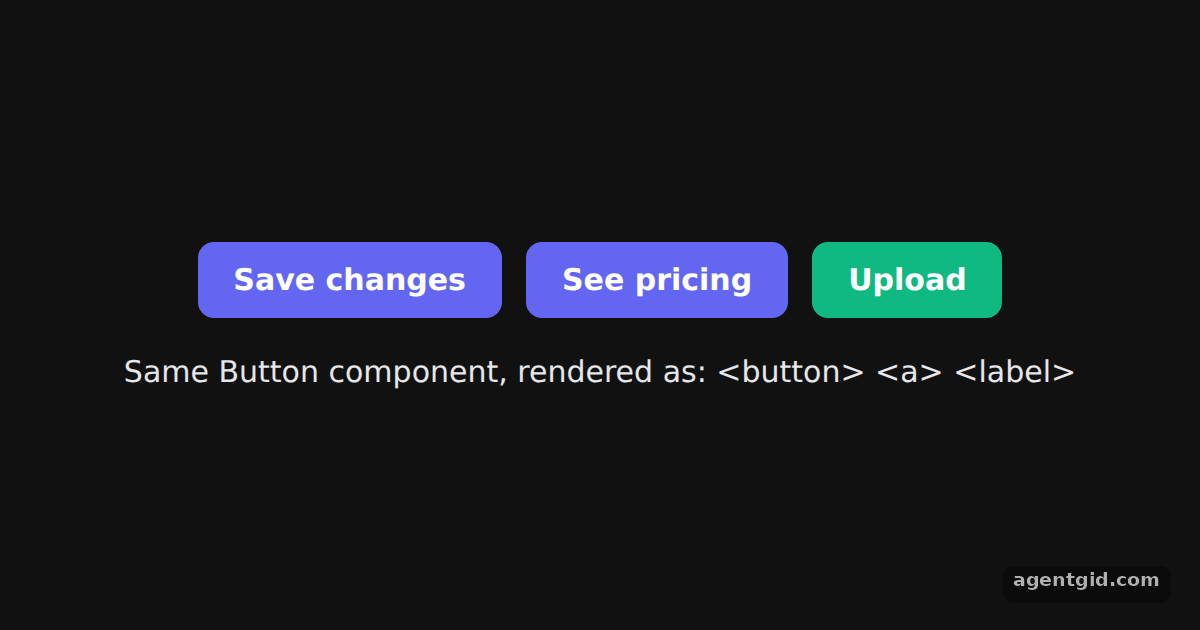
data-button: onebutton, oneaand onelabel, all with the same look. [2]
Run and edit it
It runs in your browser, in a sandboxed frame that cannot see this site; the packages load from esm.sh only after you press Run.
import { useEffect, useState } from "react";
import { Slot } from "@radix-ui/react-slot";

const base = { display: "inline-block", padding: "10px 18px", borderRadius: 8, border: "none", background: "#6366f1", color: "#fff", font: "600 15px system-ui, sans-serif", textDecoration: "none", cursor: "pointer" };

// With asChild, Button renders the element you pass in and puts its own props on it
function Button({ asChild = false, style, ...props }) {
  const Comp = asChild ? Slot : "button";
  return <Comp data-button="" style={{ ...base, ...style }} {...props} />;
}

export default function App() {
  const [tags, setTags] = useState([]);
  const [saved, setSaved] = useState(false);
  useEffect(() => {
    setTags([...document.querySelectorAll("[data-button]")].map((el) => "<" + el.tagName.toLowerCase() + ">"));
  }, []);
  return (
    <div style={{ minHeight: "100vh", display: "grid", placeContent: "center", gap: 18, background: "#111", color: "#e5e7eb", font: "15px system-ui, sans-serif", textAlign: "center" }}>
      <div style={{ display: "flex", gap: 12, justifyContent: "center" }}>
        <Button onClick={() => setSaved(true)}>{saved ? "Saved" : "Save changes"}</Button>
        <Button asChild>
          <a href="#pricing">See pricing</a>
        </Button>
        <Button asChild style={{ background: "#10b981" }}>
          <label>Upload<input type="file" hidden /></label>
        </Button>
      </div>
      <div>Same Button component, rendered as: {tags.join(" ")}</div>
    </div>
  );
}
The three controls share one Button component; the line below lists the HTML tags they actually rendered. Code written by AgentGid [1].
The three controls share one Button component; the line below lists the HTML tags they actually rendered. Code written by AgentGid [1].Checked Oct 12, 2026: it starts without errors in Chromium with @radix-ui/react-slot 1.5.0, react 19.3.0, react-dom 19.3.0. Needs WebGL.
More Radix UI examples
How Radix Slot merges props Passing refs through Radix Slot Icon button with Radix Slottable
Sources
Explanations written by AgentGid from the official docs; the numbers in brackets point here. The code marked "written by AgentGid" is ours and free to copy.