Setting the QR code version in qrcode
The version decides how many modules a QR code has and how much data it can hold. The library picks one for you, but you can set it.
All qrcode (JavaScript) examples qrcode (JavaScript): usage and stats
How it works
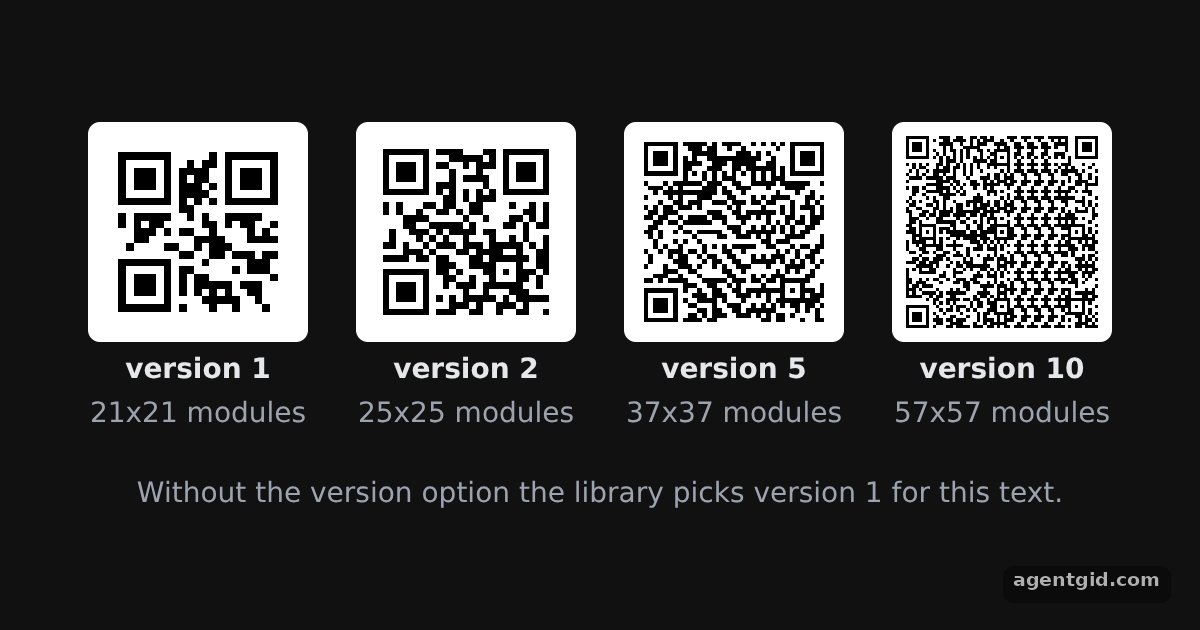
- Pass a version. Each canvas is drawn with
{ version }in the options, from 1 to 10, for the same short text. [1] - Modules per version. The label computes the grid size as 17 + 4 × version, which gives 21x21 for version 1 and 25x25 for version 2. [1]
- Let the library choose.
QRCode.create(text)without a version reports the version the library would pick for this text. [1]
Run and edit it
It runs in your browser, in a sandboxed frame that cannot see this site; the packages load from esm.sh only after you press Run.
import QRCode from 'qrcode'

const root = document.getElementById('root')
root.style.cssText = 'display:flex;align-items:center;justify-content:center;gap:24px;height:100%;font:14px system-ui,sans-serif;color:#e5e7eb'
// Small helper to create an element with inline styles and text
const el = (tag, css, text) => Object.assign(document.createElement(tag), { style: css || '', textContent: text || '' })

root.style.flexWrap = 'wrap'
root.style.alignContent = 'center'
const text = 'some text'
const versions = [1, 2, 5, 10]

for (const version of versions) {
  const box = el('div', 'display:grid;gap:6px;justify-items:center')
  const canvas = el('canvas')
  // Force a symbol version instead of letting the library pick the smallest one
  QRCode.toCanvas(canvas, text, { version }, function (error) {
    if (error) console.error(error)
    canvas.style.cssText = 'width:110px;height:110px;image-rendering:pixelated;border-radius:6px'
  })
  const n = 17 + 4 * version // version 1 is 21x21 modules, each version adds 4
  box.append(canvas, el('b', '', 'version ' + version), el('span', 'color:#9ca3af', n + 'x' + n + ' modules'))
  root.append(box)
}

const auto = QRCode.create(text)
root.append(el('div', 'width:100%;text-align:center;color:#9ca3af', 'Without the version option the library picks version ' + auto.version + ' for this text.'))
All four codes hold the same text; higher versions just add more modules. Code written by AgentGid [1].
All four codes hold the same text; higher versions just add more modules. Code written by AgentGid [1].Checked Oct 12, 2026: it starts without errors in Chromium with qrcode 1.5.4. Needs WebGL.
More qrcode (JavaScript) examples
Drawing a QR code on a canvas with qrcode QR code as a data URL with qrcode Error correction levels in qrcode Encoding modes and segments in qrcode
Sources
Explanations written by AgentGid from the official docs; the numbers in brackets point here. The code marked "written by AgentGid" is ours and free to copy.