Drawing a QR code on a canvas with qrcode
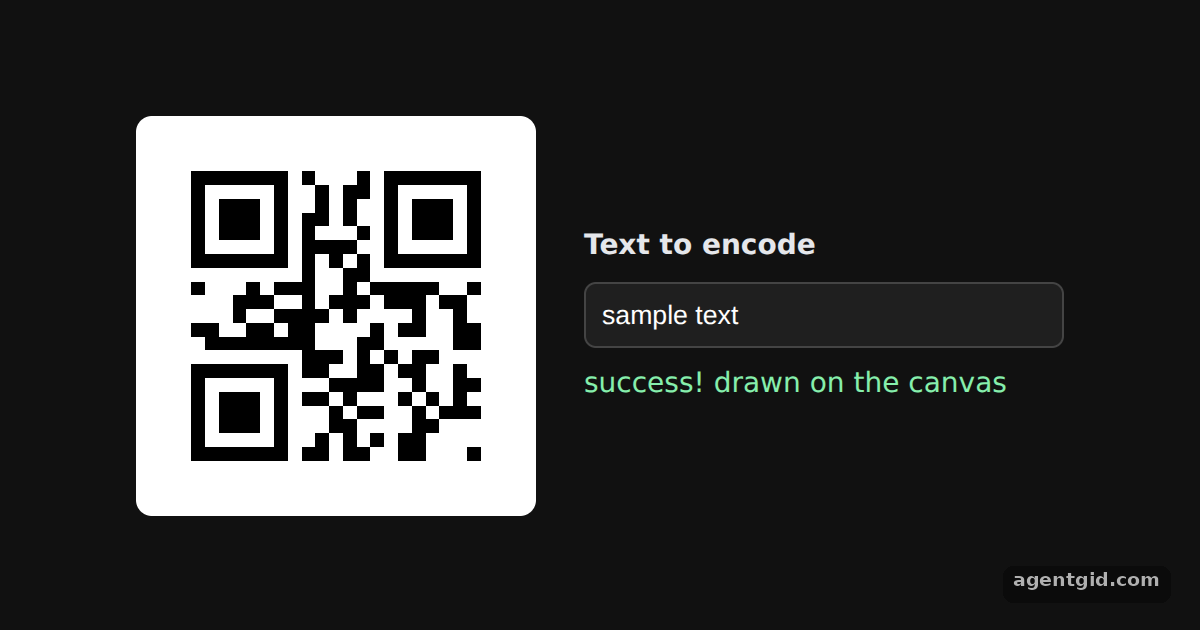
toCanvas draws a QR code symbol straight into a canvas element. It is the simplest way to show a QR code on a web page.
All qrcode (JavaScript) examples qrcode (JavaScript): usage and stats
How it works
- Import the library. The example imports the default export of
qrcodeasQRCode, as in the README's ES module example. [1] - Draw into the canvas.
QRCode.toCanvas(canvas, text, callback)draws the symbol into the existingcanvas. The callback gets an error if the text could not be encoded. [1] - Redraw on input. Every
inputevent callsdraw()again with the new text. CSS scales the canvas to 200px withimage-rendering: pixelatedso the modules stay sharp. [1]
Run and edit it
It runs in your browser, in a sandboxed frame that cannot see this site; the packages load from esm.sh only after you press Run.
import QRCode from 'qrcode'

const root = document.getElementById('root')
root.style.cssText = 'display:flex;align-items:center;justify-content:center;gap:24px;height:100%;font:14px system-ui,sans-serif;color:#e5e7eb'
// Small helper to create an element with inline styles and text
const el = (tag, css, text) => Object.assign(document.createElement(tag), { style: css || '', textContent: text || '' })

// The QR code is drawn at its natural size, then scaled up crisply with CSS
const canvas = el('canvas', 'width:200px;height:200px;image-rendering:pixelated;border-radius:8px')
const side = el('div', 'display:grid;gap:10px;width:240px')
const input = el('input', 'padding:8px;border-radius:6px;border:1px solid #444;background:#1f1f1f;color:#fff')
input.value = 'sample text'
const status = el('div', 'color:#86efac')
side.append(el('b', '', 'Text to encode'), input, status)
root.append(canvas, side)

function draw () {
  QRCode.toCanvas(canvas, input.value || ' ', function (error) {
    if (error) console.error(error)
    status.textContent = error ? 'error: ' + error.message : 'success! drawn on the canvas'
    canvas.style.width = canvas.style.height = '200px'
  })
}
input.addEventListener('input', draw)
draw()
Type in the box on the right: the QR code is redrawn on every keystroke. Code written by AgentGid [1].
Type in the box on the right: the QR code is redrawn on every keystroke. Code written by AgentGid [1].Checked Oct 12, 2026: it starts without errors in Chromium with qrcode 1.5.4. Needs WebGL.
More qrcode (JavaScript) examples
QR code as a data URL with qrcode Error correction levels in qrcode Setting the QR code version in qrcode Encoding modes and segments in qrcode
Sources
Explanations written by AgentGid from the official docs; the numbers in brackets point here. The code marked "written by AgentGid" is ours and free to copy.