Error correction levels in qrcode
Error correction lets a scanner read a QR code even when part of it is dirty or damaged. Higher levels need a bigger symbol for the same text.
All qrcode (JavaScript) examples qrcode (JavaScript): usage and stats
How it works
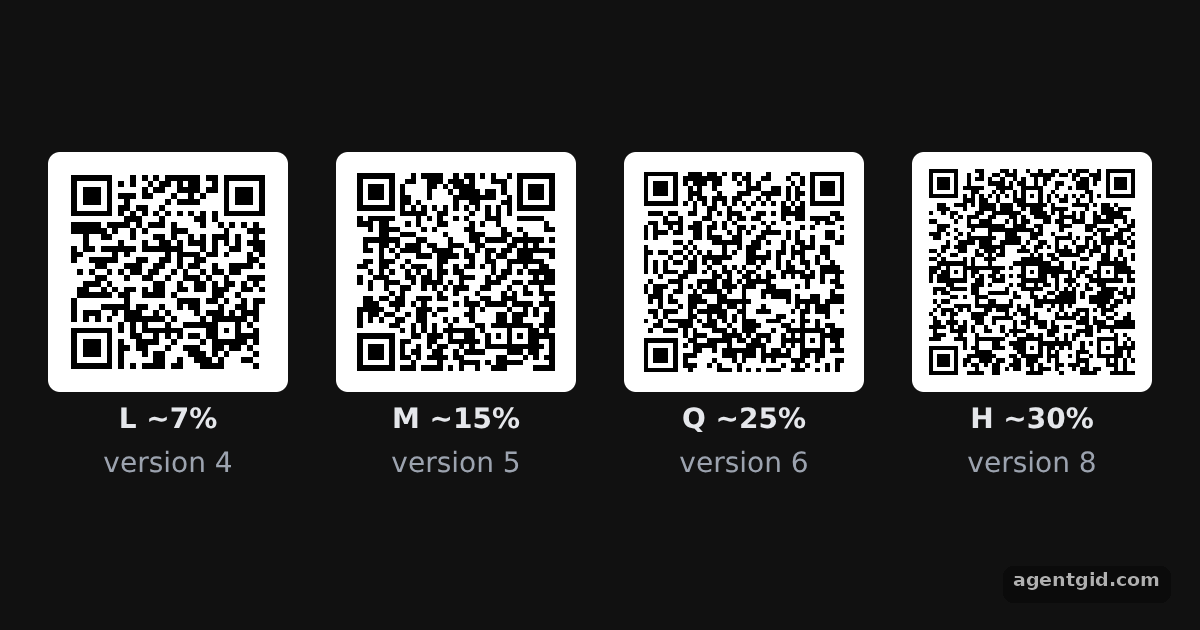
- Four levels. The loop renders the same text with
L,M,QandH. The label under each code shows the error resistance from the README's table. [1] - Set the level. The level goes in the options object as
errorCorrectionLevel. Without it the library usesM. [1] - See the cost in size.
QRCode.create()returns the symbol data, and itsversionshows how big each symbol had to be. Higher levels need a higher version here. [1]
Run and edit it
It runs in your browser, in a sandboxed frame that cannot see this site; the packages load from esm.sh only after you press Run.
import QRCode from 'qrcode'

const root = document.getElementById('root')
root.style.cssText = 'display:flex;align-items:center;justify-content:center;gap:24px;height:100%;font:14px system-ui,sans-serif;color:#e5e7eb'
// Small helper to create an element with inline styles and text
const el = (tag, css, text) => Object.assign(document.createElement(tag), { style: css || '', textContent: text || '' })

const text = 'Error correction keeps a QR code readable when part of it is damaged.'
const levels = [['L', '~7%'], ['M', '~15%'], ['Q', '~25%'], ['H', '~30%']]

for (const [level, resistance] of levels) {
  const box = el('div', 'display:grid;gap:6px;justify-items:center')
  const canvas = el('canvas')
  QRCode.toCanvas(canvas, text, { errorCorrectionLevel: level }, function (error) {
    if (error) console.error(error)
    canvas.style.cssText = 'width:120px;height:120px;image-rendering:pixelated;border-radius:6px'
  })
  // create() returns the symbol data, including the version chosen for this level
  const qr = QRCode.create(text, { errorCorrectionLevel: level })
  box.append(canvas, el('b', '', level + ' ' + resistance), el('span', 'color:#9ca3af', 'version ' + qr.version))
  root.append(box)
}
Compare the four codes and their labels: the same text needs a higher version at level H than at level L. Code written by AgentGid [1].
Compare the four codes and their labels: the same text needs a higher version at level H than at level L. Code written by AgentGid [1].Checked Oct 12, 2026: it starts without errors in Chromium with qrcode 1.5.4. Needs WebGL.
More qrcode (JavaScript) examples
Drawing a QR code on a canvas with qrcode QR code as a data URL with qrcode Setting the QR code version in qrcode Encoding modes and segments in qrcode
Sources
Explanations written by AgentGid from the official docs; the numbers in brackets point here. The code marked "written by AgentGid" is ours and free to copy.