A live Markdown preview with Marked
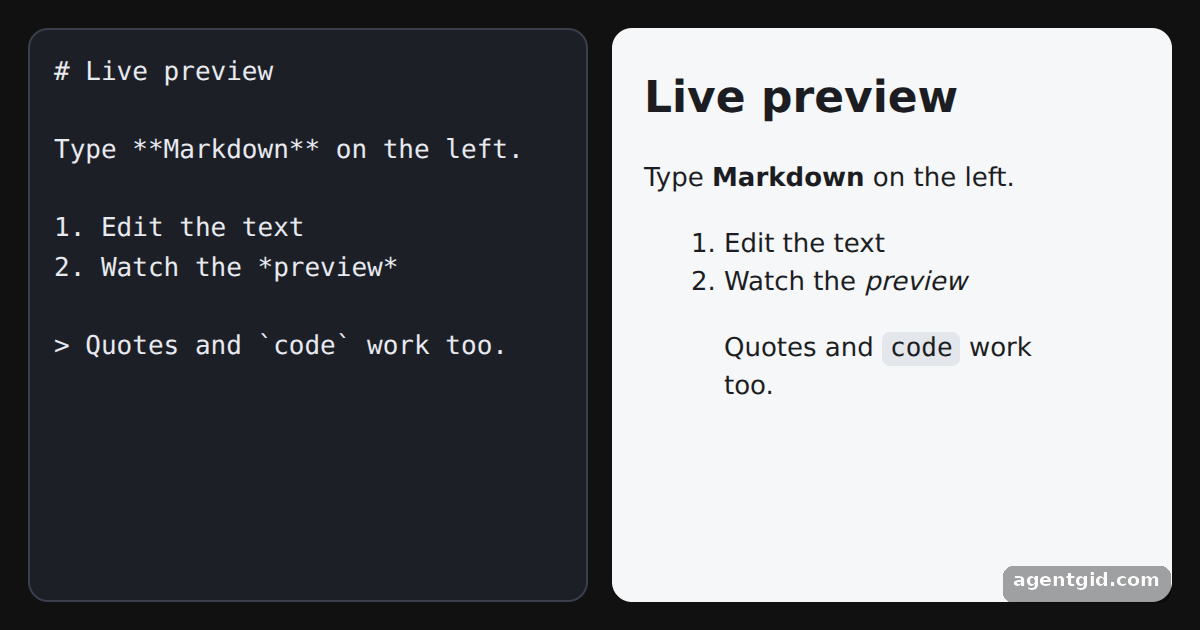
A live preview runs marked.parse each time the text changes and puts the result next to the editor.
How it works
- Render on input. The
renderfunction callsmarked.parse(editor.value)and writes the HTML into the preview. It runs once at start and again on everyinputevent. [1] - Same call as the docs. This is the browser usage from the docs, with a textarea as the source instead of a fixed string. [2]
- Mind user input. Here the visitor types the Markdown, and it goes straight into
innerHTML. In a real app, sanitize the HTML before inserting it. [2]
Run and edit it
It runs in your browser, in a sandboxed frame that cannot see this site; the packages load from esm.sh only after you press Run.
import { marked } from 'marked'

const start = `# Live preview

Type **Markdown** on the left.

1. Edit the text
2. Watch the *preview*

> Quotes and \`code\` work too.`

const style = document.createElement('style')
style.textContent = `
  html, body, #root { margin: 0; height: 100%; background: #111; font-family: system-ui, sans-serif; }
  .wrap { display: grid; grid-template-columns: 1fr 1fr; gap: 12px; padding: 14px; height: 100%; box-sizing: border-box; }
  textarea { background: #1c1f26; color: #e8eaf0; border: 1px solid #3a3f4b; border-radius: 10px; padding: 12px;
    font: 13px/1.5 ui-monospace, monospace; resize: none; outline: none; }
  .preview { background: #f6f7f9; color: #1b1d22; border-radius: 10px; padding: 4px 16px; overflow: auto; }
  .preview h1 { font-size: 22px; }
  .preview code { background: #e3e6eb; padding: 1px 4px; border-radius: 4px; }
`
document.head.appendChild(style)

const root = document.getElementById('root')
root.innerHTML = '<div class="wrap"><textarea spellcheck="false"></textarea><div class="preview"></div></div>'
const editor = root.querySelector('textarea')
const preview = root.querySelector('.preview')

// Re-render the preview on every keystroke
const render = () => { preview.innerHTML = marked.parse(editor.value) }
editor.value = start
editor.addEventListener('input', render)
render()
Type in the left pane: headings, lists and **bold** text appear in the preview as you type. Code written by AgentGid [1].
Type in the left pane: headings, lists and **bold** text appear in the preview as you type. Code written by AgentGid [1].Checked Oct 12, 2026: it starts without errors in Chromium with marked 18.1.0. Needs WebGL.
More Marked examples
Converting Markdown to HTML with Marked GitHub Flavored Markdown tables in Marked The breaks option in Marked Removing zero-width characters before Marked
Sources
Explanations written by AgentGid from the official docs; the numbers in brackets point here. The code marked "written by AgentGid" is ours and free to copy.