Marked Examples You Can Edit and Run
5 small Marked examples written by AgentGid from the official docs, one feature each. Every one runs in your browser: change the code and see the result at once, or describe a change and let AI rewrite it. The screenshots are taken from the same code by our server, which also checks that each example starts without errors.
Marked: usage and stats 158 AI-built projects use it
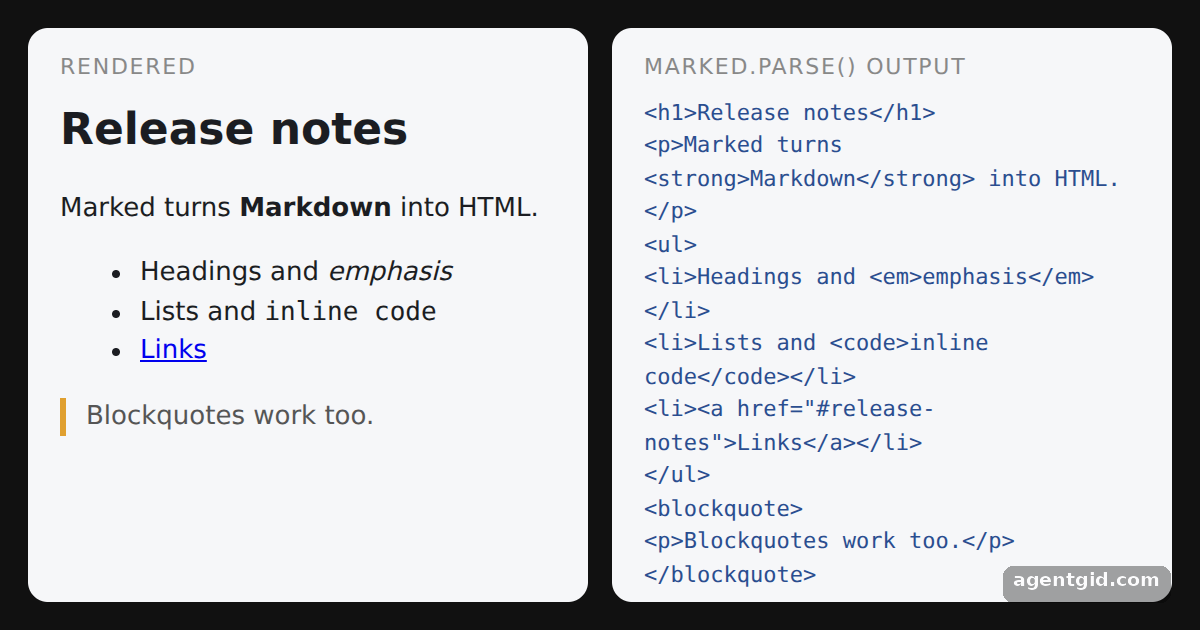 Converting Markdown to HTML with MarkedChange the Markdown in the md string and both panels update when the code reruns.
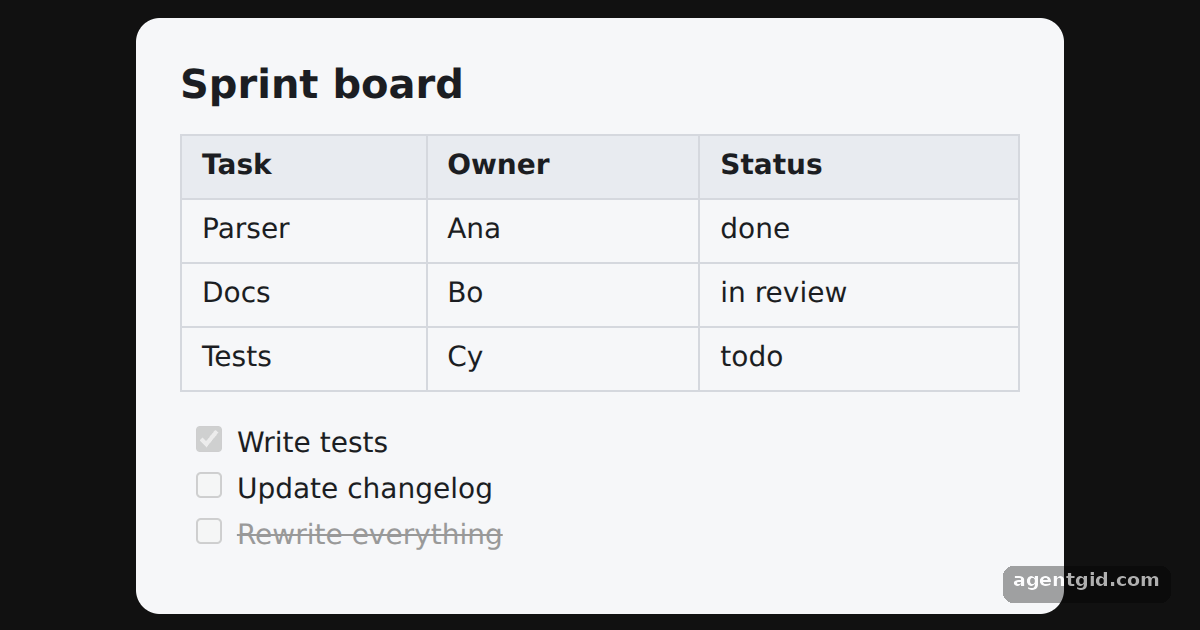 GitHub Flavored Markdown tables in MarkedAdd a row to the table or tick another task with [x] to see it render.
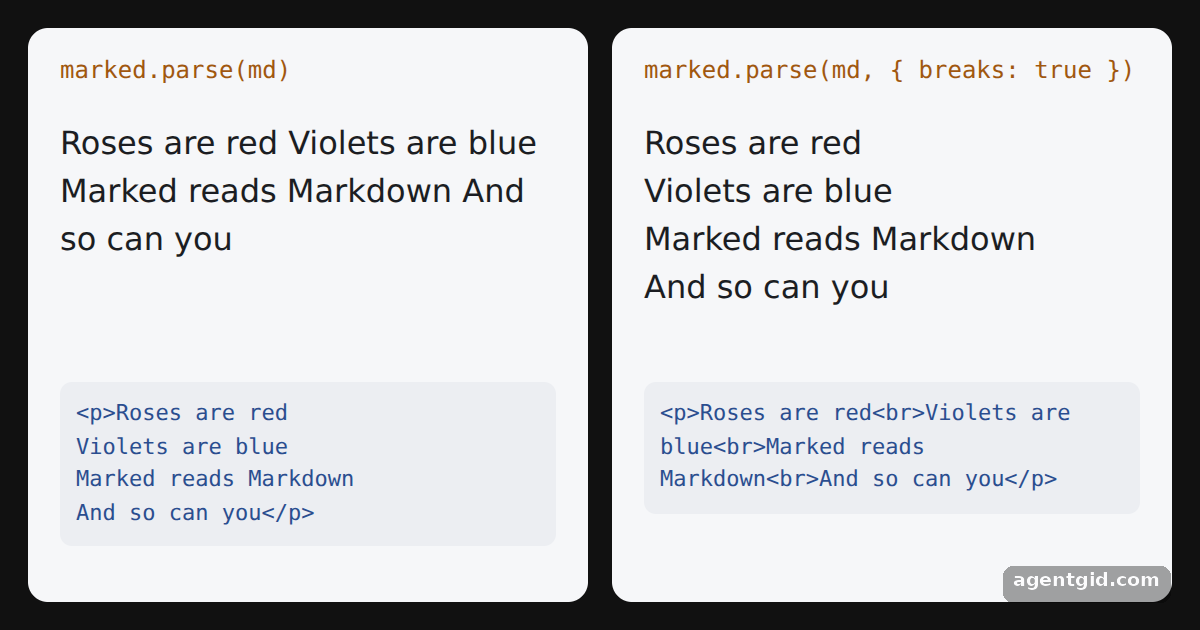 The breaks option in MarkedThe left panel runs the four lines together; the right keeps them on separate lines.
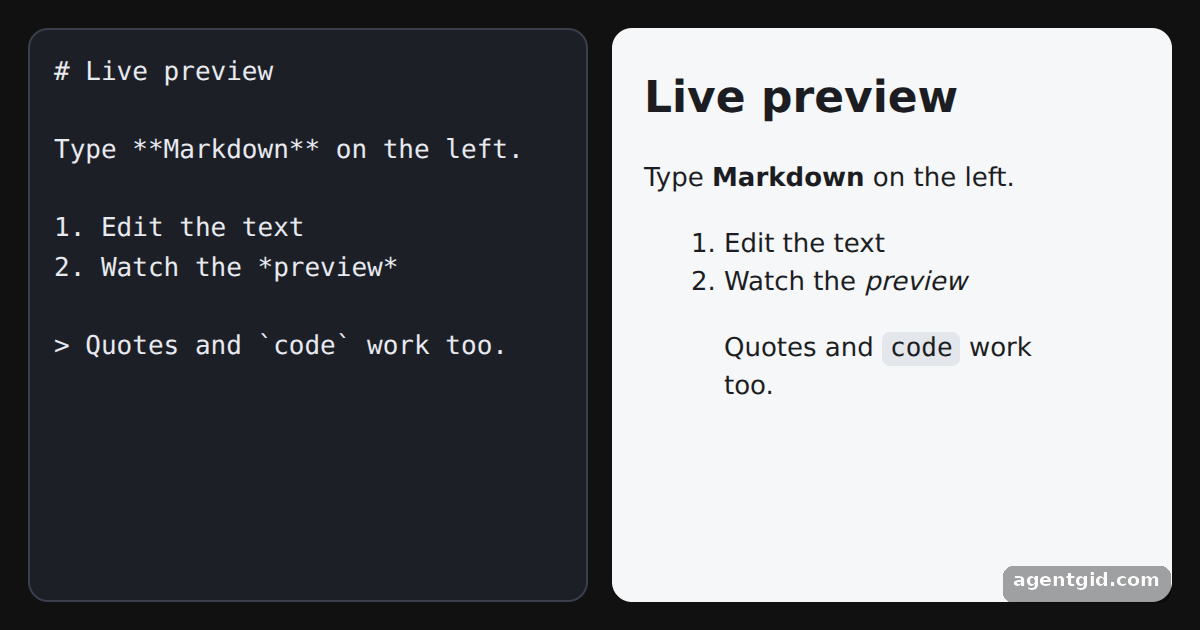 A live Markdown preview with MarkedType in the left pane: headings, lists and **bold** text appear in the preview as you type.
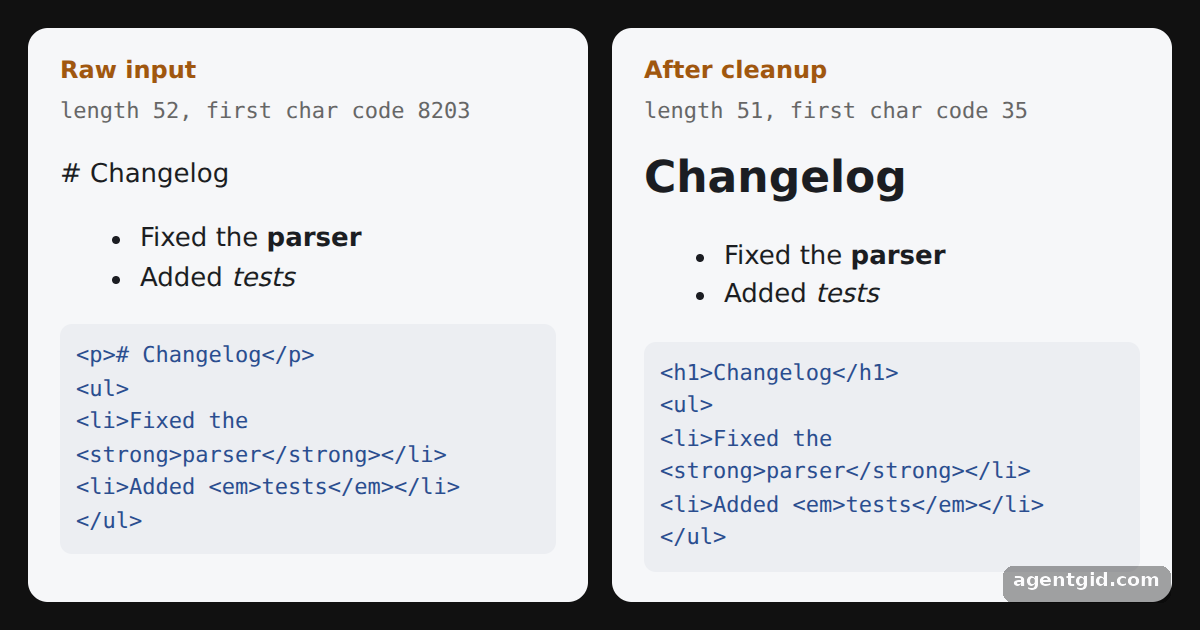 Removing zero-width characters before MarkedCompare the two panels: the raw input shows "# Changelog" as text, the cleaned one renders a heading.
Try them all in one place
import { marked } from 'marked'

const md = `# Release notes

Marked turns **Markdown** into HTML.

- Headings and *emphasis*
- Lists and \`inline code\`
- [Links](#release-notes)

> Blockquotes work too.`

// One call: Markdown string in, HTML string out
const html = marked.parse(md)

const style = document.createElement('style')
style.textContent = `
  html, body, #root { margin: 0; height: 100%; background: #111; font-family: system-ui, sans-serif; }
  .wrap { display: grid; grid-template-columns: 1fr 1fr; gap: 12px; padding: 14px; height: 100%; box-sizing: border-box; }
  .card { background: #f6f7f9; color: #1b1d22; border-radius: 10px; padding: 12px 16px; overflow: auto; }
  .card h1 { font-size: 22px; margin: 4px 0 8px; }
  .card blockquote { border-left: 3px solid #e0a030; margin: 8px 0; padding-left: 10px; color: #555; }
  .label { font-size: 11px; text-transform: uppercase; letter-spacing: .08em; color: #888; margin: 0 0 6px; }
  pre { white-space: pre-wrap; font-size: 11px; margin: 0; color: #2a4d8f; }
`
document.head.appendChild(style)

const root = document.getElementById('root')
root.innerHTML = `
  <div class="wrap">
    <section class="card"><p class="label">Rendered</p><div id="preview"></div></section>
    <section class="card"><p class="label">marked.parse() output</p><pre id="source"></pre></section>
  </div>`
root.querySelector('#preview').innerHTML = html
root.querySelector('#source').textContent = html
Change the Markdown in the md string and both panels update when the code reruns. Code written by AgentGid [1]. How it works, with a screenshot →
Change the Markdown in the md string and both panels update when the code reruns. Code written by AgentGid [1]. How it works, with a screenshot →Add a row to the table or tick another task with [x] to see it render. Code written by AgentGid [1]. How it works, with a screenshot →The left panel runs the four lines together; the right keeps them on separate lines. Code written by AgentGid [1]. How it works, with a screenshot →Type in the left pane: headings, lists and **bold** text appear in the preview as you type. Code written by AgentGid [2]. How it works, with a screenshot →Compare the two panels: the raw input shows "# Changelog" as text, the cleaned one renders a heading. Code written by AgentGid [1]. How it works, with a screenshot →Checked Oct 12, 2026: each example starts without errors in Chromium with marked 18.1.0. Needs WebGL.
Sources
Explanations written by AgentGid from the official docs; the numbers in brackets point here. The code marked "written by AgentGid" is ours and free to copy.