GitHub Flavored Markdown tables in Marked
GitHub Flavored Markdown adds tables, task lists and strikethrough on top of plain Markdown, and Marked renders them to HTML.
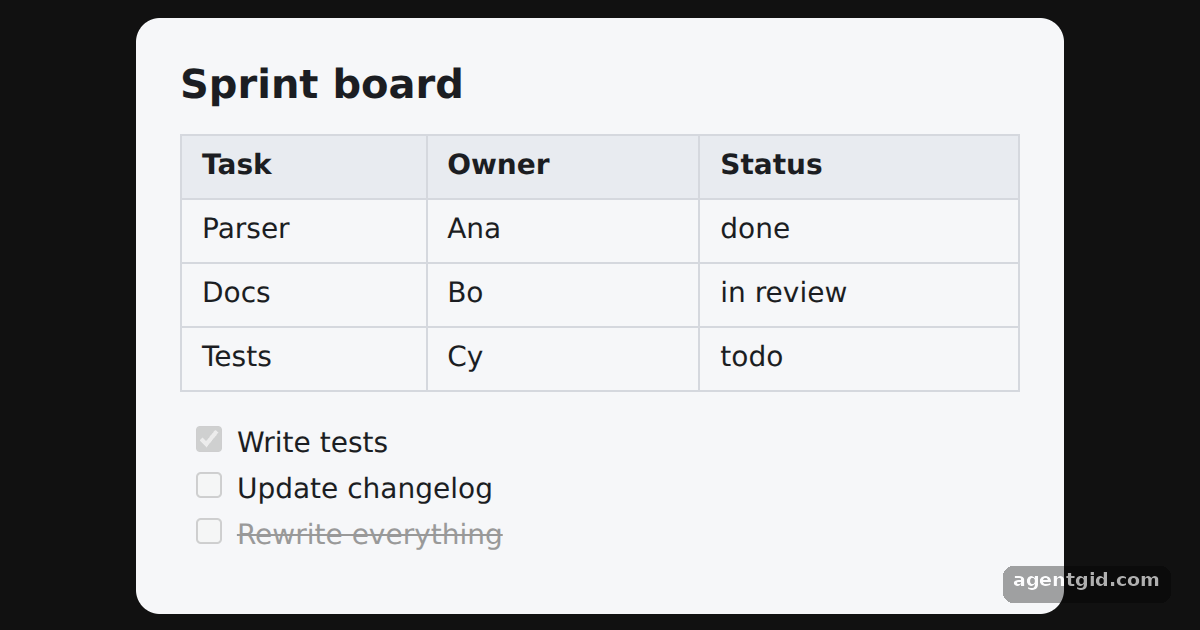
How it works
- Write GFM syntax. The input has a pipe table with a centered column, three task list items with
[x]and[ ], and~~text~~for strikethrough. [1] - Parse it like any Markdown. The same
marked.parse(md)call turns the table into<table>markup, the task items into disabled checkboxes and the struck text into<del>. [1] - Style the output. Marked outputs plain HTML elements, so the table borders, header background and grey strikethrough all come from the
<style>element in the example. [2]
Run and edit it
It runs in your browser, in a sandboxed frame that cannot see this site; the packages load from esm.sh only after you press Run.
import { marked } from 'marked'

const md = `## Sprint board

| Task   | Owner | Status    |
|--------|-------|:---------:|
| Parser | Ana   | done      |
| Docs   | Bo    | in review |
| Tests  | Cy    | todo      |

- [x] Write tests
- [ ] Update changelog
- [ ] ~~Rewrite everything~~`

const style = document.createElement('style')
style.textContent = `
  html, body, #root { margin: 0; height: 100%; background: #111; font-family: system-ui, sans-serif; }
  .card { background: #f6f7f9; color: #1b1d22; border-radius: 12px; padding: 14px 22px; width: 420px; }
  .center { display: flex; align-items: center; justify-content: center; height: 100%; }
  h2 { margin: 4px 0 10px; font-size: 20px; }
  table { border-collapse: collapse; width: 100%; font-size: 14px; }
  th, td { border: 1px solid #d5d8de; padding: 5px 10px; text-align: left; }
  th { background: #e8ebf0; }
  ul { list-style: none; padding-left: 4px; font-size: 14px; }
  del { color: #999; }
`
document.head.appendChild(style)

// Tables, task lists and strikethrough come from GitHub Flavored Markdown
const root = document.getElementById('root')
root.innerHTML = `<div class="center"><div class="card">${marked.parse(md)}</div></div>`
Add a row to the table or tick another task with [x] to see it render. Code written by AgentGid [1].
Add a row to the table or tick another task with [x] to see it render. Code written by AgentGid [1].Checked Oct 12, 2026: it starts without errors in Chromium with marked 18.1.0. Needs WebGL.
More Marked examples
Converting Markdown to HTML with Marked The breaks option in Marked A live Markdown preview with Marked Removing zero-width characters before Marked
Sources
Explanations written by AgentGid from the official docs; the numbers in brackets point here. The code marked "written by AgentGid" is ours and free to copy.